1 Applicable signals 6
2 Safety Precautions
7
2.1. General Guidelines
7
2.2. Touch-Current Check
7
3 Prevention of Electrostatic Discharge (ESD) to
Electrostatically Sensitive (ES) Devices
8
4 About lead free solder (PbF)
9
5 Service Hint
10
6 Plasma panel replacement method
11
6.1. Remove the Back cover
11
6.2. Remove the P(P-1)-Board
11
6.3. Remove the P(P-2)-Board
11
6.4. Remove the Rear terminal cover
11
6.5. Remove the tuner unit
12
6.6. Remove the DH-Board
12
6.7. Remove the DG-Board
13
6.8. Remove the H-Board
13
6.9. Remove the JG-Board
13
6.10. Remove the PA-Board
14
6.11. Remove the D-Board
14
6.12. Remove the Speaker box assy (L, R)
15
6.13. Remove the SU-Board
15
6.14. Remove the SD-Board
15
6.15. Remove the SC-Board
16
6.16. Remove the SS2-Board
16
6.17. Remove the SS3-Board
16
6.18. Remove the SS-Board
16
6.19. Remove the Reinforcement Angles (L, R) and the
Connection Plate (A, B, C, D)
17
6.20. Remove the Fan unit (R) and Fan
17
6.21. Remove the Fan unit (L) and Fans
18
6.22. Remove the Cabinet-fixing metal (A) (Upper)
18
6.23. Remove the Cabinet-fixing metal (B) (Upper)
18
6.24. Remove the C1-Board
18
6.25. Remove the C2-Board
18
6.26. Remove the C3-Board
19
6.27. Remove the Front Shield metal
19
6.28. Remove the Tuner Support metal
19
6.29. Remove the Support metal (L)
19
6.30. Remove the Support metal (R)
19
6.31. Remove the Cabinet-fixing metal (A) (Lower)
20
6.32. Remove the Cabinet-fixing metal (B)(Lower)
20
6.33. Remove the C4-Board
20
6.34. Remove the C5-Board
20
6.35. Remove the C6-Board
21
6.36. Remove the Front bracket
21
6.37. Remove the G-Board
21
6.38. Remove the GS-Board
22
6.39. Remove the S-Board
22
6.40. Remove the K-Board
22
6.41. Remove the R-Board
22
6.42. Remove the J-Board
23
6.43. Remove the Plasma panel section from the Cabinet assy
(glass)
23
6.44. Remove the squawker speaker
24
6.45. Replace the plasma panel (finished)
24
7 Caution statement
25
7.1. Caution statement.
25
8 Location of Lead Wiring
26
8.1. Lead of Wiring (1)
26
8.2. Lead of Wiring (2)
27
8.3. Lead of Wiring (3)
28
9 Self-check Function
29
9.1. Check of the IIC bus lines
29
9.2. Power LED Blinking timing chart
30
9.3. No Power
31
Others
HDMI1
2
3 Input TYPE A Connectors lThis TV supports “DAVI Cont
ol 2” function.
PC Input HIGH-DENSITY D-SUB 15PIN R, G, B/0.7 V[p-p] (75W)
HD, VD/TTL Level 2.0 - 5.0 V[p-p] (high impedance)
Audio Input RCA PIN Type × 2 0.5 V[rms]
DIGITALAUDIO
OUT
PCM/Dolb
Digital, Fibe
optic
Card slot SD CARD slot × 1
Dimensions ( W × H × D ) 1,609 mm × 998 mm × 142 mm
Mass 82kg
Note
lDesign and Specications are subject to change without notice. Mass and Dimensions shown are approximate.
CONTENTS
Page Page
3
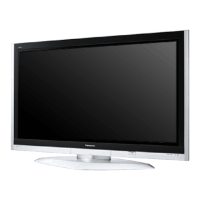
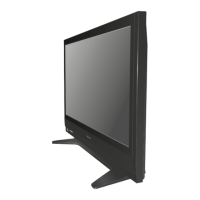
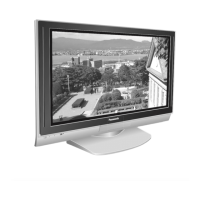
TH-65PZ700A / TH-65PY700AZ / TH-65PY700H / TH-65PY700M / TH-65PY700MR



 To Next Page