EasyManua.ls Logo

Panasonic TU-PT700U - User Manual

Panasonic TU-PT700U
72 pages
Print Icon
To Next Page IconTo Next Page
Loading...
English
Before connecting, operating or adjusting this product, please read these instructions completely.
Please keep this manual for future reference.
TV
MENU
R-TUNE
PIP MIN
REW
PIP MAX
FF
PLAY
PROG
EXIT
VCR DVD
DBS
RCVR
CBL
LIGHT
TV/VIDEO
A -ANTENNA - B
SAP
1 2 3
4 5 6
7 8
0
9
AUX
A
S
P
E
C
T
A
M
U
T
E
R
E
C
A
L
L
B
B
E
STOP
PAUSE
FREEZE
TV/VCR
PIP SPLIT MOVE
SWAP
SEARCH
OPEN/CLOSE
SPLIT CH
DVD/VCR CH
REC
CH
VOL
CH
VOL
OK
POWER
POWER
Operating Instructions
Digital High Definition Plasma TV
For assistance, please call : 1-888-VIEW-PTV(843-9788)
or send e-mail to : consumerproducts@panasonic.com
or visit us at www.panasonic.com (U.S.A.)
For assistance, please call : 787-750-4300
or visit us at www.panasonic.com (Puerto Rico)
For assistance, please call : 1-800-561-5505
or visit us at www.panasonic.ca (Canada)
System No. TH-65XVS30U
Model No.
TH-65XVS30: High Definition Plasma Display
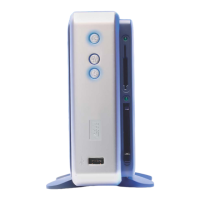
TU-PT700U: Digital Media Receiver
TQBC0944

Other manuals for Panasonic TU-PT700U

Questions and Answers

  • J
    jermainecannonAug 14, 2025
    Why does my Panasonic Plasma TV say 'Photo Viewer cannot support over 3000 JPEG files'?
    • M
      melissa53Aug 14, 2025
      Your Panasonic Plasma TV displays this message because the photo viewer cannot support more than 3000 JPEG files. Reduce the number of image files to under 3000.
  • J
    Janet LewisAug 17, 2025
    Why does my Panasonic Plasma TV say 'Photo Viewer cannot support over 8192 x 8192 pixels'?
    • T
      Tabitha RobinsonAug 17, 2025
      Your Panasonic Plasma TV displays this message because the image resolution exceeds the maximum supported size of 8192 x 8192 pixels. Use images with a resolution under 8192 x 8192 pixels.
  • S
    Sarah TaylorAug 21, 2025
    What to do if my Panasonic Plasma TV says 'Press any key to return'?
    • W
      wadeamyAug 21, 2025
      If your Panasonic Plasma TV displays the message “Press any key to return,” it's because the screen has turned black to prevent image retention. To restore the display, simply press any key on your remote.
  • S
    smithjeffreyAug 25, 2025
    What does 'This type of card is not supported' mean on my Panasonic Plasma TV?
    • P
      Paige MillerAug 25, 2025
      This message appears on your Panasonic Plasma TV when an incompatible card is inserted. Make sure you are using a compatible card.
  • K
    Kelly HigginsAug 27, 2025
    What does 'This type of format is not supported' mean on my Panasonic Plasma TV?
    • J
      Jennifer PalmerAug 27, 2025
      This message on your Panasonic Plasma TV means that the card is either not formatted with FAT 12 or FAT 16, or it does not meet the DCF standard. To fix this, format the card using FAT 12 or FAT 16 and ensure that it complies with the DCF standard.
  • B
    Belinda PotterAug 31, 2025
    What to do if my Panasonic Plasma TV says 'Card is not inserted correctly'?
    • L
      lopezjenniferAug 31, 2025
      This message appears on your Panasonic Plasma TV when the card is not properly inserted. Ensure that you insert a card.
  • E
    Evan PrattSep 3, 2025
    Why does it take long time to display images on my Panasonic Plasma TV?
    • D
      Daniel JordanSep 3, 2025
      If your Panasonic Plasma TV is taking a long time to display images, it might be due to a large number of images or large file sizes. Try reducing the number of images or decreasing the file size of the images.
  • M
    Mr. Timothy LarsenSep 6, 2025
    Why my Panasonic Plasma TV cannot read the content of the card?
    • M
      Michael WrightSep 7, 2025
      If your Panasonic Plasma TV cannot read the content of the card, it might be due to several reasons: * The card is not formatted with FAT 12 or FAT 16: Format the card with FAT 12 or FAT 16. * The image extension is not “JPG”: Ensure the image extension is “JPG”. * The folders are not under DCF standard: Verify that folders are under DCF standard.
  • M
    Melissa HollandSep 9, 2025
    How to eject PC card from Panasonic Plasma TV?
    • R
      Renee FordSep 10, 2025
      To eject the PC card from your Panasonic Plasma TV, push the card all the way in, and then try ejecting it.

Panasonic TU-PT700U Specifications

General IconGeneral
BrandPanasonic
ModelTU-PT700U
CategoryReceiver
LanguageEnglish

Related product manuals