EasyManua.ls Logo

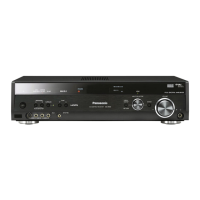
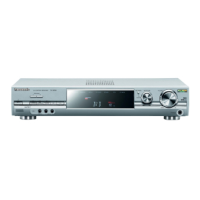
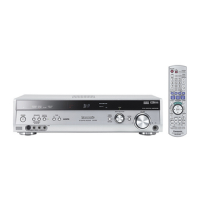
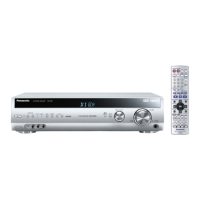
Panasonic SA-XR55 - User Manual

Panasonic SA-XR55
28 pages
Print Icon
To Next Page IconTo Next Page
Loading...
P PC
RQT7994-2P
ConnectionsSettingsBasic Operations Before useOperationsReference
Table of contents
Dear customer
Thank you for purchasing this product.
Before connecting, operating or adjusting this product, please
read the instructions completely.
Please keep this manual for future reference.
As an ENERGY STAR
®
Partner
,
Panasonic has determined that this
product meets the ENERGY STAR
®
guidelines for energy efficiency.
For Canada only: The word “Participant” is
used in place of the word “Partner”
If you have any questions contact
In the U.S.A.: 1-800-211-PANA(7262)
In Canada: 905-624-5505
For U.S.A. only
The warranty can be found on page 26.
For Canada only
The warranty can be found on page 27.
Before use
IMPORTANT SAFETY INSTRUCTIONS. . . . . . . . . . . . . . . . . . . . . . . 2
How to set up the Home Theater . . . . . . . . . . . . . . 3
Listening caution. . . . . . . . . . . . . . . . . . . . . . . . . . . . . . . . . . . . . . . . 3
Supplied accessories . . . . . . . . . . . . . . . . . . . . . . . . . . . . . . . . . . . . 3
Connections
Home Theater connections
1. TV and DVD player . . . . . . . . . . . . . . . 4
Basic connection. . . . . . . . . . . . . . . . . . . . . . . . 4
High picture quality connection . . . . . . . . . . . . 5
DVD ANALOG 6CH connection . . . . . . . . . . . . 5
2. Speakers . . . . . . . . . . . . . . . . . . . . . . . 6
Bi-wiring connection . . . . . . . . . . . . . . . . . . . . 8
Using speaker terminal B . . . . . . . . . . . . . . . . . 8
3. AC power supply cord . . . . . . . . . . . . 8
Other connections
DVD recorder . . . . . 9 VCR . . . . . . . . . . . . 9
Cable box or satellite receiver etc. . . . . . . . . . 10
CD player . . . . . . . 10 Tape deck . . . . . . 10
Game player etc. . 10 Antennas . . . . . . . 11
The remote control . . . . . . . . . . . 11
Settings
Receiver settings
-
Basic . . . . . . 12
Settings
-
Test . . . . . . . . . . . . . . . 13
Basic
Operations
Basic operations
Playback . . . . . . . . . . . . . . . . . . . . . . . . 14
Using Surround effects . . . . . . . . . . . . 15
Operations
Control guide . . . . . . . . . . . . . . . . . . . . . . . . . . . . . . . . . . . . . . . . . 16
Sound quality/Sound field/Convenient functions . . . . . . . . . . . . 18
Making a recording . . . . . . . . . . . . . . . . . . . . . . . . . . . . . . . . . . . . . 20
Receiver settings
-
Advanced . . . . . . . . . . . . . . . . . . . . . . . . . . . 21
The radio . . . . . . . . . . . . . . . . . . . . . . . . . . . . . . . . . . . . . . . . . . . . . 22
Remote control mode . . . . . . . . . . . . . . . . . . . . . . . . . . . . . . . . . . . 24
Multi control menus and factory settings . . . . . . . . . . . . . . . . . . 24
Reference
Specifications . . . . . . . . . . . . . . . . . . . . . . . . . . . . . . . . . . . . . . . . . 25
Product Service . . . . . . . . . . . . . . . . . . . . . . . . . . . . . . . . . . . . . . . 25
Warranty (U.S.A.) . . . . . . . . . . . . . . . . . . . . . . . . . . . . . . . . . . . . . . 26
Warranty (Canada) . . . . . . . . . . . . . . . . . . . . . . . . . . . . . . . . . . . . . 27
Maintenance . . . . . . . . . . . . . . . . . . . . . . . . . . . . . . . . . . . . . . . . . . 27
Troubleshooting guide . . . . . . . . . . . . . . . . . . . . . . . . . . .Back cover
Model No. SA-XR55
Operating Instructions
AV Control Receiver

Questions and Answers

  • B
    Benjamin ScottSep 18, 2025
    Why can't I use Dolby Pro Logic, DTS NEO:6, or SFC on my Panasonic Receiver?
    • L
      lrangelSep 18, 2025
      You cannot use Dolby Pro Logic, DTS NEO:6, or SFC on your Panasonic Receiver if DVD ANALOG 6CH is on or when the input is PCM with sampling frequencies of 192 or 176.4 (COAXIAL1).
  • Y
    yvettebellAug 25, 2025
    What to do if Panasonic SA-XR55 shows 'OVERLOAD' and turns off?
    • L
      Laura YoungAug 25, 2025
      If your Panasonic Receiver stops playing sound, the display shows “OVERLOAD” briefly, and the unit turns off, it could be due to: * Shorting of positive and negative speaker wires. * Using speakers with an impedance lower than rated for the unit. * Speakers straining due to excessive volume or power. * The unit overheating due to poor ventilation. Determine and correct the cause, then turn the unit on.
  • P
    Patricia BaxterAug 25, 2025
    What to do if Panasonic SA-XR55 Receiver displays “OVERLOAD” and turns off?
    • W
      William MartinezAug 26, 2025
      If the sound stops, “OVERLOAD” appears on the display, and the Panasonic Receiver turns off, it could be due to: * Shorting of positive and negative speaker wires. * Using speakers with an impedance lower than rated for the unit. * Straining the speakers through excessive volume or power. * Using the unit in a hot environment without proper ventilation. Determine and correct the cause, then turn the unit on.
  • S
    Stacy HoffmanAug 27, 2025
    How to fix no sound or distorted sound on Panasonic SA-XR55 Receiver?
    • R
      reedkylieAug 27, 2025
      If you are experiencing no sound or distorted sound with your Panasonic Receiver, here are a few things to try: * Ensure the volume is turned up. * Check the connections to your speakers and other equipment. * Make sure the speakers are turned on. * Select the correct source. * Adjust the D-INPUT setting to match your connection type. * Verify that the digital signals can be decoded by the unit. * Confirm that muting is off. * Disable PCM FIX. * Note that recording of some DVD-Audio may be restricted due to copyright protection.
  • A
    Anthony HerreraSep 22, 2025
    How do I enable DTS audio output on my Panasonic Receiver?
    • S
      Sergio StephensonSep 22, 2025
      If there is no DTS audio output or the DTS decoder indicator is not lit on your Panasonic Receiver, set the DTS Digital Audio Output setting on the DVD player or DVD recorder to “Bitstream”.
  • T
    tcarrSep 23, 2025
    How to tune to the correct AM frequency on Panasonic SA-XR55 Receiver?
    • D
      David HughesSep 23, 2025
      If you cannot tune into the correct AM frequency on your Panasonic Receiver, change the frequency step to suit your area when AM is selected.
  • V
    virginiascottSep 9, 2025
    How to improve radio reception on Panasonic Receiver?
    • V
      Veronica ChurchSep 10, 2025
      If you are experiencing difficulty tuning into radio stations or encountering excessive noise and interference with your Panasonic Receiver, try these steps: connect the appropriate antenna, adjust the position of the FM or AM antenna, reduce the treble, turn off nearby electronic devices such as televisions, video decks, DVD players, and satellite receivers, and ensure the antenna is separated from other cables, cords, and appliances.
  • G
    Gabrielle SmithSep 12, 2025
    How to troubleshoot a Panasonic SA-XR55 Receiver that has no power?
    • R
      Robert Moreno IISep 12, 2025
      If your Panasonic Receiver has no power, ensure the AC mains lead is properly connected.
  • T
    tarasmithSep 3, 2025
    Why can't I use Dolby Pro Logic on my Panasonic SA-XR55?
    • A
      Amanda RobertsSep 3, 2025
      If you cannot use Dolby Pro Logic, DTS NEO:6, or SFC on your Panasonic Receiver: * Turn DVD ANALOG 6CH off. * Note that Dolby Pro Logic, DTS NEO:6, or SFC cannot be used when the input is PCM with sampling frequencies of 192 or 176.4 (COAXIAL1).
  • S
    Stephen MillerSep 1, 2025
    How to enable DTS audio output on Panasonic SA-XR55 Receiver?
    • S
      Stephanie WagnerSep 1, 2025
      If there is no DTS audio output from your Panasonic Receiver, ensure that you set the DTS Digital Audio Output setting on the DVD player or DVD recorder to “Bitstream”.

Summary

Before Use

Important Safety Instructions

Comprehensive safety guidelines for operating the AV receiver and preventing hazards.

Home Theater Setup Overview

Guides on setting up surround sound, listening cautions, and identifying supplied accessories.

Antenna Connections

Details how to connect FM and AM antennas for optimal radio reception.

Remote Control Operation

Explains how to use the remote control, including battery installation and aiming.

Connections

TV and DVD Player Basic Connections

Describes fundamental audio and video connections for TV and DVD players.

High Picture Quality and DVD 6 CH Connections

Explains component, S-Video, and analog 6CH connections for enhanced audio/video.

Speaker Placement and Cable Connections

Guides on positioning speakers, different speaker setups, and connecting speaker cables.

Advanced Speaker Wiring and Power Connection

Details bi-wiring, using speaker terminal B, and connecting the AC power cord.

Peripheral Device Connections

Explains how to connect DVD recorders, VCRs, CD players, tape decks, and game players.

Settings

Basic Receiver Configuration

Guides on changing fundamental settings like speaker setup, bi-wiring, and surround back options using the MULTI CONTROL.

Speaker Testing and Input Signal Configuration

Explains how to test speaker output, adjust levels, and configure digital input terminals and signal modes.

Advanced Audio and System Settings

Covers adjustments for tone, balance, display, dual program output, compression, sleep timer, reset, and A/D attenuator.

Speaker Distance, Filter, and Bi-amp Adjustments

Details advanced settings for speaker distance, bass filter frequency, and bi-wire speaker balancing.

Remote Control Mode and Factory Settings

Explains changing remote modes and lists default factory settings for various functions.

Basic Operations

Playback Procedures

Details how to turn on the unit, select speakers, input sources, and adjust volume for playback.

Advanced Playback and Surround Modes

Covers specific playback scenarios like DVD-Audio, using Speaker B, DUAL AMP, BI-AMP, and basic surround effects.

Operations

Main Unit Controls and Display Indicators

Explains the buttons on the front panel and the meaning of various display indicators.

Remote Control Usage and Surround Effect Limitations

Describes remote control functions and conditions where surround effects cannot be used.

Sound Quality Adjustments and Surround Effects

Explains how to fine-tune surround effects, sound fields, and speaker levels.

Convenient Functions and Recording

Details subwoofer level adjustment, muting, re-master function, dimmer, and recording procedures.

Radio Tuning and Preset Management

Explains manual tuning, auto/manual station presetting, and reducing radio noise.

Reference

Technical Specifications

Lists detailed technical specifications for the AV receiver's various sections.

Warranty and Customer Support Information

Details U.S. warranty terms, customer service contacts, and accessory purchase information.

Canadian Warranty and Product Maintenance

Outlines Canadian warranty terms and provides product maintenance guidelines.

Troubleshooting Guide

Common Problems and Solutions

Provides a checklist of common issues and their remedies for no power, no sound, or distorted sound.

Error Indicators and Troubleshooting Steps

Addresses troubleshooting for specific error codes (F76, F70, U12) and display issues.

Surround Effect and Radio Troubleshooting

Offers solutions for issues related to surround effects and radio reception problems.

Panasonic SA-XR55 Specifications

General IconGeneral
Audio system7.1
Channels quantity7 channels
Dimensions (WxDxH)430 x 394 x 107.5 mm
Output power description80 / 100W
Line-inYes
Impedance6 Ω
Frequency range4 - 88000 Hz
Total Harmonic Distortion (THD)0.9 %
I/O ports- Component Video 3-in, 1-out - S-Video 3-in, 1-out - Video 5-in, 2-out - Digital In 4 (2-optical, 2-coaxial) - 6-ch Discrete In - Audio 7-in, 2-out - Subwoofer Out
Connectivity technologyWired
AM band range522 - 1611 kHz
FM band range87.5 - 108 MHz
Weight and Dimensions IconWeight and Dimensions
Weight4500 g

Related product manuals