EasyManua.ls Logo

Panasonic SA-XR50 - User Manual

Panasonic SA-XR50
24 pages
Print Icon
To Next Page IconTo Next Page
Loading...
E EB
RQT7492-B
Model No. SA-XR50
GN
Operating Instructions
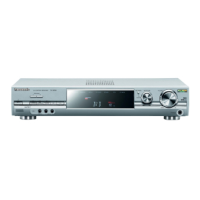
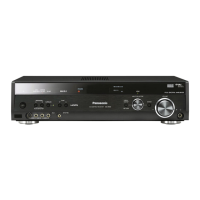
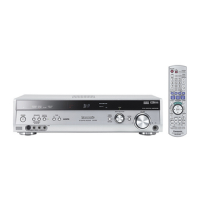
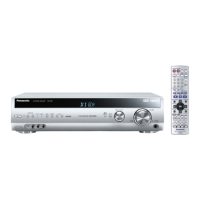
AV Control Receiver
Dear customer
Thank you for purchasing this product.
Before connecting, operating or adjusting this product, please read these
instructions completely.
Please keep this manual for future reference.
Note:
“EB” on the packaging indicates the United Kingdom.
Table of contents
Caution for AC Mains Lead.................................................... 2
Safety precautions ................................................................. 2
Supplied accessories ............................................................ 3
The remote control ................................................................ 3
Control guide ........................................................................ 14
The radio ............................................................................... 16
RDS broadcasts.................................................................... 18
Audio settings....................................................................... 19
Other functions..................................................................... 21
Making a recording............................................................... 21
Advanced setup.................................................................... 22
Specifications ....................................................................... 23
Troubleshooting guide.......................................... Back cover
Maintenance........................................................... Back cover
Before use
Step
1
Home Theater connections....4
DVD player Speakers
TV or monitor AC mains lead
Step
2
Other connections..................6
DVD recorder/VCR CD recorder
TV or monitor Tape deck
Cable box or
satellite receiver
etc.
Video camera etc.
Antennas
Using speaker
terminal B
•CD player
Step
3
Settings..................................10
Multi control basic Adjusting speaker
setup settings output level
Step
4
Basic operations...................12
Sound modes
Operations
Reference

Questions and Answers

  • R
    Rita PerkinsAug 14, 2025
    How to fix no sound on my Panasonic SA-XR50 Receiver?
    • C
      Carol FritzAug 14, 2025
      If your Panasonic Receiver has no sound, try the following: First, increase the volume. Then, verify the connections to the speakers and other equipment. Ensure that you have selected the correct source and that the speakers are turned on. Also, turn off the tape monitor and adjust the D-INPUT setting to match your connection type. Check that the digital signals can be decoded by the unit and turn PCM FIX or DTS FIX off.
  • J
    James BrayAug 17, 2025
    What to do if my Panasonic SA-XR50 Receiver shows F76 or OVERLOAD and turns off?
    • Y
      yorksamanthaAug 17, 2025
      If the sound stops and “F 76” or “OVERLOAD” appears on the display of your Panasonic Receiver, it indicates a problem that needs correction. This could be due to: * Shorting of speaker wires. * Using speakers with lower impedance than recommended. * Excessive volume or power straining the speakers. * Operating the unit in a hot, poorly ventilated environment. Determine and correct the cause before turning the unit back on.
  • J
    Jennifer JonesAug 21, 2025
    Why is my Panasonic SA-XR50 radio not tuning in properly?
    • B
      Brian MillerAug 21, 2025
      If you're experiencing difficulty tuning into radio stations or encountering excessive noise and interference on your Panasonic Receiver, consider these steps: Connect the appropriate antenna, possibly an outdoor one. Adjust the position of the FM or AM antenna. Reduce the treble. Turn off nearby electronic devices like televisions, video decks, DVD players, and satellite receivers. Ensure the antenna is separated from other cables, leads, and appliances.
  • N
    Natalie GarciaAug 25, 2025
    What to do if center, surround, or subwoofer speakers have no sound on my Panasonic Receiver?
    • S
      serranomatthewAug 26, 2025
      If you're not hearing sound from the center, surround, or subwoofer speakers on your Panasonic Receiver, make sure the SPEAKERS settings are correct. Also, turn off 2CH MIX. The source might be stereo, so try changing the sound mode.
  • W
    Walter ShepherdAug 29, 2025
    Why can't I use Dolby Pro Logic, DTS NEO:6, or SFC on my Panasonic SA-XR50?
    • D
      Dominique OdonnellAug 29, 2025
      If you cannot use Dolby Pro Logic, DTS NEO:6, or SFC on your Panasonic Receiver, turn off DVD ANALOG 6CH. Also, note that these modes are not available when the input is PCM with sampling frequencies of 192, 176.4 (COAXIAL1), 96, or 88.2 kHz.
  • G
    george78Sep 1, 2025
    How to enable surround back speaker sound on Panasonic SA-XR50?
    • B
      bethgrahamSep 1, 2025
      If you are not getting any sound from the surround back speaker on your Panasonic Receiver, verify that the SPEAKERS settings are configured correctly. Also, ensure that the 6.1CH DECODING mode is activated.
  • N
    Nicole ThompsonSep 5, 2025
    How do I tune the correct AM frequency on my Panasonic Receiver?
    • C
      Catherine GarciaSep 5, 2025
      If the correct AM frequency cannot be tuned in on your Panasonic Receiver, change the frequency step to suit your area when AM is selected.
  • P
    philipgarciaSep 8, 2025
    How to troubleshoot a Panasonic SA-XR50 Receiver that has no power?
    • J
      Jill GeorgeSep 9, 2025
      Ensure the AC mains lead is connected to your Panasonic Receiver.

Summary

Before Use

AC Mains Lead Safety

Safety advice for the AC mains lead, including fuse replacement and proper wiring.

General Safety Precautions

Advice on unit placement, voltage, foreign matter, and service.

Supplied Accessories

Identifies and lists accessories included with the AV receiver.

Remote Control Operation

Instructions for using the remote, including battery insertion and optimal usage range.

Home Theater Connections

Connecting Audio;Video Sources

Guide for connecting DVD players and TV/monitors to the receiver.

Speaker Placement Guide

Visual representation of optimal speaker angles for surround sound setup.

Speaker Wiring and AC Power

Details on connecting speakers and the AC mains lead.

Other Connections

Connecting DVD Recorder;VCR

Instructions for connecting DVD recorders or VCRs to the receiver.

Connecting TV or Monitor

Guide for connecting TVs or monitors using various cable types.

Connecting Cable Box;Satellite Receiver

How to connect cable boxes or satellite receivers using S-Video or Component Video.

Connecting DVD Player;Recorder

Details on connecting DVD players and recorders via S-Video or Component Video.

Connecting CD Player;Recorder

Instructions for connecting CD players and recorders using digital or line out.

Connecting Tape Deck

Guide for connecting tape decks, including graphic equalizer integration.

Connecting Video Camera

How to connect video cameras for audio and video input.

Antenna Connections

Instructions for connecting FM indoor, FM outdoor, and AM loop antennas.

Using Speaker Terminal B

Guide on connecting a second pair of speakers using terminal B.

Settings

Multi Control Basic Setup

Guide to setting up speaker combinations and digital input modes.

Input Mode Settings

How to configure automatic or fixed input detection for digital/analogue signals.

Adjusting Speaker Output Level

Process for adjusting individual speaker output levels relative to front speakers.

Test Signal and Level Adjustment

Using the test signal to adjust speaker levels and volume.

Basic Operations

Sound Modes (Dolby Pro Logic II)

Explanation of Dolby Pro Logic II modes like MOVIE, MUSIC, and PANORAMA.

Sound Modes (DTS NEO:6)

Using DTS NEO:6 modes (CINEMA, MUSIC) for 2-channel sources.

Sound Field Control (SFC)

Using SFC modes (LIVE, POP/ROCK, VOCAL, etc.) for enhanced sound.

Adjusting Center;Dimension Controls

Adjusting center width and dimension for natural sound imaging.

Adjusting Speaker Levels and SFC

Fine-tuning speaker levels and SFC effect levels.

Listening to Multi-Channel in Stereo

How multi-channel sources sound in stereo (2CH MIX mode).

Operations Control Guide

Main Unit Controls

Explanation of the main unit's buttons, indicators, and display elements.

Remote Control Buttons

Overview of functions for various remote control buttons.

Remote Control Functions

Detailed explanation of remote control buttons for source selection and modes.

Radio Operations

Manual Tuning

Steps for manually tuning radio stations using the unit.

Direct Tuning

How to tune directly to a radio station by entering its frequency.

Multi Control Tuner Settings

Customizing tuner settings like FM Mode, Beat Proof, and AM Allocation.

Preset Tuning

Guide to automatically or manually preset radio stations.

RDS Broadcasts

Displaying RDS Information

How to display text data like station name and program type from RDS signals.

Audio Settings

Bass Synthesizer

Enhancing bass depth for audio playback.

Multi-Source Re-Master

Boosting higher frequencies lost during compression for better audio.

Subwoofer Level Control

Adjusting the subwoofer volume independently.

Center Focus and Multi Rear Surround

Adjusting center speaker placement and using multi rear surround effects.

Tone and Balance Adjustment

Adjusting bass, treble, and front speaker balance.

Dynamic Range Compression

Reducing peak levels for clearer listening at low volumes.

A;D Attenuator Setting

Adjusting the attenuator to prevent "OVERFLOW" during analogue input.

Other Functions

Dimmer Control

Adjusting the brightness of the unit's display.

Sleep Timer

Setting the unit to turn off automatically after a specified time.

Reset Function

Restoring unit settings to factory defaults.

Making a Recording

Recording Source Selection

Selecting the source to be recorded to tape, DVD recorder, or digital device.

Advanced Setup

Speaker Size Settings

Configuring speaker size (LARGE, SMALL, NONE) for optimal sound.

Speaker Distance Setup

Setting speaker distances to adjust sound delay for accurate timing.

Filter Settings

Adjusting bass cut-off frequency for front speakers and subwoofers.

Specifications

Amplifier Section Specifications

Technical details for the amplifier, including power output and distortion.

Tuner and Video Section Specs

Technical specifications for FM/AM tuners and video output.

General and Power Specifications

Overall power supply, consumption, dimensions, and mass.

Troubleshooting Guide

Common Problems and Solutions

Lists common issues like no power or no sound and their solutions.

Sound Mode Troubleshooting

Specific solutions for issues related to sound modes and digital audio output.

Radio Troubleshooting

Solutions for radio tuning problems, noise, and interference.

Multi Control Mode Settings Summary

Overview of multi control mode menus and factory settings for reference.

Panasonic SA-XR50 Specifications

General IconGeneral
Channels5.1
Total Harmonic Distortion0.09%
Input Sensitivity200 mV
Signal-to-Noise Ratio100 dB
TypeDigital Receiver
Digital Inputs2 x optical, 1 x coaxial
Analog Inputs5
Power Output100 watts per channel into 8 ohms (5 channels)

Related product manuals