EasyManua.ls Logo

Panasonic SA-XR15 - User Manual

Panasonic SA-XR15
20 pages
Print Icon
To Next Page IconTo Next Page
Loading...
PC
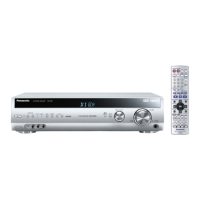
AV Control Receiver
Operating Instructions
Model No. SA-XR15
Dear customer
Thank you for purchasing this product.
Before connecting, operating or adjusting this product, please read
these instructions completely.
Please keep this manual for future reference.
Table of contents
Equipment connections
6
Speaker connections
4
Settings
8
Step 1
Basic operations
10
Before use
Reference
Step 2
Step 3
Step 4
Others
Control guide ..............................................................12
The radio ....................................................................15
Other functions ..........................................................16
Other settings ............................................................16
Sleep timer ..................................................................17
The RESET function ..................................................17
Making a recording ....................................................17
Troubleshooting guide ..............................................18
Maintenance ................................................................18
Specifications..............................................................19
Product Service ..........................................................19
Warranty ......................................................................20
IMPORTANT SAFETY INSTRUCTIONS ......................2
Listening caution..........................................................2
Supplied accessories ..................................................3
The remote control ......................................................3
RQT6964-Y
H1202RF0
En Cf

INPUT MODE
STEREO/
2CH MIX
DOLBY
PRO LOGIC
SFC TEST
SLEEP BALANCE LEVEL EFFECT
TONE
/L
+
/R
ENTER
^^
DISC
RECEIVER
AV SYSTEMRECEIVER
AUX
VCR
FM
CH
VOLUME
SKIP
TV VOL
+
TOP MENU
MENU
DIRECT
NAVIGATOR
DISPLAY
DIMMER
SUBWOOFER
MUTINGTV/VIDEO
RETURN
PLAY
LIST
SLOW / SEARCH
DIRECT TUNING
AM
1
23
7
0
89
10
4
5
6
>
=
DVD TV
ENTER
g
h
uit y
q
POWER
8
DTS
FM MODE
INPUT SELECTOR
BAND
MEMORY
VOLUME
PHONES
DOWN UP
PRESET
TUNE 2 TUNE 1
%
DIGITAL
%
PL2
^

Questions and Answers

  • J
    Jessica PotterAug 12, 2025
    What to do if the radio cannot be tuned in on my Panasonic SA-XR15 Receiver?
    • A
      Anthony GeorgeAug 12, 2025
      If the radio isn't tuning in or there's excessive noise, try these steps: Connect the appropriate antenna, possibly an outdoor one. Adjust the position of the FM or AM antenna. Reduce the treble. Turn off nearby electronics like televisions, video decks, DVD players, and satellite receivers. Separate the antenna from other cables, cords, and appliances. Adjust the A/D ATT setting; note that this might change the volume but could reduce noise.
  • J
    Julie FordAug 20, 2025
    What to do if no sound from center, surround, or subwoofer speakers on Panasonic Receiver?
    • K
      Kathy CampbellAug 20, 2025
      If you're not hearing sound from the center, surround, or subwoofer speakers, first, ensure the SPEAKERS settings are correct. Then, turn 2CH MIX off. If the source is stereo, try changing the sound mode. Note that you cannot use Dolby Pro Logic2or SFC when the input is PCM with sampling frequencies of 96, or 88.2 kHz.
  • M
    Matthew WilsonOct 31, 2025
    Why is there no sound coming from my Panasonic Receiver?
    • J
      joseliuOct 31, 2025
      If there's no sound, make sure the power cord is connected and the volume isn't too low. Also, verify the connections to the speakers and other equipment. Ensure the correct source is selected and that the D-INPUT setting matches your connection type. Confirm that digital signals can be decoded by the unit and try turning PCM FIX or DTS FIX off. If the speaker wires are shorting (bare wires touching), determine and correct the cause, then switch the unit on. In case you are using speakers with lower impedance or straining them with excessive volume, correct the cause and restart the unit. If the unit is overheating due to poor ventilation, address the ventilation issue and restart. If the problem persists after restarting, consult your dealer; if the problem is still not resolved, turn the...

Summary

Before Use

Safety and Listening Precautions

Essential safety guidelines and recommendations for safe listening levels to protect hearing.

Step 1 Speaker Connections

Speaker Placement and Connection Guide

Guidance on optimal speaker placement and detailed instructions for connecting speaker cables.

Step 2 Equipment Connections

Connecting AV Sources and Antennas

Instructions for connecting various audio/video sources, antennas, and power supply.

Step 3 Settings

Speaker Size and Subwoofer Settings

Configuring speaker sizes and subwoofer presence for optimal sound.

Step 3 Settings (Cont.)

Speaker Output Level Calibration

Fine-tuning individual speaker levels and subwoofer output for a balanced sound experience.

Step 4 Basic Operations

Step 4 Basic Operations (Cont.)

Remote Control Operations

Radio Functions

Reference and Maintenance

Troubleshooting Common Issues

A guide to diagnosing and resolving common operational issues with the AV receiver.

Panasonic SA-XR15 Specifications

General IconGeneral
BrandPanasonic
ModelSA-XR15
CategoryReceiver
LanguageEnglish

Related product manuals