ADJUSTMENT PROCEDURE
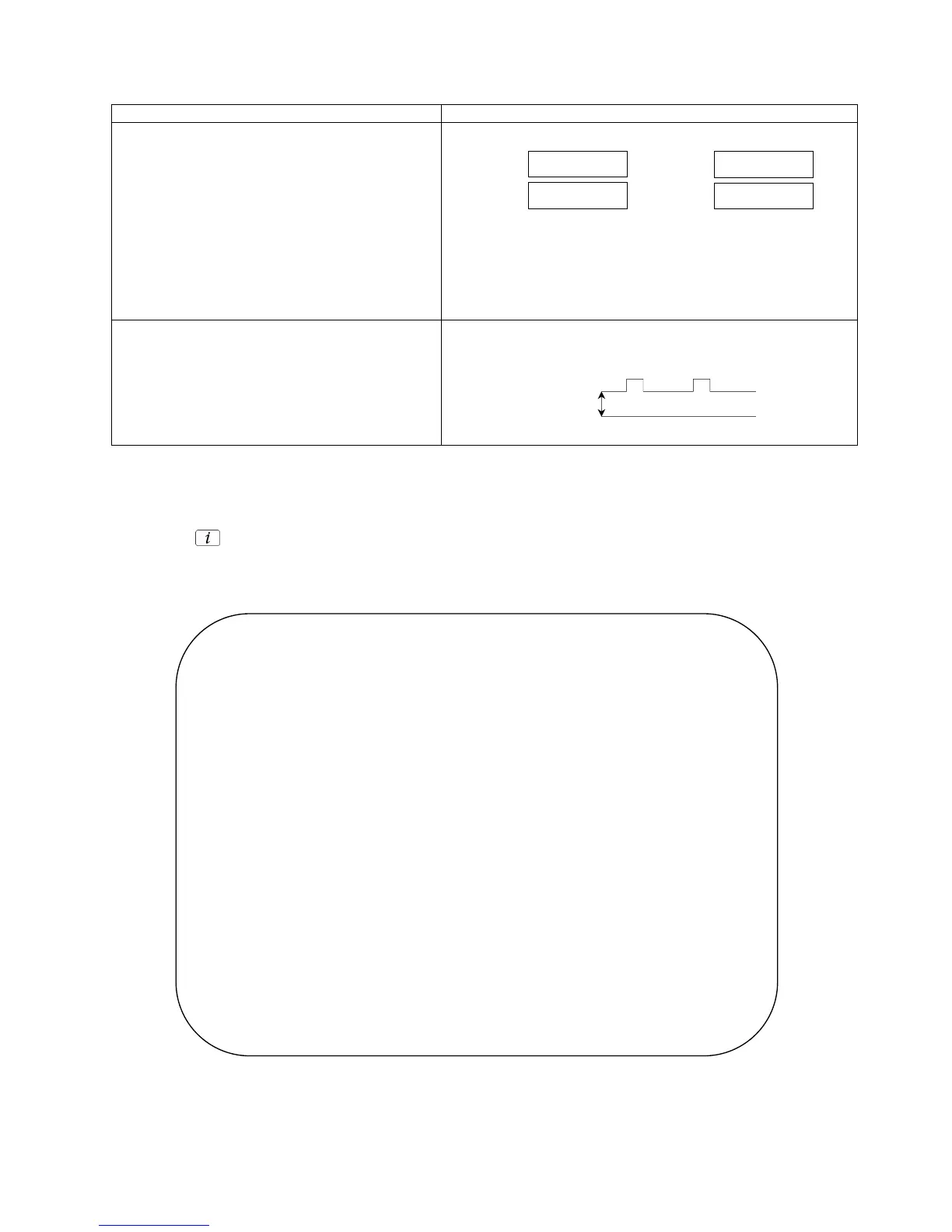
Item / Preparation Adjustments
+B SET-UP
1. Receive a Window pattern.
2. Set the controls :
Brightness Minimum
Contrast Minimum
Volume Minimum
Confirm the following voltages:
TPD11 12,3 ± 0,5V TPD21 9,4 ± 0,5V
Audio 5W
Normal mode
13,5 ± 0,5V 5,7 ± 0,3V
Audio MIN
Standby mode
TPD12 3,3 ± 0,15V TPD23 138 ± 1,5V
TPD13 5 ± 0,25V TPD121 205 ± 10V
TPD16 8 ± 0,3V TPD122 17,2 ± 1V
TPD17 3,3 ± 0,15V TPD123 -11,6 ± 1V
TPD20 1,8 ± 0,1V TPD124 13,6 ± 1V
TPL5 6,3 ± 0,3V
CUT OFF / Ug2 Test
1. Receive a Window pattern.
3. Set:
Colour 50%
Brightness 50%
Contrast 100%
To adjust Cutoff connect an oscilloscope to the Blue cathode. Adjust
the screen VR until the black level is 160V ± 2V.
SELF CHECK
Self-check is used to automatically check the bus lines and hexadecimal code of the TV set.To enter Self-Check mode, press
the STATUS button on the remote control and at the same time press the down (-/v) button on the customer controls at
the front the TV set. To exit Self Check, switch off the TV set at the power button.
If the CCU









 To Next Page