5 Self-check function
When phenomena like "the power fails from time to time" or "the video/audio fails from time to time" can not be confirmed at the
time of servicing, the self-check function can be used to confirm the occurrence and to limit the scope for the defective circuits.Also,
when "the power fails from time to time", display on the screen can be used to confirm the occurrence and to limit the scope for
the defective circuits.
Any programmed channels, channels caption data and some other user defined settings will be erased and return to factory setting.
5.1. How to access
5.1.1. Access
Produce TV reception screen and, while pressing [VOLUME-] button on the main unit, press [OFF TIMER] button on the remote
controller unit simultaneously.
5.1.2. Exit
To exit, turn off the TV.
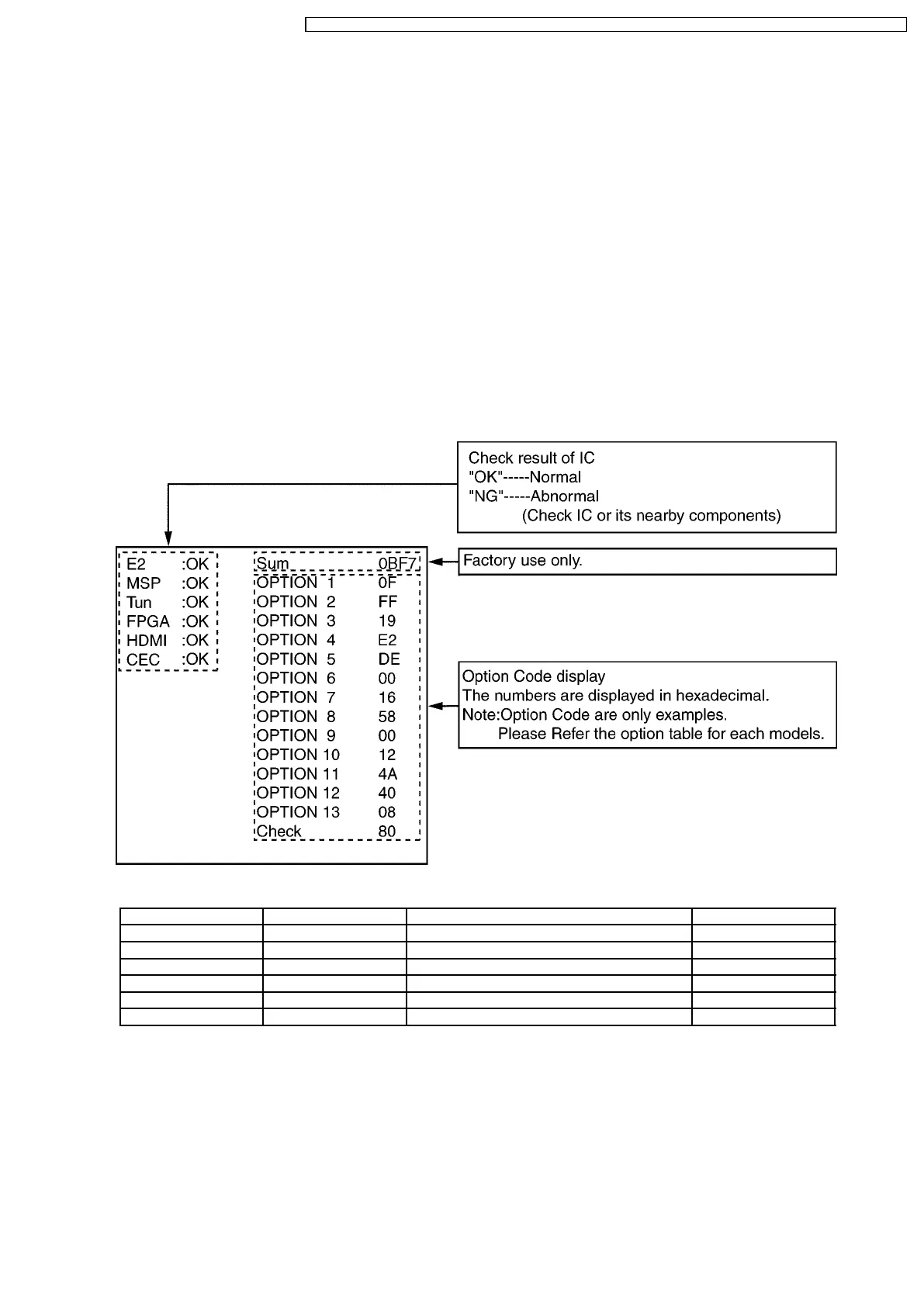
5.2. Screen display
Display Ref No. Description P.C.B.
E2 IC1102 EEPROM A-Board
MSP IC2001 TV Sound Power Amplifier A-Board
Tun TU101 Tuner A-Board
FPGA IC4004 LCD Driver and Display Control A-Board
HDMI IC5004 HDMI Processor A-Board
CEC IC5001/IC5002 CEC Control A-Board
7
TX-32LX70X / TX-32LX70A / TX-32LX70Y / TX-32LE7X / TX-32LE7Y / TX-26LX70X / TX-26LX70A / TX-26LX70Y / TX-26LE7X / TX-26LE7Y




 To Next Page