EasyManua.ls Logo

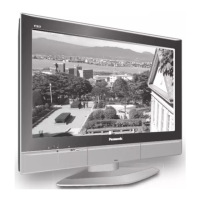
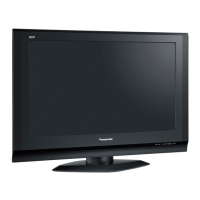
Panasonic TX-32LXD50 - User Manual

Panasonic TX-32LXD50
99 pages
Print Icon
To Next Page IconTo Next Page
Loading...
© 2005 Matsushita Electric Industrial Co., Ltd. All
rights reserved. Unauthorized copying and
distribution is a violation of law.
TX-32LXD50
TX-26LXD50
TX-32LX50F
TX-32LX50P
TX-26LX50F
TX-26LX50P
LH41 Chassis
Wide LCD TV
Specifications
Powe
r
Source
A
C 220 - 240 V, 50
/
60 Hz
Powe
r
Consumption
A
verage use : 133 W (0.78 A) (TX-26LXD50)
A
verage use : 169 W (0.98 A) (TX-32LXD50)
Standb
y
condition :
0.1 W (Without DVB Time
r
programmes)
11W (With DVB Time
r
programmes)
A
verage use : 126 W (TX-26LX50F/P)
A
verage use : 161 W (TX-32LX50F/P)
Standb
y
condition : 0.4 W
LCD Wide XGA (1,366 × 768 pixels)
16 : 9 aspe
c
t ratio LCD panel
Screen Size 575.8 mm (W) × 323.7 mm (H) (TX-26LXD50, TX-26LX50F/P)
697.7 mm (W) × 392.3 mm (H) (TX-32LXD50,TX-32LX50F/P)
Sound
Speake
r
Woofe
Ø8 cm × 2 pcs, Full range Ø5 cm ×2pcs
Audio Output 20 W (5.4 W + 5.4 W, 4.6 W + 4.6 W )
Headphones M3 (3.5 mm) Jack × 1
Scanning format 480i(60Hz), 480p(60Hz), 576i(50Hz), 576p(50Hz), 720p(50Hz), 1080i(50Hz)
Receiving Systems
/
PAL I (TX-26L
X
D50/32LXD50) UHF E21-68.
Band name DVB (TX-26L
X
D50/32LXD50) Digital terrestrial services via UHF aerial input.
PAL B, G, H, SEC
A
M B, G SEC
A
ML
/
L’ (TX-26LX50F/P, TX-32L
X
50F/P)
VHF E2 - E12 VHF H1 - H2 (ITALY)
VHF A - H (ITALY) UHF E21 - E69
CATV (S01 - S05) CATV S1 - S10 (M1 - M10)
ORDERNO.PCZ0503030C2

Table of Contents

Questions and Answers

  • J
    Jessica BlackAug 13, 2025
    What to do if my Panasonic TX-32LXD50 has no picture?
    • P
      perkinsashleyAug 13, 2025
      If your Panasonic LCD TV shows no picture, ensure the TV is not in AV mode, is properly plugged into the AC outlet, and is switched on. Also, check that the picture and sound controls aren't set to their minimum levels and that the TV is not in standby mode.
  • S
    Sarah FergusonAug 17, 2025
    How to reduce interference on Panasonic LCD TV?
    • J
      Jeff FryeAug 17, 2025
      If you are experiencing interference on your Panasonic LCD TV, try switching on the P-NR (Picture Noise Reduction) option in the Picture menu. This feature is designed to reduce picture noise caused by electrical appliances, cars, motorcycles, or fluorescent lights.
  • B
    Brenda CoffeyAug 20, 2025
    How to fix a snowy picture on Panasonic TX-32LXD50 LCD TV?
    • P
      paulsandraAug 21, 2025
      If your Panasonic LCD TV picture is snowy, check the aerial location, direction, and connection.
  • K
    Kathryn ChristianAug 25, 2025
    What to do if my Panasonic TX-32LXD50 has no color?
    • A
      Austin IngramAug 25, 2025
      If your Panasonic LCD TV has no color, check if the color controls are set at the minimum levels and adjust accordingly.
  • S
    Shawn DiazAug 27, 2025
    Why are there red, blue, and green spots on my Panasonic TX-32LXD50 LCD TV screen?
    • C
      Christina MorganAug 28, 2025
      Red, blue, and green spots are a characteristic of liquid crystal panels and not a defect. This does not affect the performance of your Panasonic LCD TV.
  • B
    Brenda WalkerAug 31, 2025
    What to do if my Panasonic TX-32LXD50 LCD TV has normal picture but no sound?
    • D
      Daniel DanielsSep 1, 2025
      If your Panasonic LCD TV is showing a normal picture but there is no sound, check the volume level and ensure that the sound mute is switched off.
  • J
    Jennifer JenningsSep 4, 2025
    Why does my Panasonic TX-32LXD50 have poor sound reception?
    • V
      vhurleySep 4, 2025
      If the sound reception of your Panasonic LCD TV has deteriorated but the picture is normal, try switching the MPX setting (in the Sound menu) to Off until the reception improves.
  • L
    Leslie RodgersSep 8, 2025
    What causes multiple images on my Panasonic TX-32LXD50?
    • D
      David DanielSep 8, 2025
      If your Panasonic LCD TV displays multiple images, you should check the aerial location, direction, and connection.

Panasonic TX-32LXD50 Specifications

General IconGeneral
Screen Size32 inches
Display TechnologyLCD
Resolution1366 x 768
Aspect Ratio16:9
Contrast Ratio1000:1
Brightness500 cd/m²
Response Time8 ms
HDMI Ports1
USB Ports0
Component Video Input1
S-Video Input1
Composite Video Input1
SCART Ports2
VGA Port1
Audio Output (Headphone)1
Built-in SpeakersYes
Viewing Angle170° (H) / 170° (V)

Related product manuals