- 78 -
Safety Precautions
Displays the precautions for viewing 3D images.
= Note =
●
Display the image (TV, external input, etc.) full-screen to use this function
completely.
Source image format
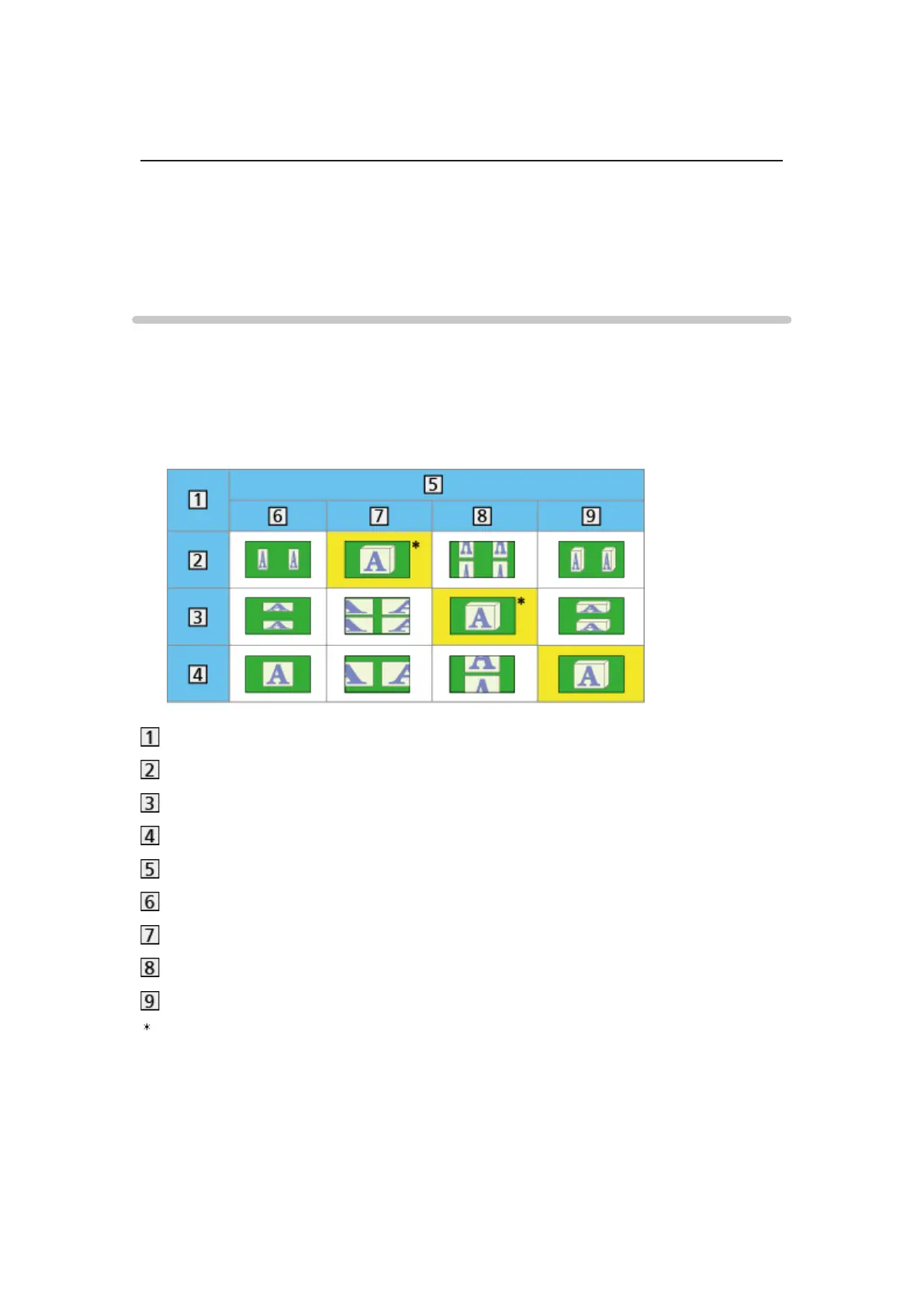
If the picture appears to be abnormal, refer to the table of images that can be
seen for each 3D Mode Selection (Manual) and the source image format, and
select the correct 3D mode.
●
3D images are displayed correctly with appropriate 3D format as following
yellow boxes.
Source image format
Side by Side
Top and Bottom
Normal format (2D)
3D Mode Selection
Original
Side by Side - 3D
Top and Bottom - 3D
2D→3D
: When selecting Side by Side - 2D or Top and Bottom - 2D, the images will
be displayed without 3D effect.
●
Depending on the player or broadcasts, the image may be different from
the above illustrations.












 To Next Page