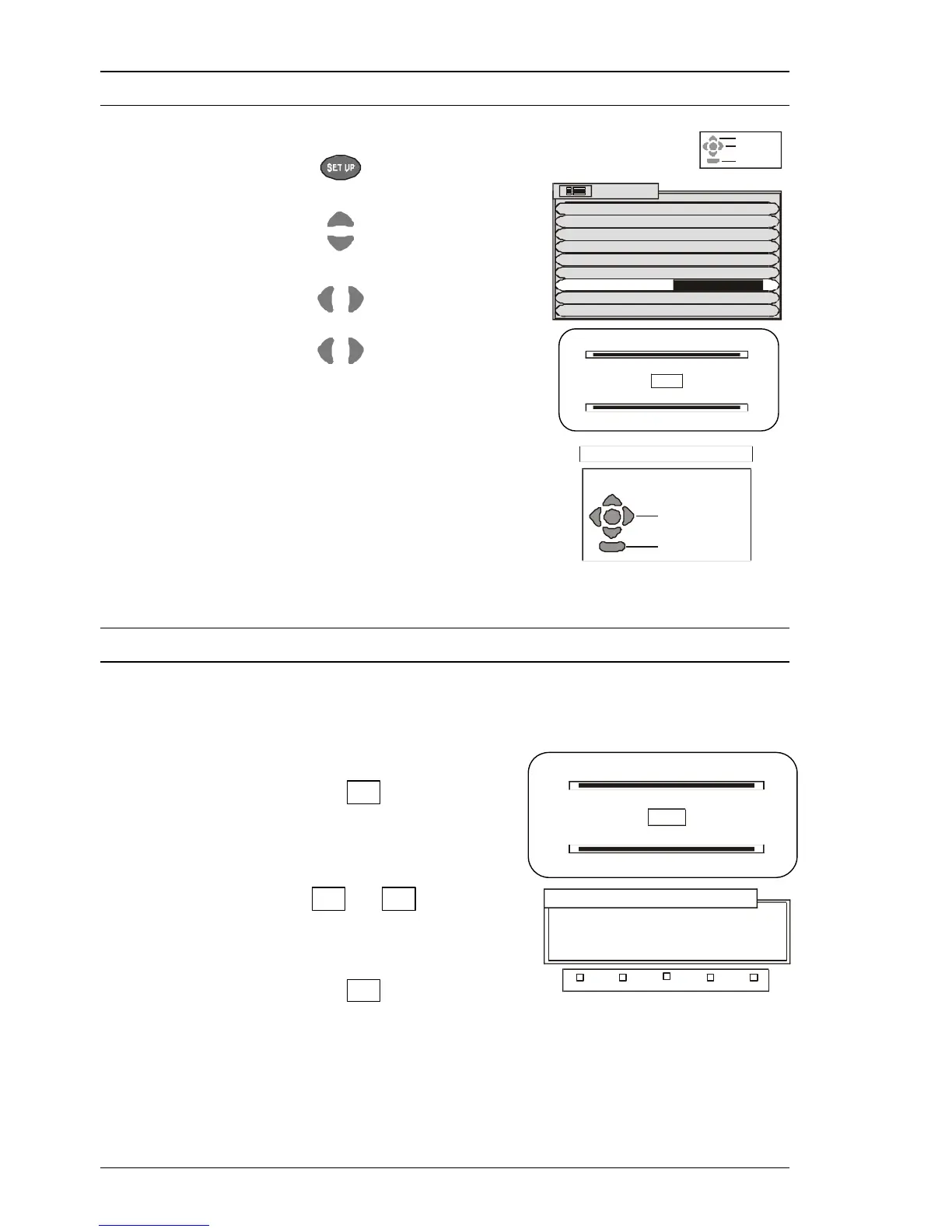
Geomagnetic Correction
Using the Remote Control
32
Open the Setup menu.
Move to Geomagnetic.
Access Geomagnetic.
Adjust Geomagnetic setting
until the lines appear to be
parallel with the top of the tv.
Using the Front Panel Controls
Geomagnetic correction adjustment is available from the front panel controls.
The Front panel controls are located under the flap on the front of the TV.
Press the F button repeatedly
until the Geomagnetic Correction
feature is displayed.
Press the + or - buttons
repeatedly until the picture
appears to be level.
Press the F button again to
return to normal viewing.
Close the flap to prevent damage.






 To Next Page