EasyManua.ls Logo

Panasonic TX-L32S20E - User Manual

Panasonic TX-L32S20E
65 pages
Print Icon
To Next Page IconTo Next Page
Loading...
Service Manual
Colour LCD Television
TX-L32S20E
TX-L32S20L
TX-LF32S20
TX-L32S20ES
TX-L37S20E
TX-L37S20L
TX-LF37S20
TX-L37S20ES
Specifications
(Information in brackets [ ] refers to model 32”)
Power Source: 220-240V AC, 50Hz
Rated Power Consumption: 145W [103W]
Stand-by Power Consumption: 0.25W (Without monitor out recording)
13W (With monitor out recording)
Aerial Impedance: 75Ω unbalanced, Coaxial Type
Receiving System:
PAL-I/H, B/G, D/K
SECAM B/G, D/K, L/L’
PAL-525/60 (AV only)
DVB-T (Digital Terrestrial Services (MPEG2 and MPEG4-AVC(H.264))
DVB-C (Digital cable services (MPEG2 and MPEG4-AVC(H.264))
M.NTSC (AV only)
NTSC (AV only)
Receiving Channels:
VHF E2-E12 VHF H1-H2 (ITALY)
VHF A-H (ITALY) VHF R1-R2
VHF R3-R5 VHF R6-R12
UHF E21-E69 CATV (S01-S05)
CATV S1-S10 (M1-M10) CATV S11-S20 (U1-U10)
CATV S21-S41 (Hyperband) VHF A-J (IRELAND)
Operating Conditions: Temperature: 0°C ÷ 35°C
Humidity: 20% ÷ 80% RH (non condensing)
PC signals: VGA, SVGA, XGA, SXGA(compressed)
Horizontal scanning frequency 31 – 69 kHz
Vertical scanning frequency 59 – 86 Hz
ORDER No. PCZ1004037CE
REVISION 3
© Panasonic Corporation 2010.
Unauthorized copying
and
distribution is a violation of law.
GLP25 Chassis
Question and Answer IconNeed help?

Do you have a question about the Panasonic TX-L32S20E and is the answer not in the manual?

Summary

Specifications

Safety Precautions

General Guide Lines

Provides essential guidelines for safe servicing and handling of the television unit.

Touch-Current Check

Details the procedure for checking touch currents to prevent electrical hazards.

Prevention of Electrostatic Discharge (ESD)

IMPORTANT SAFETY NOTICE

Highlights critical components and the importance of using specified parts for safety.

About Lead Free Solder (PbF)

Caution

Provides warnings and specific instructions for working with lead-free solder.

Suggested Pb Free solder

Recommends types of lead-free solder suitable for use in repairs.

Applicable Signals

Service Hints

How to remove the backcover

Step-by-step instructions for safely removing the television's back cover.

How to remove the Pedestal assembly

Procedure for detaching the TV's pedestal assembly.

Chassis Board Layout

Location of Lead Wiring

Technical Description

Specification of KEY for CI Plus, DTCP-IP and One-to-One

Details key specifications related to conditional access and digital content protection.

Model and Keys

Lists TV models and their corresponding support for CI Plus, DTCP-IP, and One-to-One features.

Setting Inspection

Voltage Confirmation

Lists specific test points and their expected voltage ranges for verification.

Self Check

Power LED Blinking Timing Chart

Service Mode Function

How to enter SERVICE

Step-by-step instructions for entering the television's service menu.

SERVICE

Service Tool Mode

How to access

Provides the command sequence to enter the service tool mode.

Hotel Mode

Purpose

Explains the function of the hotel mode in restricting TV operations.

Access command to the Hotel mode setup menu

Details the specific button sequence required to enter the hotel mode setup.

Data Copy by SD Card

Purpose

Outlines the scenarios for using SD card data copy, such as board replacement or hotel setup.

Data Copy from TV set to SD Card

Data Copy from SD Card to TV set

Option Bytes Description

Adjustment Method

Sub-Contrast;White Balance Adjustment

Describes the process for fine-tuning contrast and white balance using specific tools.

Wiring Diagram

Block Diagram

Parts Location

Replacement Parts List

Important Safety Notice

Highlights critical safety components and the need for manufacturer-specified replacements.

RTL (Retention Time Limited)

Information regarding the availability period for specific spare parts.

Schematic Diagrams

IMPORTANT SAFETY NOTICE

Emphasizes safety when working with electronic components, especially those marked with a symbol.

REMARKS

Offers critical safety advice and precautions for working with schematic diagrams.

Summary

Specifications

Safety Precautions

General Guide Lines

Provides essential guidelines for safe servicing and handling of the television unit.

Touch-Current Check

Details the procedure for checking touch currents to prevent electrical hazards.

Prevention of Electrostatic Discharge (ESD)

IMPORTANT SAFETY NOTICE

Highlights critical components and the importance of using specified parts for safety.

About Lead Free Solder (PbF)

Caution

Provides warnings and specific instructions for working with lead-free solder.

Suggested Pb Free solder

Recommends types of lead-free solder suitable for use in repairs.

Applicable Signals

Service Hints

How to remove the backcover

Step-by-step instructions for safely removing the television's back cover.

How to remove the Pedestal assembly

Procedure for detaching the TV's pedestal assembly.

Chassis Board Layout

Location of Lead Wiring

Technical Description

Specification of KEY for CI Plus, DTCP-IP and One-to-One

Details key specifications related to conditional access and digital content protection.

Model and Keys

Lists TV models and their corresponding support for CI Plus, DTCP-IP, and One-to-One features.

Setting Inspection

Voltage Confirmation

Lists specific test points and their expected voltage ranges for verification.

Self Check

Power LED Blinking Timing Chart

Service Mode Function

How to enter SERVICE

Step-by-step instructions for entering the television's service menu.

SERVICE

Service Tool Mode

How to access

Provides the command sequence to enter the service tool mode.

Hotel Mode

Purpose

Explains the function of the hotel mode in restricting TV operations.

Access command to the Hotel mode setup menu

Details the specific button sequence required to enter the hotel mode setup.

Data Copy by SD Card

Purpose

Outlines the scenarios for using SD card data copy, such as board replacement or hotel setup.

Data Copy from TV set to SD Card

Data Copy from SD Card to TV set

Option Bytes Description

Adjustment Method

Sub-Contrast;White Balance Adjustment

Describes the process for fine-tuning contrast and white balance using specific tools.

Wiring Diagram

Block Diagram

Parts Location

Replacement Parts List

Important Safety Notice

Highlights critical safety components and the need for manufacturer-specified replacements.

RTL (Retention Time Limited)

Information regarding the availability period for specific spare parts.

Schematic Diagrams

IMPORTANT SAFETY NOTICE

Emphasizes safety when working with electronic components, especially those marked with a symbol.

REMARKS

Offers critical safety advice and precautions for working with schematic diagrams.
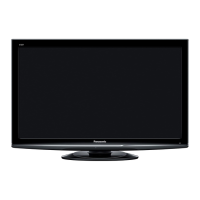
Panasonic TX-L32S20E Specifications

General IconGeneral
BrandPanasonic
ModelTX-L32S20E
CategoryLCD TV
LanguageEnglish

Related product manuals