- 174 -
Common Interface
Caution
●
Turn the TV off with Mains power On / Off switch whenever inserting or
removing the Common Interface (CI) Module.
●
If a view card and a card reader come as a set, first insert the card reader,
then insert the view card into the card reader.
●
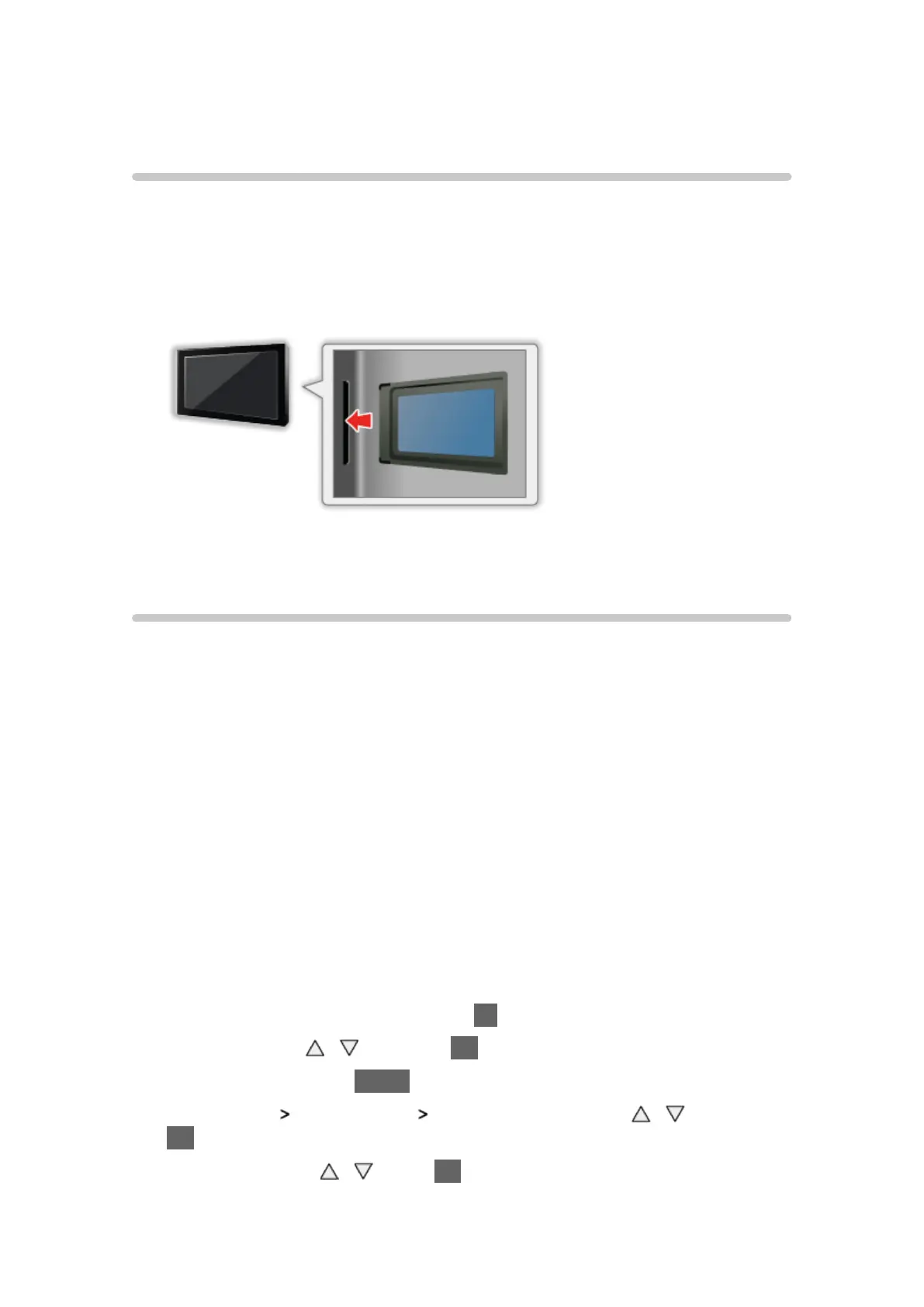
Insert or remove the CI module completely in the correct direction as shown.
●
Remove the CI module from the TV when placing the TV facing upward.
This may cause damages to the CI module and CI slot.
Using Common Interface
The Common Interface Module menu provides access to software contained
in Common Interface (CI) Modules.
●
Video and audio signals may not be output depending on broadcasts or
services.
■ Insert the CI module (optional)
●
The features that appear on screen are dependent on the contents of the
selected CI module.
●
Follow the instructions that came with the viewing card to tune in the
encrypted channels. If encrypted channels do not appear, perform the
below to verify the card is recognised by the TV.
●
For more details, read the manual of the CI module, or check with the
broadcaster.
1. Display the TV Selection screen with TV
2. Select DVB with
/ and press OK to set
3. Display the menu with MENU
4. Select Setup
System Menu Common Interface with / and press
OK to access
5. Select Slot 1: with
/ , press OK and follow the on-screen instructions
●
On-screen instructions may not correspond to the remote control buttons.




 To Next Page