English
24
■ To change 3D format manually
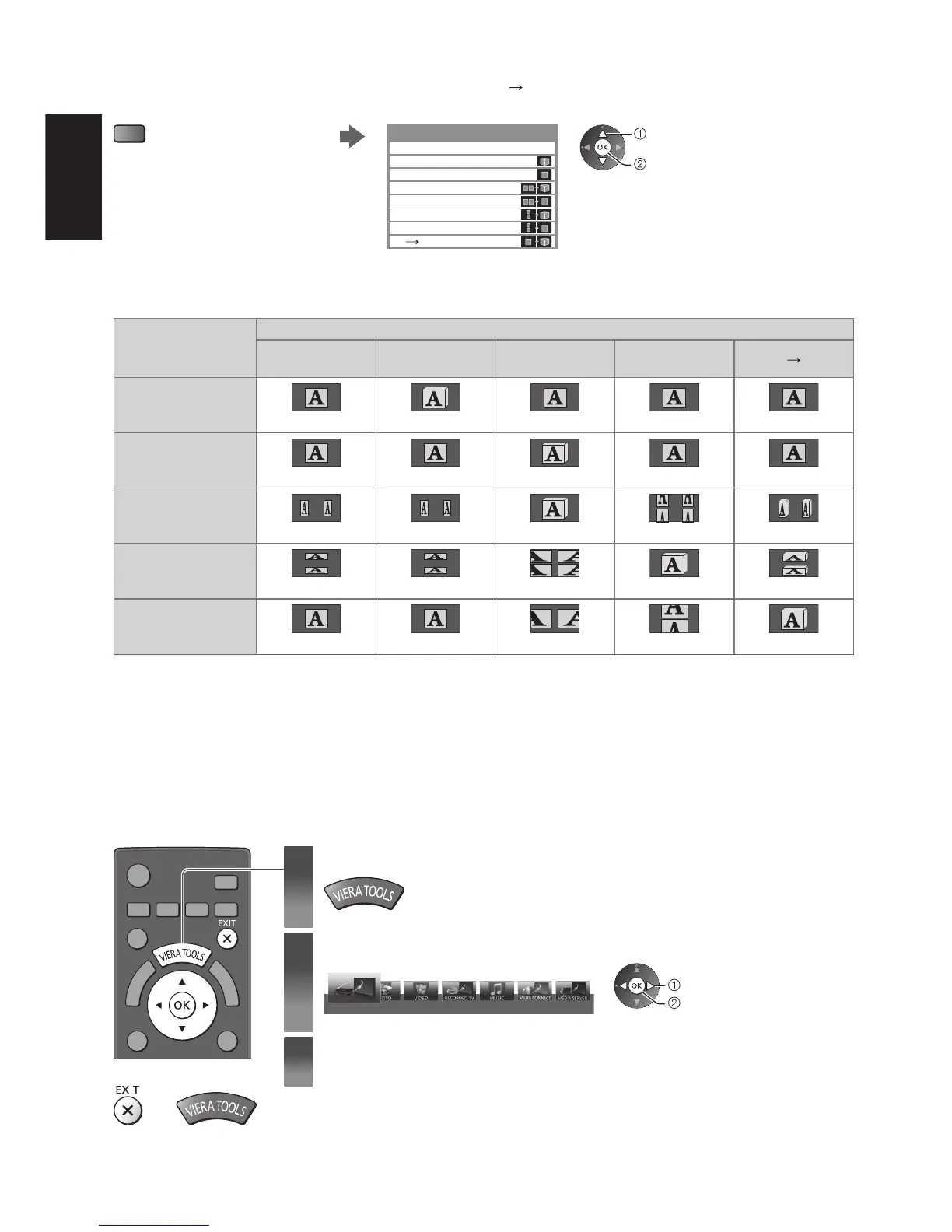
When the image is not changed properly using [3D], [2D] or [2D 3D] mode, use this manual setting.
During the above operation Select the mode
(red)
2D 3D
3D Mode Selection (Manual)
Top and Bottom - 2D
Top and Bottom - 3D
Side by Side - 2D
Side by Side - 3D
Frame Sequential - 2D
Frame Sequential - 3D
Original
select
set
Table of images that can be seen for each [3D Mode Selection (Manual)] and the source image format
If the picture appears to be abnormal, refer to the table below to choose the correct 3D mode.
Source image
format
[3D Mode Selection]
[Original]
[Frame
Sequential - 3D]
[Side by Side
- 3D]
[Top and
Bottom - 3D]
[2D
3D]
Frame Sequential
Normal 3D
∗
1
Side by Side (Full)
Normal 3D
∗
1
Side by Side
Normal 3D
∗
1
Top and Bottom
Normal 3D
∗
1
Normal format (2D)
Normal 3D
∗
1: When selecting [Frame Sequential - 2D], [Side by Side - 2D] or [Top and Bottom - 2D], the images will be displayed
without 3D effect.
●
Depending on the player or broadcasts, the image may be different from the above illustrations.
How to Use VIERA TOOLS
You can access some special features easily by using the VIERA TOOLS function.
1
Display icons of the feature
2
Select a feature
VIERA Link
select
access
3
Follow the operations of each feature
■
To return to TV
or







 To Next Page