EasyManua.ls Logo

Panasonic TX-PR42U10 - User Manual

Panasonic TX-PR42U10
139 pages
Print Icon
To Next Page IconTo Next Page
Loading...
ORDER NO.PCZ0907119CE
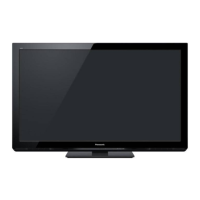
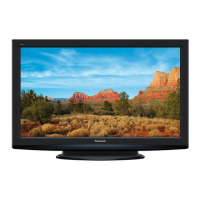
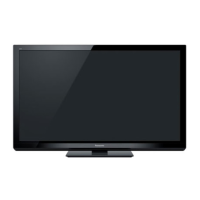
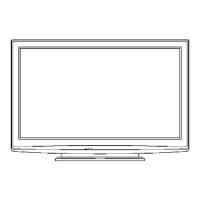
Plasma Television
Model No. TX-PR42U10
GPF12DE Chassis
A WARNING
This service information is designed for experienced repair technicians only and is not designed for use by the general public.
It does not contain warnings or cautions to advise non-technical individuals of potential dangers in attempting to service a product.
Products powered by electricity should be serviced or repaired only by experienced professional technicians. Any attempt to service
or repair the product or products dealt with in this service information by anyone else could result in serious injury or death.
IMPORTANT SAFETY NOTICE
There are special components used in this equipment which are important for safety. These parts are marked by A in the Schematic
Diagrams, Circuit Board Diagrams, Exploded Views and Replacement Parts List. It is essential that these critical parts should be replaced
with manufacturer's specified parts to prevent shock, fire or other hazards. Do not modify the original design without permission of
manufacturer.
Panasonic'
© Panasonic Corporation 2009.
Unauthorized copying and distribution is a violation
of law.

Table of Contents

Question and Answer IconNeed help?

Do you have a question about the Panasonic TX-PR42U10 and is the answer not in the manual?

Summary

Safety Precautions and Guidelines

General Servicing Guidelines

General advice for servicing and safety checks.

Touch-Current Safety Check

Procedure for measuring touch currents for safety.

Warning and ESD Prevention

Electrostatic Discharge (ESD) Prevention

Techniques to prevent damage to sensitive electronic components.

Service Mode Operations

Entering Service Mode

Steps to access and navigate service mode using controls.

Service Tool Mode

Accessing and using the service tool mode for diagnostics.

Troubleshooting Guide

IIC Bus Line Check

Procedure to test the IIC bus communication lines for faults.

Power LED Blinking Timing Chart

Interpreting power LED blink codes to diagnose unit failures.

No Power Troubleshooting

Troubleshooting steps for scenarios where the unit does not power on.

No Picture Troubleshooting

Diagnostic flow for issues related to the display not showing an image.

Local Screen Failure Analysis

Identifying potential faulty PCBs associated with specific screen failure areas.

Service Fixtures and Tools

SC Jig Usage

Using the SC jig for diagnosing SC or SU/SD board failures.

Disassembly and Assembly Instructions

Replace Plasma Panel

Detailed instructions and cautions for replacing the plasma panel.

Measurements and Adjustments

Adjustment Procedure Overview

General steps for setting up and performing adjustments.

PCB Exchange Adjustments

Guidelines and quick adjustments after replacing printed circuit boards.

Sub-Contrast Adjustment

Steps for adjusting sub-contrast for different signal systems.

RF White Balance Adjustment

Process for adjusting white balance using RF input signals.

1080 i White Balance Adjustment

Steps for white balance adjustment specific to 1080i signals.

Summary

Safety Precautions and Guidelines

General Servicing Guidelines

General advice for servicing and safety checks.

Touch-Current Safety Check

Procedure for measuring touch currents for safety.

Warning and ESD Prevention

Electrostatic Discharge (ESD) Prevention

Techniques to prevent damage to sensitive electronic components.

Service Mode Operations

Entering Service Mode

Steps to access and navigate service mode using controls.

Service Tool Mode

Accessing and using the service tool mode for diagnostics.

Troubleshooting Guide

IIC Bus Line Check

Procedure to test the IIC bus communication lines for faults.

Power LED Blinking Timing Chart

Interpreting power LED blink codes to diagnose unit failures.

No Power Troubleshooting

Troubleshooting steps for scenarios where the unit does not power on.

No Picture Troubleshooting

Diagnostic flow for issues related to the display not showing an image.

Local Screen Failure Analysis

Identifying potential faulty PCBs associated with specific screen failure areas.

Service Fixtures and Tools

SC Jig Usage

Using the SC jig for diagnosing SC or SU/SD board failures.

Disassembly and Assembly Instructions

Replace Plasma Panel

Detailed instructions and cautions for replacing the plasma panel.

Measurements and Adjustments

Adjustment Procedure Overview

General steps for setting up and performing adjustments.

PCB Exchange Adjustments

Guidelines and quick adjustments after replacing printed circuit boards.

Sub-Contrast Adjustment

Steps for adjusting sub-contrast for different signal systems.

RF White Balance Adjustment

Process for adjusting white balance using RF input signals.

1080 i White Balance Adjustment

Steps for white balance adjustment specific to 1080i signals.

Panasonic TX-PR42U10 Specifications

General IconGeneral
Screen Size42 inches
Resolution1024 x 768
Panel TypePlasma
Contrast Ratio2, 000, 000:1
HDMI Ports3
Aspect Ratio16:9
HDTV Format1080p
Viewing Angle178°
InputsHDMI, Component, Composite, PC input

Related product manuals