EasyManua.ls Logo

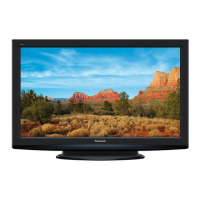
Panasonic TX-PR42UT30 - Service Manual

Panasonic TX-PR42UT30
114 pages
Print Icon
To Next Page IconTo Next Page
Loading...
© Panasonic Corporation 2011.
Unauthorized copying and distribution is a violation
of law.
ORDER NO.PCZ1107115CE
Plasma Television
Model No. TX-PR42UT30
GPF14D-E Chassis
Question and Answer IconNeed help?

Do you have a question about the Panasonic TX-PR42UT30 and is the answer not in the manual?

Summary

Safety Precautions

General Guidelines

Guidelines for repairs, modification restrictions, and connector handling.

Touch-Current Check

Procedure for checking touch currents to prevent shock hazards after servicing.

Warning

Electrostatic Discharge (ESD) Prevention

Techniques to prevent damage to sensitive electronic components from static electricity.

Lead Free Solder (PbF)

Information on lead-free solder composition, properties, and handling precautions.

Service Navigation

PCB Layout

Diagram and list of main PCBs with their functions, aiding in component identification.

Applicable Signals

Details of compatible input signals for COMPONENT and HDMI, including frequency specifications.

Specifications

Technical Descriptions

KEY Specification for Content Protection

Information on key data generation and replacement procedures for specific content protection technologies.

Service Mode

Entering and Navigating Service Mode

Procedure for entering service mode, key commands for navigation, and exit method.

Service Mode Options and Tools

Covers Mirror settings, Service Tool Mode, Hotel Mode, and Data Copy functions.

Troubleshooting Guide

Diagnostic Procedures

Covers IIC bus checks, LED blinking charts, and troubleshooting for No Power/No Picture.

Screen Failure Diagnosis

Identifies potential faulty PCBs (SN, SS, A boards) for local area failures on the plasma display screen.

Disassembly and Assembly Instructions

Component Removal Procedures

Detailed steps for removing various components like rear cover, AC inlet, P-Board, and tuner unit.

Board Removal

Instructions for removing main boards such as A-Board, SN-Board, and SS-Board.

Internal Part Removal

Procedures for removing structural parts like stand brackets, radiator plates, and internal metal components.

Plasma Panel Replacement

Critical procedure for safely replacing the plasma panel, including cautionary advice.

Measurements and Adjustments

Vsus Selection

Procedure for setting the VSUS voltage to LOW or HIGH after panel or A-board replacement.

Sub-Contrast Adjustment

Method for adjusting sub-contrast for RF, AV, and HD systems using specific test patterns.

White Balance Adjustment

Procedure for adjusting white balance based on EEPROM version, covering copy and differential methods.

Block Diagrams

Main Block Diagram

Overview of the TV's main functional blocks and their interconnections.

Detailed Block Diagrams (1;4 to 4;4)

Series of detailed block diagrams illustrating components and signal flow across the TV system.

Wiring Connection Diagrams

Wiring Safety and Initial Connections

Important cautions regarding cable assembly and diagrams for initial wiring connections.

Internal Wiring Diagrams (2;5 to 5;5)

Diagrams illustrating various internal wiring connections for different sections of the TV.

Schematic Diagram Notes

Exploded Views

Replacement Parts List Notes

Summary

Safety Precautions

General Guidelines

Guidelines for repairs, modification restrictions, and connector handling.

Touch-Current Check

Procedure for checking touch currents to prevent shock hazards after servicing.

Warning

Electrostatic Discharge (ESD) Prevention

Techniques to prevent damage to sensitive electronic components from static electricity.

Lead Free Solder (PbF)

Information on lead-free solder composition, properties, and handling precautions.

Service Navigation

PCB Layout

Diagram and list of main PCBs with their functions, aiding in component identification.

Applicable Signals

Details of compatible input signals for COMPONENT and HDMI, including frequency specifications.

Specifications

Technical Descriptions

KEY Specification for Content Protection

Information on key data generation and replacement procedures for specific content protection technologies.

Service Mode

Entering and Navigating Service Mode

Procedure for entering service mode, key commands for navigation, and exit method.

Service Mode Options and Tools

Covers Mirror settings, Service Tool Mode, Hotel Mode, and Data Copy functions.

Troubleshooting Guide

Diagnostic Procedures

Covers IIC bus checks, LED blinking charts, and troubleshooting for No Power/No Picture.

Screen Failure Diagnosis

Identifies potential faulty PCBs (SN, SS, A boards) for local area failures on the plasma display screen.

Disassembly and Assembly Instructions

Component Removal Procedures

Detailed steps for removing various components like rear cover, AC inlet, P-Board, and tuner unit.

Board Removal

Instructions for removing main boards such as A-Board, SN-Board, and SS-Board.

Internal Part Removal

Procedures for removing structural parts like stand brackets, radiator plates, and internal metal components.

Plasma Panel Replacement

Critical procedure for safely replacing the plasma panel, including cautionary advice.

Measurements and Adjustments

Vsus Selection

Procedure for setting the VSUS voltage to LOW or HIGH after panel or A-board replacement.

Sub-Contrast Adjustment

Method for adjusting sub-contrast for RF, AV, and HD systems using specific test patterns.

White Balance Adjustment

Procedure for adjusting white balance based on EEPROM version, covering copy and differential methods.

Block Diagrams

Main Block Diagram

Overview of the TV's main functional blocks and their interconnections.

Detailed Block Diagrams (1;4 to 4;4)

Series of detailed block diagrams illustrating components and signal flow across the TV system.

Wiring Connection Diagrams

Wiring Safety and Initial Connections

Important cautions regarding cable assembly and diagrams for initial wiring connections.

Internal Wiring Diagrams (2;5 to 5;5)

Diagrams illustrating various internal wiring connections for different sections of the TV.

Schematic Diagram Notes

Exploded Views

Replacement Parts List Notes

Panasonic TX-PR42UT30 Specifications

General IconGeneral
Screen Size42 inches
Resolution1920 x 1080
Display TypePlasma
HDMI Ports3
USB Ports2
Weight22 kg
Aspect Ratio16:9
Ethernet PortYes
Built-in Wi-FiNo
3D SupportYes
Smart TVYes
3D CapabilityYes
Refresh Rate600 Hz
InputsHDMI, Component, Composite, USB, Ethernet

Related product manuals