EasyManua.ls Logo

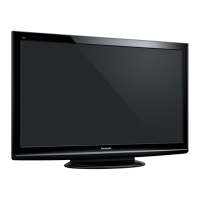
Panasonic TX-P42C2B - User Manual

Panasonic TX-P42C2B
121 pages
Print Icon
To Next Page IconTo Next Page
Loading...
© Panasonic Corporation 2010.
Unauthorized copying and distribution is a violation
of law.
ORDER NO.PCZ1004040CE
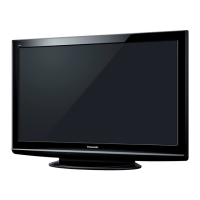
Plasma Television
Model No. TX-P42C2B
TX-P42C2E
TX-P42C2L
TX-PR42C2
GPH13DE Chassis

Table of Contents

Question and Answer IconNeed help?

Do you have a question about the Panasonic TX-P42C2B and is the answer not in the manual?

Summary

Safety Precautions

General Guidelines

General guidelines for conducting repairs and servicing safely, including wiring and connector handling.

Touch-Current Check

Procedure for checking touch currents to prevent shock hazards using a measuring network.

Warning

Prevention of Electrostatic Discharge (ESD)

Techniques to reduce component damage from static electricity.

Technical Descriptions

Specification of KEY for CI Plus, DTCP-IP and One-to-One

Details on KEY data generation, replacement procedures for ICs, and model-specific key information.

Service Mode

How to enter into Service Mode

Instructions for accessing the service mode menu and using key commands for navigation.

Service tool mode

Accessing and using the service tool mode for diagnostics and SOS history display.

Troubleshooting Guide

Check of the IIC bus lines

Methods to access and interpret the IIC bus line check results and identify check points.

Power LED Blinking timing chart

Chart correlating LED blink patterns to specific fault conditions for diagnostics.

No Power

Troubleshooting steps for scenarios where the unit does not power on based on LED status.

No Picture

Troubleshooting guide for issues related to the absence of a picture, checking signal paths.

Local screen failure

Identifying possible PCB defects related to local screen failures on the plasma display.

Disassembly and Assembly Instructions

Replace the plasma panel

Detailed instructions for replacing the plasma panel assembly, including handling precautions.

Measurements and Adjustments

Vsus selection

Procedure for setting the Vsus voltage to LOW or HIGH after panel or A-board replacement.

Block Diagram

Schematic Diagram

Schematic Diagram Note

Explains symbols, references, and general notes used in schematic diagrams for accurate interpretation.

P-Board (1;4) Schematic Diagram

Detailed schematic for the Power Supply (P-Board), part 1 of 4, showing AC input and PFC circuits.

Exploded View and Replacement Parts List

Exploded View and Mechanical Replacement Parts List

Visual exploded views and list of mechanical replacement parts for the TV.

Electrical Replacement Parts List

Comprehensive list of electrical components for replacement, including part numbers and specifications.


Summary

Safety Precautions

General Guidelines

General guidelines for conducting repairs and servicing safely, including wiring and connector handling.

Touch-Current Check

Procedure for checking touch currents to prevent shock hazards using a measuring network.

Warning

Prevention of Electrostatic Discharge (ESD)

Techniques to reduce component damage from static electricity.

Technical Descriptions

Specification of KEY for CI Plus, DTCP-IP and One-to-One

Details on KEY data generation, replacement procedures for ICs, and model-specific key information.

Service Mode

How to enter into Service Mode

Instructions for accessing the service mode menu and using key commands for navigation.

Service tool mode

Accessing and using the service tool mode for diagnostics and SOS history display.

Troubleshooting Guide

Check of the IIC bus lines

Methods to access and interpret the IIC bus line check results and identify check points.

Power LED Blinking timing chart

Chart correlating LED blink patterns to specific fault conditions for diagnostics.

No Power

Troubleshooting steps for scenarios where the unit does not power on based on LED status.

No Picture

Troubleshooting guide for issues related to the absence of a picture, checking signal paths.

Local screen failure

Identifying possible PCB defects related to local screen failures on the plasma display.

Disassembly and Assembly Instructions

Replace the plasma panel

Detailed instructions for replacing the plasma panel assembly, including handling precautions.

Measurements and Adjustments

Vsus selection

Procedure for setting the Vsus voltage to LOW or HIGH after panel or A-board replacement.

Block Diagram

Schematic Diagram

Schematic Diagram Note

Explains symbols, references, and general notes used in schematic diagrams for accurate interpretation.

P-Board (1;4) Schematic Diagram

Detailed schematic for the Power Supply (P-Board), part 1 of 4, showing AC input and PFC circuits.

Exploded View and Replacement Parts List

Exploded View and Mechanical Replacement Parts List

Visual exploded views and list of mechanical replacement parts for the TV.

Electrical Replacement Parts List

Comprehensive list of electrical components for replacement, including part numbers and specifications.

Panasonic TX-P42C2B Specifications

General IconGeneral
BrandPanasonic
ModelTX-P42C2B
CategoryPlasma TV
LanguageEnglish

Related product manuals