EasyManua.ls Logo

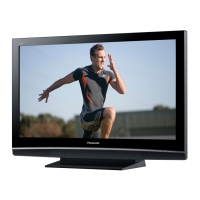
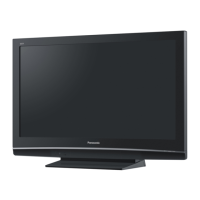
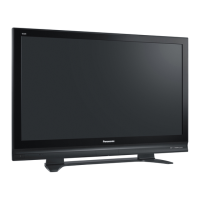
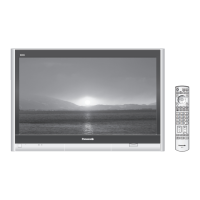
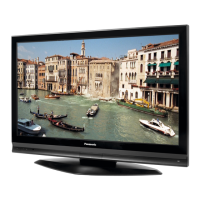
Panasonic Viera TH-42PX80EA - User Manual

Panasonic Viera TH-42PX80EA
16 pages
Print Icon
To Next Page IconTo Next Page
Loading...
English
For more detailed instructions, refer to the Operating Instructions on the CD-ROM.
To view the Operating Instructions on the CD-ROM, you need a computer equipped with a CD-ROM
drive, and Adobe® Reader® (Version 7.0 or later is recommended) installed on your computer.
Depending on the operating system or settings on your computer, the Operating Instructions may not start
automatically.
In this case, open the PDF le under \MANUAL\PDF manually to view the instructions.
Please read these instructions before operating your set and retain them for future reference.
The images shown in this manual are for illustrative purposes only.
Please refer to Pan European Guarantee Card if you need to contact your local Panasonic dealer for assistance.
Operating Instructions
Plasma Television
Model No. TH-37PX80EA
TH-42PX80EA
Contents
Be Sure to Read
Safety Precautions ··································· 2
(Warning / Caution)
Notes ························································ 3
Maintenance ············································ 3
Quick Start Guide
Accessories / Options ·············4
Identifying Controls ·················· 6
Basic Connection ·····················8
Auto Setup ·······························10
How to Use Menu Functions
···12
Question and Answer IconNeed help?

Do you have a question about the Panasonic Viera TH-42PX80EA and is the answer not in the manual?

Summary

Safety Precautions

Electrical Safety

Covers precautions for mains plug, power source, and internal components to prevent shock.

Environmental and Fire Safety

Warnings about liquids, heat, sunlight, and foreign objects to prevent fire hazards.

Physical Stability and Child Safety

Ensures TV stability and prevents hazards from children and small parts.

Notes on TV Usage

Image Retention Warning

Avoid displaying static images for extended periods to prevent screen burn-in.

Auto Power Standby Function

TV automatically enters standby mode if no signal or operation for 30 minutes.

Equipment Interference

Keep TV away from other electronic equipment to avoid interference.

TV Maintenance

Display Panel Care

Instructions for cleaning the TV screen gently with soft cloth and mild detergent.

Cabinet and Pedestal Cleaning

How to clean the TV's exterior and stand using a dry or damp cloth.

Mains Plug Maintenance

Regular cleaning of the mains plug with a dry cloth to prevent electrical hazards.

Accessories and Options

Standard Accessories List

Lists all included accessories like remote, batteries, cables, and manuals.

Optional Accessories

Information on optional accessories like wall-hanging brackets for TV installation.

Remote Control Battery Installation

Step-by-step guide for inserting and removing batteries from the remote control.

Identifying Controls

Rear Panel and Cable Management

Overview of rear connections and how to use cable clamper for organization.

TV Front Panel Overview

Identifies buttons, ports, and indicator LEDs on the TV's front.

Remote Control Functions

Detailed explanation of each button and its function on the remote control.

Basic Connection Guide

Connecting Aerial

Instructions for connecting an aerial to the TV for signal reception.

Connecting DVD Recorder or VCR

Guide for connecting external video devices like DVD recorders or VCRs.

Connecting Multiple Devices

Instructions for connecting DVD recorders, VCRs, and set-top boxes simultaneously.

Auto Setup Procedure

Initial TV Setup

Steps to plug in, select language, and choose country for initial TV configuration.

Starting Automatic Channel Scan

Initiates the automatic search and storage of TV programmes.

Picture Setting Selection

Guides users to select the appropriate picture environment setting.

Using On-Screen Displays

Remote Control Navigation

Explains how to navigate menus and adjust settings using the remote control.

On-Screen Help Box

Details on how to use the on-screen help for menu specific instructions.

Troubleshooting and Initialization

Information on tuning failures, download issues, and resetting to shipping condition.

How to Use Menu Functions

Navigating the Main Menu

Guides on displaying, selecting, and adjusting items within the TV menus.

Picture and Sound Adjustments

Details on adjusting picture quality, sound modes, and other settings.

Resetting Settings and Free Input

How to reset settings and enter custom text or numbers for specific items.

Menu Function Details

VIERA Link Menu Overview

Lists functions and configurations available through the VIERA Link interface.

Picture Menu Options

Detailed settings for viewing mode, colour, sharpness, and noise reduction.

Sound Menu Options

Configuration for sound modes, bass, treble, surround, and HDMI input.

Setup Menu Categories

Overview of setup categories including links, tuning, language, and system info.

Advanced Menu Functions

VIERA Link Configurations

Controls connected equipment and enables recording/playback via VIERA Link.

Picture Settings Explained

Detailed adjustments for viewing modes, colour, sharpness, and noise reduction.

Sound Settings Explained

In-depth settings for sound modes, volume, surround, and audio input.

Setup Menu Options

Link Settings and Tuning

Configures VIERA Link, Q-Link, and manual tuning for TV channels.

System Settings

Manages language, teletext, software updates, and power saving options.

Picture and Input Configuration

Adjusts picture overscan, input labels, banner display, and time zone.

Disposal and Information

Waste Disposal Guidelines

Information on the proper collection and recycling of old electronics and batteries.

Power Specifications

Details on power source, average use, and standby power consumption.

DVB Functionality Notice

Information regarding Digital Video Broadcasting reception and availability.

Plasma Panel Lifetime

Information on the expected lifespan of the plasma display panel.

Summary

Safety Precautions

Electrical Safety

Covers precautions for mains plug, power source, and internal components to prevent shock.

Environmental and Fire Safety

Warnings about liquids, heat, sunlight, and foreign objects to prevent fire hazards.

Physical Stability and Child Safety

Ensures TV stability and prevents hazards from children and small parts.

Notes on TV Usage

Image Retention Warning

Avoid displaying static images for extended periods to prevent screen burn-in.

Auto Power Standby Function

TV automatically enters standby mode if no signal or operation for 30 minutes.

Equipment Interference

Keep TV away from other electronic equipment to avoid interference.

TV Maintenance

Display Panel Care

Instructions for cleaning the TV screen gently with soft cloth and mild detergent.

Cabinet and Pedestal Cleaning

How to clean the TV's exterior and stand using a dry or damp cloth.

Mains Plug Maintenance

Regular cleaning of the mains plug with a dry cloth to prevent electrical hazards.

Accessories and Options

Standard Accessories List

Lists all included accessories like remote, batteries, cables, and manuals.

Optional Accessories

Information on optional accessories like wall-hanging brackets for TV installation.

Remote Control Battery Installation

Step-by-step guide for inserting and removing batteries from the remote control.

Identifying Controls

Rear Panel and Cable Management

Overview of rear connections and how to use cable clamper for organization.

TV Front Panel Overview

Identifies buttons, ports, and indicator LEDs on the TV's front.

Remote Control Functions

Detailed explanation of each button and its function on the remote control.

Basic Connection Guide

Connecting Aerial

Instructions for connecting an aerial to the TV for signal reception.

Connecting DVD Recorder or VCR

Guide for connecting external video devices like DVD recorders or VCRs.

Connecting Multiple Devices

Instructions for connecting DVD recorders, VCRs, and set-top boxes simultaneously.

Auto Setup Procedure

Initial TV Setup

Steps to plug in, select language, and choose country for initial TV configuration.

Starting Automatic Channel Scan

Initiates the automatic search and storage of TV programmes.

Picture Setting Selection

Guides users to select the appropriate picture environment setting.

Using On-Screen Displays

Remote Control Navigation

Explains how to navigate menus and adjust settings using the remote control.

On-Screen Help Box

Details on how to use the on-screen help for menu specific instructions.

Troubleshooting and Initialization

Information on tuning failures, download issues, and resetting to shipping condition.

How to Use Menu Functions

Navigating the Main Menu

Guides on displaying, selecting, and adjusting items within the TV menus.

Picture and Sound Adjustments

Details on adjusting picture quality, sound modes, and other settings.

Resetting Settings and Free Input

How to reset settings and enter custom text or numbers for specific items.

Menu Function Details

VIERA Link Menu Overview

Lists functions and configurations available through the VIERA Link interface.

Picture Menu Options

Detailed settings for viewing mode, colour, sharpness, and noise reduction.

Sound Menu Options

Configuration for sound modes, bass, treble, surround, and HDMI input.

Setup Menu Categories

Overview of setup categories including links, tuning, language, and system info.

Advanced Menu Functions

VIERA Link Configurations

Controls connected equipment and enables recording/playback via VIERA Link.

Picture Settings Explained

Detailed adjustments for viewing modes, colour, sharpness, and noise reduction.

Sound Settings Explained

In-depth settings for sound modes, volume, surround, and audio input.

Setup Menu Options

Link Settings and Tuning

Configures VIERA Link, Q-Link, and manual tuning for TV channels.

System Settings

Manages language, teletext, software updates, and power saving options.

Picture and Input Configuration

Adjusts picture overscan, input labels, banner display, and time zone.

Disposal and Information

Waste Disposal Guidelines

Information on the proper collection and recycling of old electronics and batteries.

Power Specifications

Details on power source, average use, and standby power consumption.

DVB Functionality Notice

Information regarding Digital Video Broadcasting reception and availability.

Plasma Panel Lifetime

Information on the expected lifespan of the plasma display panel.
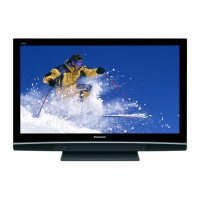
Panasonic Viera TH-42PX80EA Specifications

General IconGeneral
BrandPanasonic
ModelViera TH-42PX80EA
CategoryPlasma TV
LanguageEnglish

Related product manuals