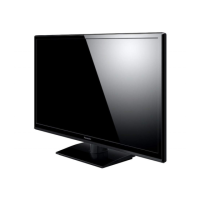
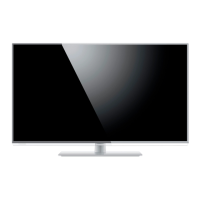
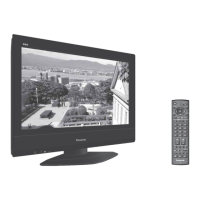
This document serves as the operating instructions for the Panasonic TX-55CR730B and TX-65CR730B LCD Televisions, providing comprehensive guidance on their functions, usage, and maintenance.
Function Description
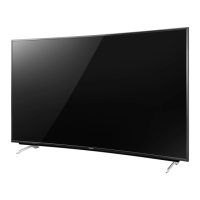
The Panasonic LCD Television is designed for table-top use and offers a range of features for an immersive viewing experience. It supports DVB, data broadcasting, and IPTV functions, adhering to digital service standards as of August 2014. The TV is equipped with a built-in wireless LAN for network connectivity, allowing access to internet services and 4K content when connected to compatible equipment via HDMI.
Key functions include:
- Input Mode Selection: Users can switch between DVB/Analogue mode (TV button) and AV input modes (AV button) from the Input Selection list.
- Channel Navigation: Channels can be changed using the Channel Up/Down buttons or by directly entering numeric values.
- Volume Control: Volume can be adjusted using the Volume Up/Down buttons, and the sound can be muted/unmuted with the Mute button.
- Electronic Programme Guide (EPG): The TV Guide button displays the Electronic Programme Guide, providing information on current and upcoming programs.
- Main Menu Access: The Menu button allows access to various settings, including Picture, Sound, Network, Timer, Setup, and Help Menus.
- Information Display: The "i" button displays channel and program information.
- Applications (APPS): The APPS button provides a list of available applications.
- Option Menu: The Option Menu button offers easy optional settings for viewing and sound.
- Coloured Buttons: Red, green, yellow, and blue buttons are used for selection, navigation, and operation of various functions within menus.
- Aspect Ratio Adjustment: The Aspect button changes the aspect ratio of the display.
- Subtitles: The Subtitles button displays subtitles.
- Netflix Access: A dedicated Netflix button provides direct access to the Netflix service, requiring a broadband network environment for full functionality.
- Home Screen: The Home button displays the Home screen, offering various features and content.
- Cursor Buttons: These buttons are used for making selections and adjustments within menus.
- Return Function: The Return button takes the user back to the previous menu or page.
- Last View: The Last View button switches to the previously viewed channel or input mode.
- Content Operations: Dedicated buttons are available for operations related to content and connected equipment.
- eHELP: The eHELP button provides access to the built-in operating instructions, offering detailed explanations of each feature.
- USB HDD Recording: The TV supports recording to a USB HDD, with USB 3 recommended for connection.
- VIERA Link: HDMI1-3 ports support VIERA Link connection for integrated control of compatible Panasonic devices.
- Common Interface (CI) Slot: For encrypted channels, a CI module and smart card can be inserted.
Usage Features
The TV is designed for user-friendly operation with several features to enhance convenience and safety:
- First-time Auto Setup: Upon initial power-on, the TV automatically searches for available channels and guides the user through setup, including network connection and viewing environment selection (Home or Shop mode).
- Remote Control: The TV comes with a remote control (N2QAYB001010) for convenient operation from a distance. Batteries (R6) are easily installed and replaced.
- Control Panel: For direct control, the TV has a control panel on the rear side with buttons for input mode selection, main menu access, channel up/down, and volume up/down. An Ambient sensor adjusts picture quality based on room brightness.
- Safety Precautions: The manual emphasizes critical safety measures, including proper mains plug and lead handling, ensuring adequate ventilation (at least 10 cm clearance), and caution regarding suffocation/choking hazards from packaging and small parts. It also advises against exposing the TV to rain, excessive moisture, direct sunlight, or open flames.
- Pedestal Assembly/Removal: Detailed instructions are provided for assembling and removing the pedestal, emphasizing the need for at least two people and careful handling to prevent damage.
- External Connections: The TV offers various connection terminals for external equipment, including CI slot, SD Card slot, Headphone jack, USB ports (USB 1-3), HDMI ports (HDMI1-3), AV1 (SCART), AV2 (COMPONENT/VIDEO), ETHERNET, DIGITAL AUDIO output, and Terrestrial aerial input. Users are advised to ensure correct cable types and connections and to keep the TV away from other electronic equipment to avoid interference.
- 4K Compatibility: For 4K content, users should connect 4K compatible equipment to HDMI terminals using 4K compatible cables.
- Network Connectivity: The TV supports both wired (Ethernet) and wireless (built-in wireless LAN) network connections, requiring a broadband network environment for internet services. The built-in wireless LAN operates on 2.4 GHz and 5 GHz frequency bands, and users are advised to keep the TV away from other devices using these frequencies to avoid interference.
- Troubleshooting (FAQs): A dedicated FAQ section addresses common issues such as the TV not switching on, remote control not working, no image display, or unusual image display, providing simple guides for problem-solving. It also includes information on Freeview HD retuning.
Maintenance Features
Regular maintenance is crucial for the longevity and optimal performance of the TV:
- Cleaning:
- Display panel, Cabinet, Pedestal: Gently wipe surfaces with a soft cloth to remove dirt or fingerprints. For stubborn dirt, use a soft cloth dampened with clean water or diluted neutral detergent (1 part detergent to 100 parts water), wring it firmly, wipe, and then wipe away all moisture. Avoid hard cloths, excessive rubbing, insect repellents, solvents, thinners, or other volatile substances, as these can degrade surface quality or cause paint peeling. The display panel is specially treated and can be easily damaged, so avoid tapping or scratching it with fingernails or hard objects.
- Mains plug: Wipe the mains plug with a dry cloth at regular intervals to prevent fire or electrical shock caused by moisture and dust.
- Battery Care: For the remote control, ensure correct battery installation, replace old batteries with new ones of the same or equivalent type, and do not mix old and new or different battery types. Avoid rechargeable batteries. Do not burn or break up batteries, expose them to excessive heat, and dispose of them correctly. Remove batteries if the unit is not used for a prolonged period to prevent leakage, corrosion, and explosion.
- Power Management: Remove the mains plug from the wall socket when the TV is not in use for a prolonged period to prevent power consumption in Off mode.
- Disposal: The manual provides guidelines for the proper disposal of old equipment and batteries in accordance with European Union regulations and national legislation, emphasizing the importance of using applicable collection points to save resources and prevent environmental harm.

 Need help?
 General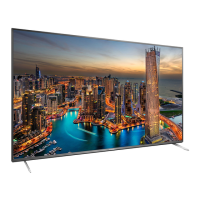



 To Next Page