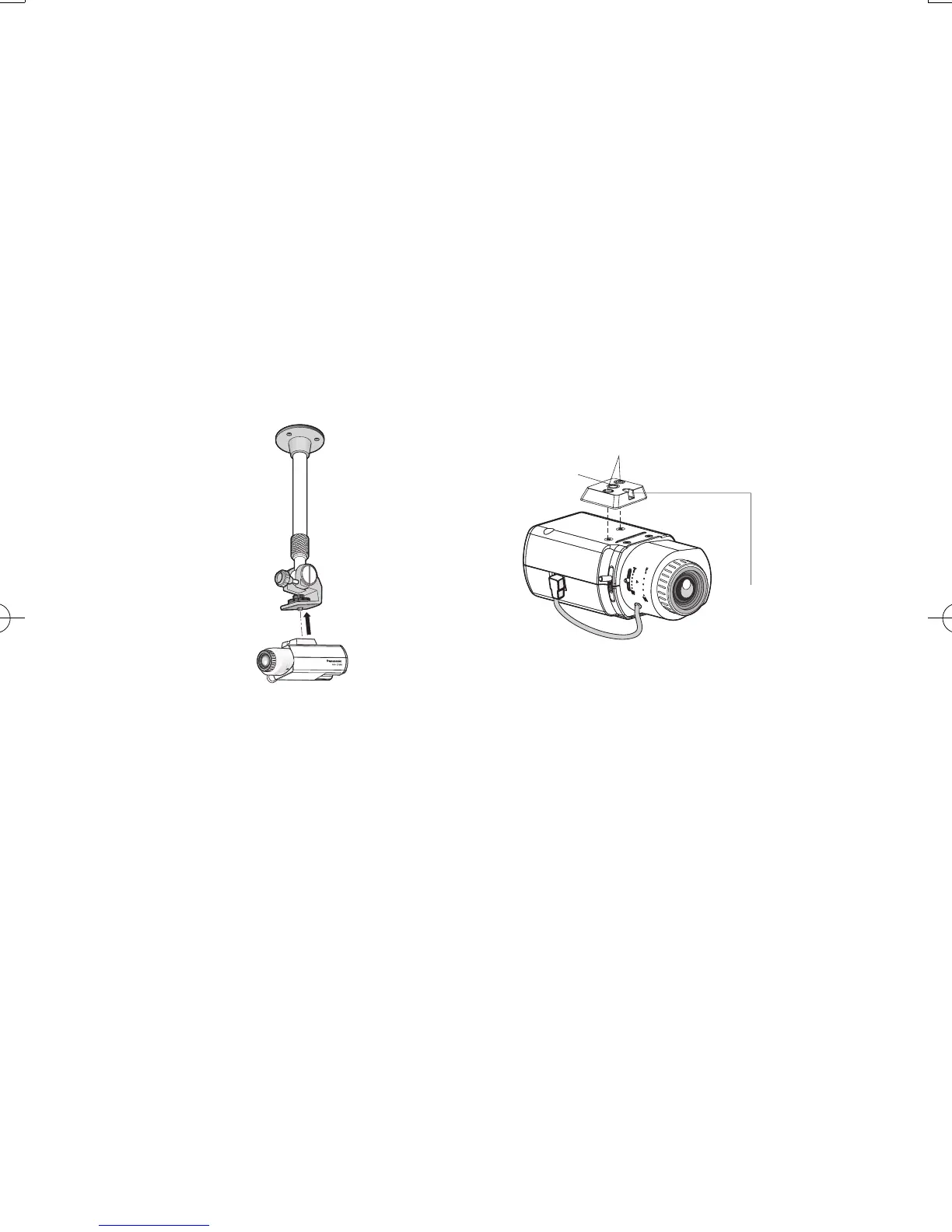
5 Mount the camera on the camera mount bracket
Follow the instruction of camera mount bracket to mount the camera on the camera mount
bracket, and aware of the followings:
• Be sure to install the tripod mount base and safety wire before attaching the camera to the
camera mount bracket.
• Change the tripod mount base position when attaching the camera to the ceiling mount
bracket. Observe the following precautions at this time.
If it is needed to restore the tripod mount base to its original position, also observe the fol-
lowing precautions.
• When attaching an optional tripod mount base on the top or bottom of the camera, use the
removed screws to attach the tripod mount base. Use of longer or shorter screws may
cause the camera or tripod to fall causing damage. (Recommended tightening torque:
0.39 N·m {0.29 lbf·ft}).




 To Next Page