EasyManua.ls Logo

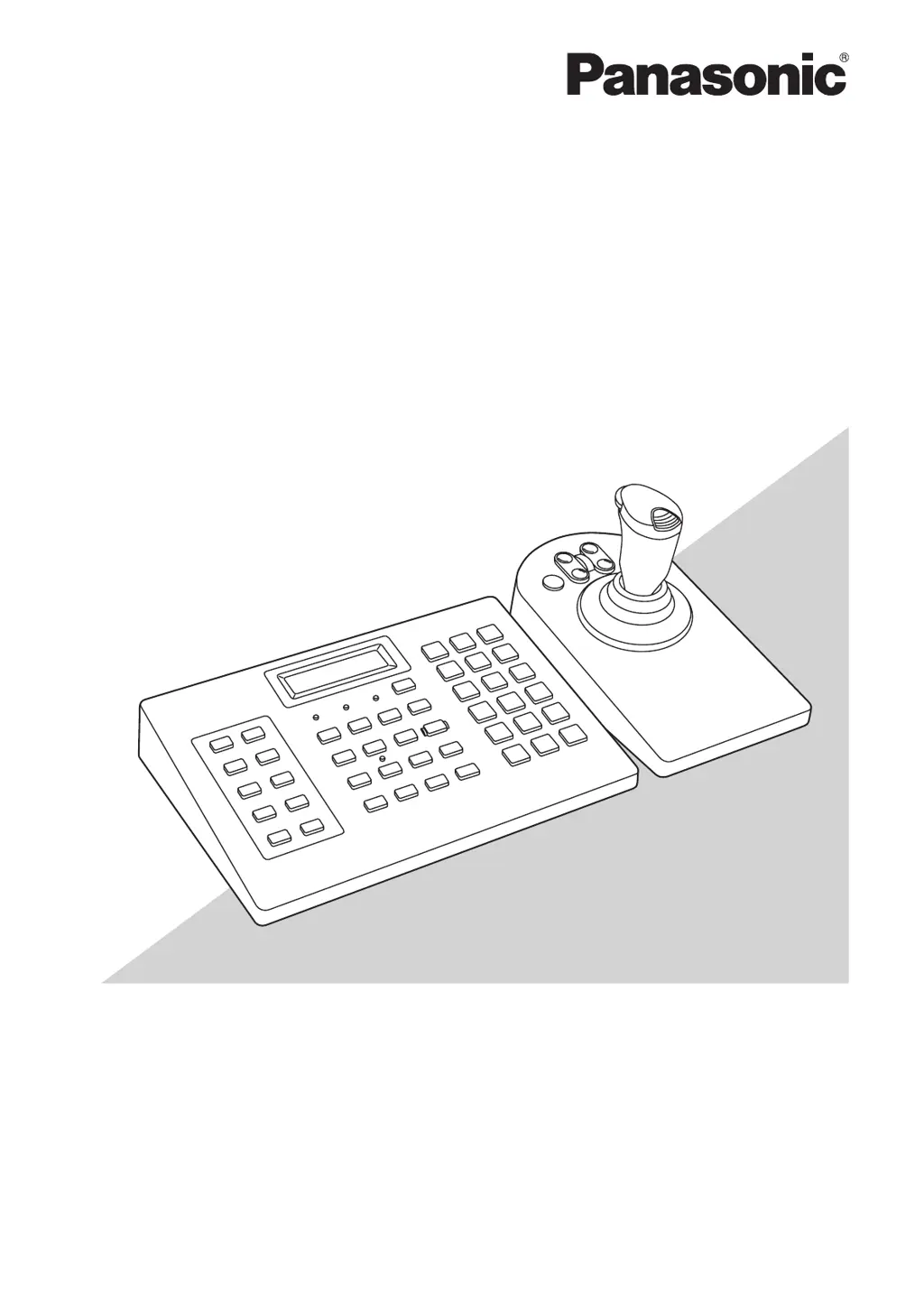
Panasonic WV-CU980/G - User Manual

Panasonic WV-CU980/G
48 pages
Print Icon
To Next Page IconTo Next Page
Loading...
Before attempting to connect or operate this product,
please read these instructions carefully and save this manual for future use.
The model number is abbreviated in some descriptions in this manual.
Operating Instructions
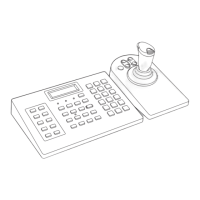
System Controller
Model No. WV-CU980
WV-CU980/G

Questions and Answers

  • W
    wwilliamsAug 16, 2025
    What to do if user cannot log into Panasonic WV-CU980/G system?
    • S
      sconnerAug 16, 2025
      If the user cannot log into the Panasonic Controller system, first ensure the user ID is entered correctly. If it is not, re-enter the correct user ID. If the user ID is correct, verify that the password has been entered correctly. If a mistake is made while entering the password, the display will return to the login screen, and you must re-enter the user ID and password.
  • P
    Paul BarberAug 19, 2025
    Why does a button cause no action when pressed on Panasonic Controller?
    • J
      Jessica WilliamsAug 19, 2025
      If a button on the Panasonic Controller causes no action when pressed, it could be due to two reasons. First, verify if the button is applicable for the selected group or camera, as functions vary depending on the selected units. Secondly, the user logged into the system might lack the necessary authorization level to operate the button. In this case, check the function level settings of the logged-in user.
  • H
    Heather BeasleyAug 22, 2025
    How to troubleshoot power supply issues on Panasonic WV-CU980/G?
    • S
      shawn78Aug 22, 2025
      If the power supply to the Panasonic Controller equipment is not turned on, check the following: * Ensure the power supply plug is securely inserted into the AC power supply socket. * Verify the power supply cord is securely inserted into the AC adapter. * Confirm the DC plug is securely inserted into the power supply terminals of the equipment.
  • T
    Thomas CurryAug 26, 2025
    What to do if Panasonic WV-CU980/G display is dark?
    • J
      jacksonjeremiahAug 26, 2025
      If the Panasonic Controller's display is dark or the text characters are not displayed properly, check if the display brightness and contrast are set correctly. Adjust these values as needed.
  • M
    Mario AndersonAug 28, 2025
    Why is the login screen not displayed on my Panasonic Controller?
    • J
      John JamesAug 28, 2025
      If the login screen is not displayed on your Panasonic Controller, it is possible that the power supply was turned on while multiple buttons for maintenance functions were pressed down. Ensure that no buttons are being pressed down when you turn the power on again.
  • R
    ryanwilliamsAug 31, 2025
    How to fix Panasonic Controller if cannot control cameras with joystick?
    • D
      dkingAug 31, 2025
      If you cannot control cameras with the joystick on the Panasonic Controller, there are a couple of things to check. Firstly, make sure that the joystick unit and the main unit are correctly connected. Secondly, verify that the user logged into the system has the necessary function level authorization to operate those buttons.
  • J
    John ThomasSep 3, 2025
    What to do if Panasonic WV-CU980/G Controller panning, tilting, or zooming activates on its own?
    • J
      James Tapia Jr.Sep 3, 2025
      If panning, tilting, or zooming is activated on your Panasonic Controller even when you are not controlling the joystick, there are a couple of potential issues. First, check the connection between the joystick unit and the main unit to ensure it is correct. Second, the joystick unit may need calibration; perform a calibration to resolve the issue.
  • D
    Danielle SnowSep 6, 2025
    Why does Panasonic WV-CU980/G panning and tilting speed vary with joystick direction?
    • M
      maryfisherSep 6, 2025
      If the speed of panning and tilting varies depending on the direction of tilting the joystick on your Panasonic Controller, it is likely that the joystick unit needs to be calibrated. Perform the calibration procedure.
  • R
    Rita HarrisSep 9, 2025
    Why does Panasonic WV-CU980/G Controller buzzer not sound?
    • L
      Linda KellerSep 9, 2025
      To address the issue where the Panasonic Controller buzzer does not sound, verify that both the alarm sound setting and the button operation sound setting are enabled. Check these settings to ensure they are turned on.
  • T
    tduranSep 12, 2025
    What to do if the power cord insulation is damaged on Panasonic WV-CU980/G Controller?
    • G
      gutierrezstephanieSep 12, 2025
      If the power cord insulation of your Panasonic Controller is damaged, which could be due to damage to the power cord, connector, or power plug, immediately unplug the power plug from the AC outlet. This situation may result in electric shock or fire. It is recommended to refer to qualified service personnel.

Panasonic WV-CU980/G Specifications

General IconGeneral
TypeController
ModelWV-CU980/G
ManufacturerPanasonic
CompatibilityPanasonic cameras and systems
Control FunctionsPTZ control, presets
Control ProtocolPanasonic Protocol
Communication InterfaceRS-422
Operating Temperature0°C to 40°C

Related product manuals