EasyManua.ls Logo

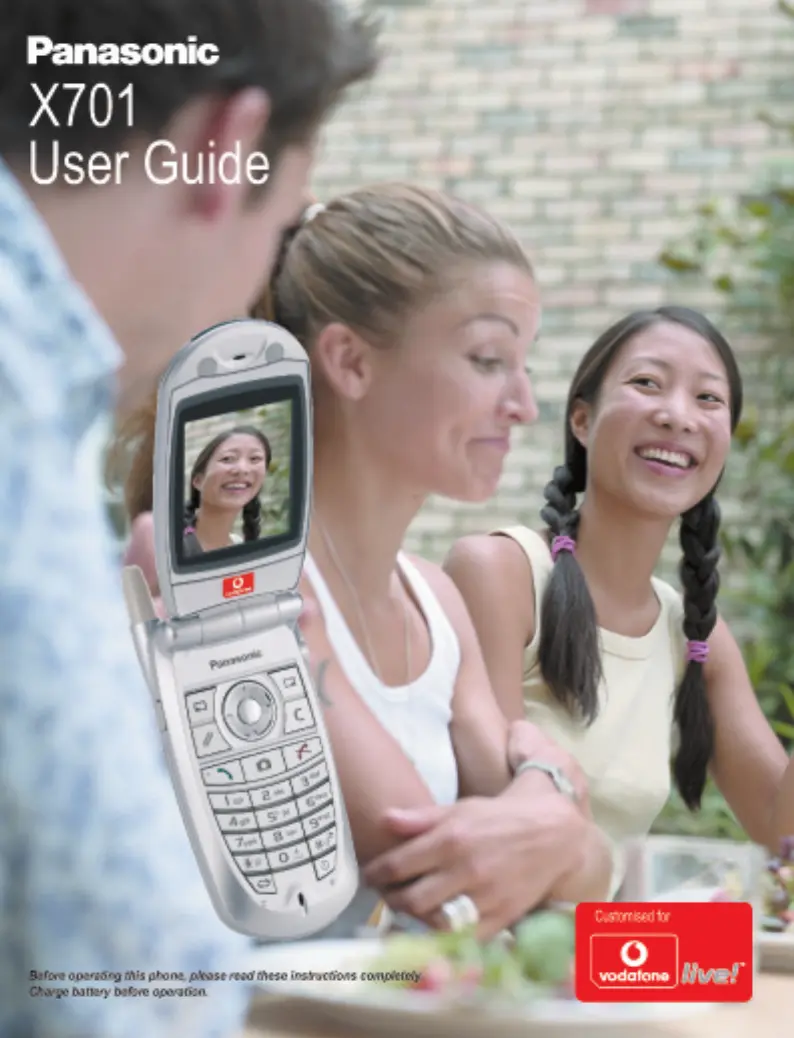
Panasonic X701 - User Manual

Panasonic X701
154 pages
Print Icon
To Next Page IconTo Next Page
Loading...

Table of Contents

Questions and Answers

  • R
    Ricardo MooreJul 26, 2025
    What to do if my Panasonic X701 Cell Phone calls cannot be made or received?
    • M
      Monica WagnerJul 26, 2025
      If your Panasonic Cell Phone is not making or receiving calls, ensure the phone is switched on. If the keypad is locked, press the Unlock softkey, then press the call button. If the phone is locked, enter the lock code. Check that the network signal strength indicator displays at least one bar, and move to a stronger coverage area if needed. If no network name appears, move to another area and watch for the phone to register to a network. Also, check Call barring, Fixed dialling, Closed user group, and Call divert settings in the Settings menu.
  • P
    perezteresaAug 3, 2025
    What to do if my Panasonic X701 does not switch on?
    • W
      William HallAug 3, 2025
      If your Panasonic Cell Phone doesn't switch on, check that the battery is properly installed and charged. Also, ensure you press and hold the power button for at least two seconds.
  • R
    rmayAug 10, 2025
    Why is the battery life so short on my new Panasonic X701 Cell Phone battery?
    • A
      Adam SnyderAug 10, 2025
      Your Panasonic Cell Phone battery life may be reduced when playing games, leaving Bluetooth switched on, taking pictures, recording video or sound clips, using the PhotoLight often, browsing the Internet, downloading data, leaving Cell Broadcast switched on, or if the phone is in a weak service area, requiring more battery power.
  • H
    Heather RoachAug 18, 2025
    What to do if emergency calls cannot be made on my Panasonic Cell Phone?
    • K
      Kayla FarmerAug 18, 2025
      If emergency calls cannot be made on your Panasonic Cell Phone, check that the antenna symbol is displayed. Move to a coverage area and operate your phone when the antenna symbol appears.

Summary

Important Information

SAR

Getting Started

Installing and Removing SIM Card

Instructions for inserting and removing the SIM card.

Installing Battery

Guide on how to correctly install the phone's battery.

Charging Battery

Procedure for charging the phone's battery.

Installing miniSD Card

Steps to install the miniSD card for expanded storage.

Key Functions

Phone Basics and Managing Calls

Switching the Phone On and Off

Procedure for powering the phone on and off.

Making Calls

Methods for initiating phone calls.

Speed Dialling

Using speed dial keys for quick dialing.

Emergency Calls

How to make emergency calls.

Answering Calls

How to receive and answer incoming calls.

Handsfree Talking

Using the phone's handsfree speakerphone.

Ending Calls

Methods for terminating phone calls.

Personal Handsfree Headset

Entering Text

Dictionary for Predictive Text Entry

Using the T9 predictive text input method.

Navigating the Menus

Navigation Key

Using the navigation key to move through menus.

Options Softkey

Accessing context-sensitive options menus.

Contacts

Create New Contact Cards

Steps to add new contact entries.

Find a Contact Card

Locating contact entries in the list.

Make a Call

Initiating calls directly from contact entries.

Edit Contact Cards

Modifying existing contact information.

Assign Speed Dial

Setting up speed dial numbers for contacts.

Call Log

Speed Dial

Assign a Speed Dial Number

Setting up numbers for speed dial.

Call a Speed Dial Number

Making calls using speed dial.

Organiser

Calendar

Managing meetings, appointments, and special dates.

Alarm Clock

Setting and managing alarms.

Messages

Message Basics

Fundamentals of sending, receiving, and storing messages.

Create New SMS Messages

Composing and sending text messages.

Create New MMS Messages

Composing and sending multimedia messages.

Create New Email Messages

Composing and sending email messages.

Inbox

Receiving and managing incoming messages.

Camera

Take Picture

Instructions for capturing photos.

Record Video

Instructions for recording video clips.

My Items

Vodafone Live!

Applications

File Manager

Organizing and managing files and folders.

Quickoffice

Viewing and editing office documents.

Voice Commands

Controlling the phone using voice commands.

RealOne Player

Shortcuts

Settings

General

Call Settings

Configuring call-related features like caller ID and redial.

Connection Settings

Configuring network connections like GPRS and data calls.

Security Settings

Managing phone and SIM card security codes.

Network Settings

Connectivity

Bluetooth Wireless Technology

Using Bluetooth for wireless communication.

miniSD Card (Memory Card)

Remove miniSD Card

Safely ejecting the miniSD card.

Printboy Setup

Troubleshooting

Phone does not switch on

Steps to resolve issues with powering on the phone.

Emergency calls cannot be made

Troubleshooting steps for making emergency calls.

Calls cannot be made or received

Resolving issues with making or receiving calls.

Specifications

Panasonic X701 Specifications

General IconGeneral
BrandPanasonic
ModelX701
CategoryCell Phone
LanguageEnglish

Related product manuals