Copying and pasting text
1. Drag a word, phrase or sentence that you want to copy.
2. Press and hold the dragged part.
3. Tap Copy text.
4. Run an application to edit documents.
5. Press and hold the screen and tap Pasting text.
Entering text via Swype (TBD)
Checking the network and the notification bar
Check how the network is working around your current location as well as the current status,
simply by tapping on the right bottom of the screen.
Status Icons
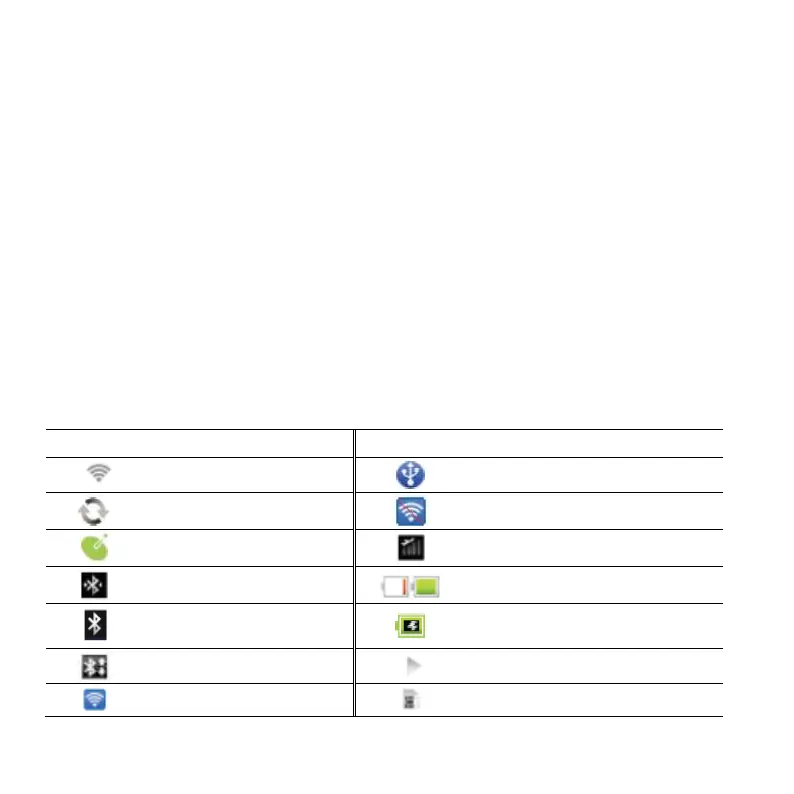
Icons below indicate the current status of the P4100. Check them and take necessary steps.
Connected to a Wi-Fi network
USB tethering or Portable Wi-Fi
hotspot is not active.
The speakerphone is active.
Strength of battery: The greener, the
more it is charged.
Bluetooth is active but not
connected to other device.
A file is ready to be delivered
from other device.
Portable Wi-Fi hotspot is
active.
There is no SIM/USIM card.



 To Next Page