
 Need help?
Do you have a question about the Pantone X-Rite eXact 2 and is the answer not in the manual?
Declares conformity with EU harmonization legislation including RED, EMC, LVD, and RoHS.
Details FCC compliance for Class B digital devices and USA contact information.
Lists Canadian compliance statements for ICES-003 and NMM-003 (B).
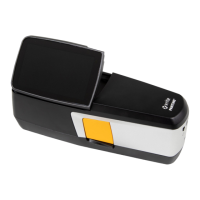
Describes key components like the power button, brake button, and connection ports.
Guides users on charging the battery pack and connecting the power supply.
Details system requirements and installation steps for the eXact 2 Suite software.
Outlines the main tools (Density, Color, Jobs, My Tool) and utilities within the eXact 2 menu.
Guides users through the initial setup process for basic device configuration.
Explains the Density tool for measuring patch types, colors, and density settings.
Details the Color tool for measuring solid patches and using color libraries.
Covers managing print jobs, tolerances, and industry standard processes.
Allows users to create, edit, copy, and delete custom color tools.
Details accessing and using PantoneLIVE color libraries with the device.
Covers calibration settings and the process of calibrating the device for accuracy.
Details how NetProfiler verifies and optimizes the device's performance.
Manages images captured by the device's targeting system.
Details the steps for accurately scanning color bars on samples.
Provides feedback on scanning speed for optimal measurement results.
Guides on device registration, service, and warranty information.
Provides detailed instructions for cleaning the device's exterior, display, optics, and filters.
Addresses Wi-Fi connectivity issues and docking station charging problems.
Provides solutions for device unresponsiveness and communication errors.
Offers solutions for calibration failures and inaccurate measurement results.
Details specifications for the spectral engine, optics, and measurement conditions.
Specifies environmental ranges, data interfaces, and connectivity standards.
Describes core color functions like Absolute Color Strength, BestMatch, and CIE color spaces.
Explains core density functions like Density, Density Trend, and G7 Graybalance.
Covers functions like Metamerism, Opacity, and Paper QC for color analysis.
Explains functions like Hue Error & Grayness, Inks QC, and Relative Color Strength.
 General
| Connectivity | USB, Bluetooth |
|---|---|
| Battery | Rechargeable Lithium-ion |
| Spectral Range | 400 nm to 700 nm |
| Spectral Resolution | 10 nm |
| Color Space | CIE XYZ, CIE Lab, CIE LCH, CIE LUV, RGB, CMYK |
| Measurement Geometry | 45°/0° or 0°/45° |
| Display | Color LCD |
| Weight | Approx. 300 g (10.6 oz) |
| Aperture Sizes | 1.5 mm, 2 mm, 4 mm, 6 mm |
| Measurement Modes | Reflectance |
| Measurement Area | Variable based on aperture |
| Operating Temperature | 0°C to 40°C |
| Storage Temperature | -20°C to 60°C |
| Inter-Instrument Agreement | ΔE*ab 0.15 average, 0.4 maximum |

 To Next Page