X-Rite eXact 2
14
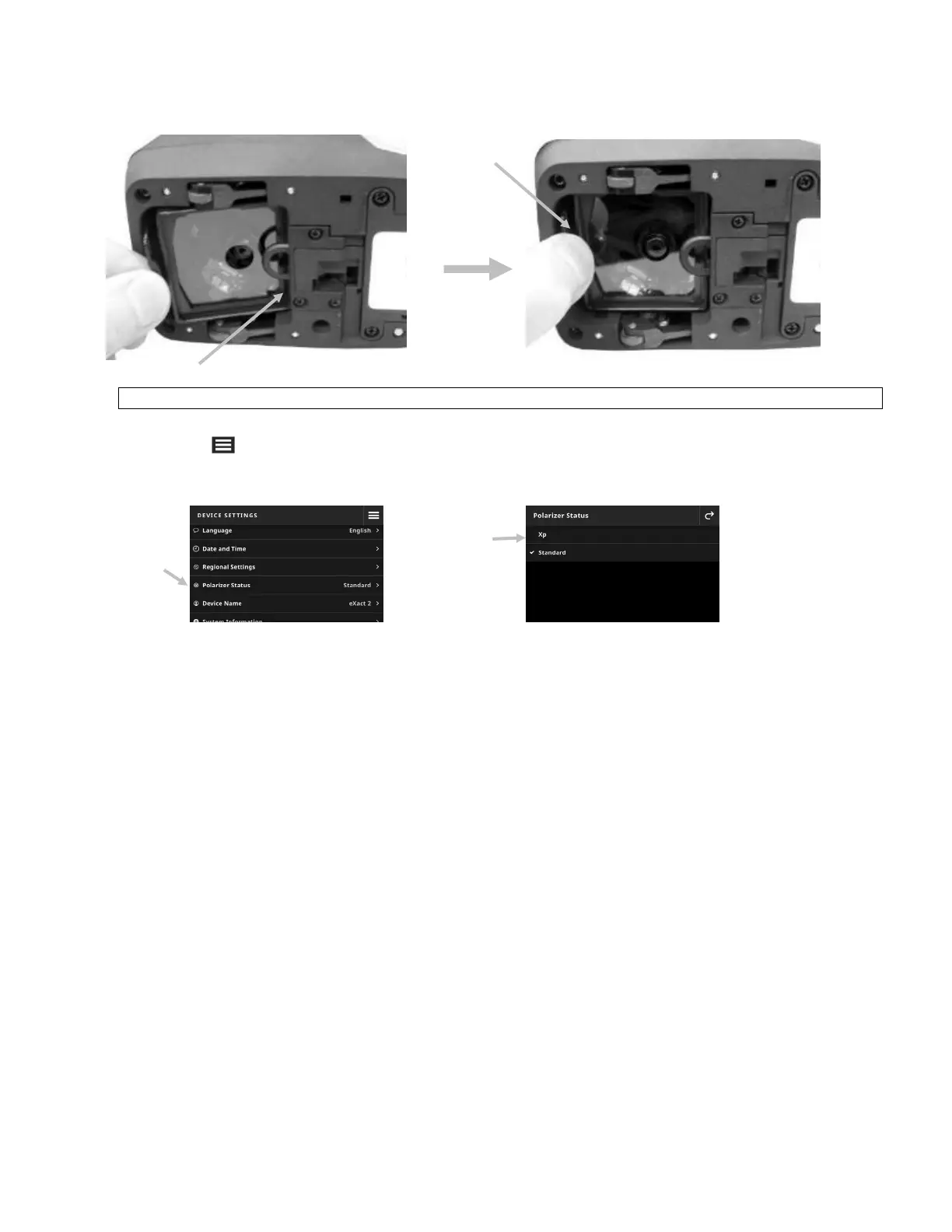
6. Lower the front edge (4) of the filter glass into the opening and press down until it snaps into place.
NOTE: After changing the filter glass, you need to match the Polarizer Status in the Device Settings.
7. Turn the device right side up again.
8. Tap the icon in the upper left corner of the screen to open the eXact 2 menu.
9. Swipe up on the eXact 2 menu list and tap Device Settings.
10. Swipe up and tap Polarizer Status (4).
11. Match the polarizer setting (5) to the filter you are currently using. Refer to Polarizer Filter Status in the
section Device Settings for more information.
(3)
(4)
(4)
(5)


 To Next Page