X-Rite eXact 2
18
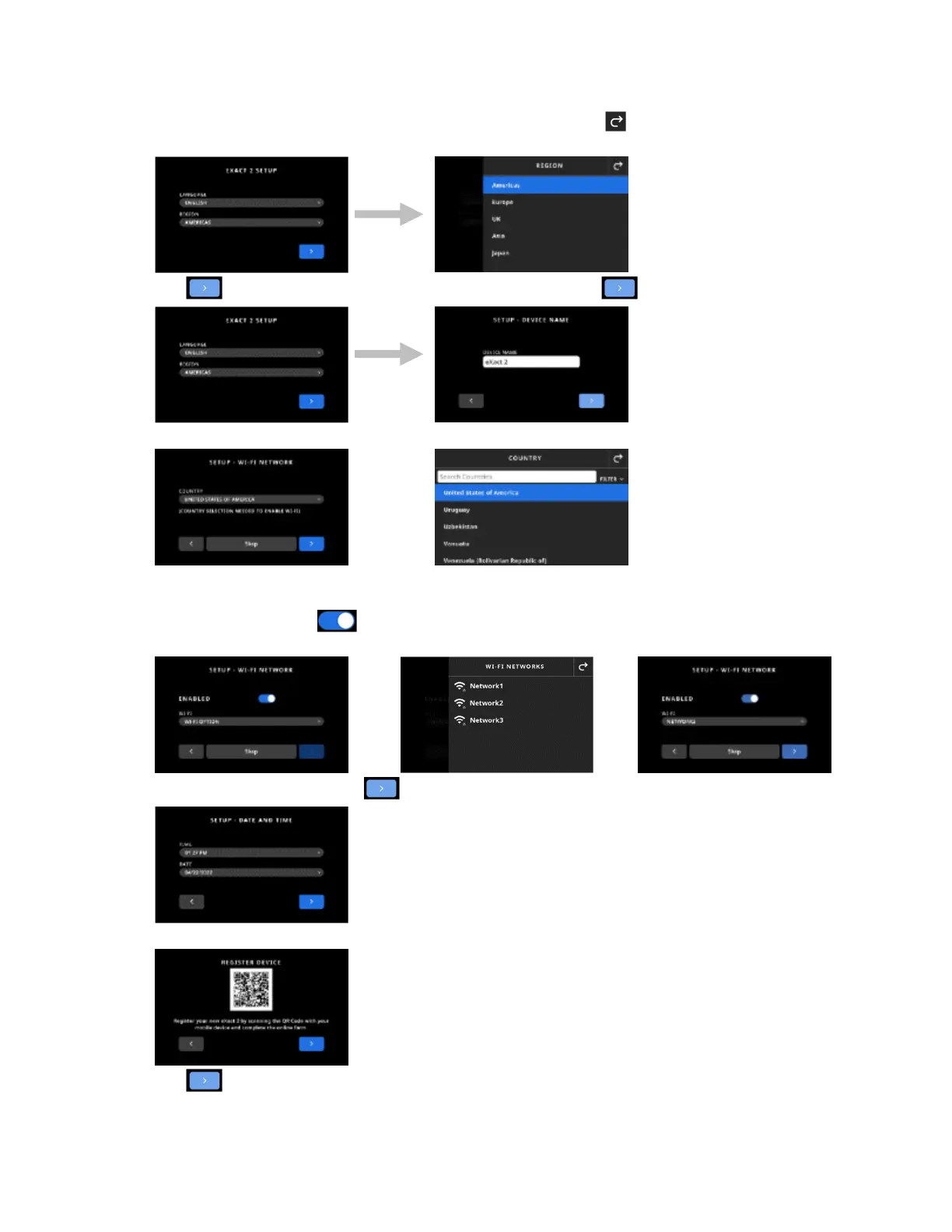
2. Tap Region and then select the desired region in the list. Tap the icon to return to the Setup screen
and continue.
3. Tap to continue. Enter the device name in the field and tap to continue.
4. Tap Country and select the country in the list.
NOTE: Tap Skip if you do not wish to setup Wi-Fi at this time. Wi-Fi can also be setup in Device
Settings at a later time.
5. To setup Wi-Fi, tap the icon to toggle to Enabled. Select Wi-Fi option and then select the Wi-Fi
network from the list. Tap Next to continue. Enter password as required and then tap Enter.
6. Enter Time and Date, and tap to continue.
7. Scan the QR Code on the screen and register your device on the X-Rite website.
8. Tap to continue.


 To Next Page