X-Rite eXact 2
34
M2(UVC) – UV Cut Filter
M3(Pol) – Polarization Filter (not in eXact 2 Xp).
Active Delta E Method
Used to select the ∆E method for color measurements. Options are: CIE ∆E*76, ∆Ecmc, CIE ∆E*00, and CIE
∆E*94. When using ∆Ecmc, CIE ∆E*00, or CIE ∆E*94, you can adjust the belonging constants.
Delta E Constants
Used to adjust the ∆Ecmc, CIE ∆E*00, and CIE ∆E*94 constants.
Averaging
Used to set the number of measurements required to obtain an average. The number of Measurements can be
set from 2 to 5 and Off.
Sample Functions
The functions determine what measurement values are displayed after a measurement. The available functions
are specific to color measurements.
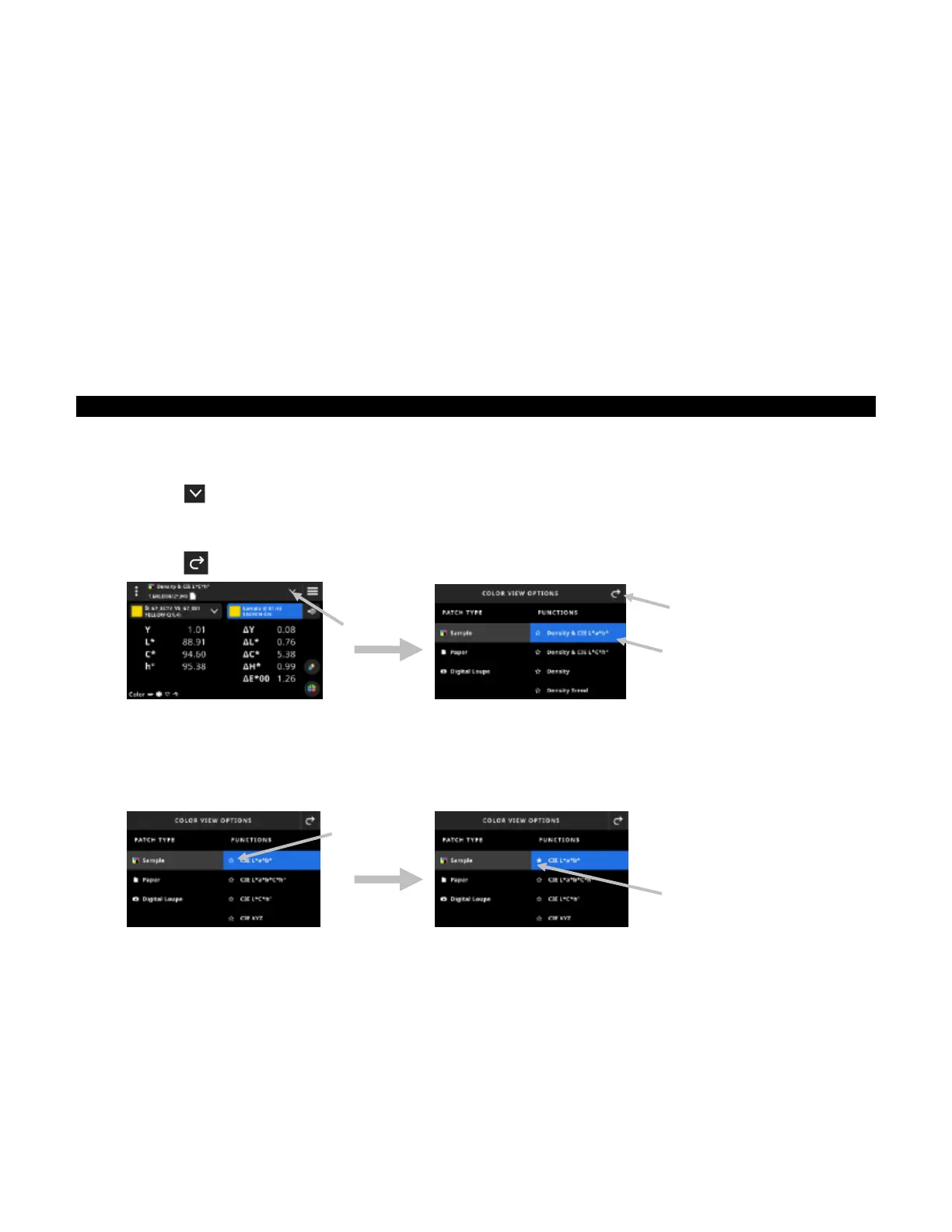
To select a sample function:
1. Tap the icon (1) next to the function name at the top of the screen to open the Color View Options.
2. Tap the desired sample function (2). Additional functions can be accessed by swiping up on the screen. A
table with the available functions is shown below.
3. Tap the icon (3) to return to the Color screen.
If you have a function that you use often, you have the option to select this function as a favorite. Once selected,
the favorite function appears at the top of the function list. You can set multiple favorites.
To favorite a function:
1. Tap the star outline icon (1) to favorite a function. The star (2) appears solid now.
2. To unfavorite a function, tap the filled star icon again.
Available Color Functions
CIE L*a*b* Hue Error & Grayness
CIE L*a*b*C*h° Delta E Trend
CIE L*C*h° BestMatch
CIE XYZ Brightener Index
CIE Yxy Metamerism
(1)
(2)
(1)
(3)
(2)


 To Next Page