X-Rite eXact 2
37
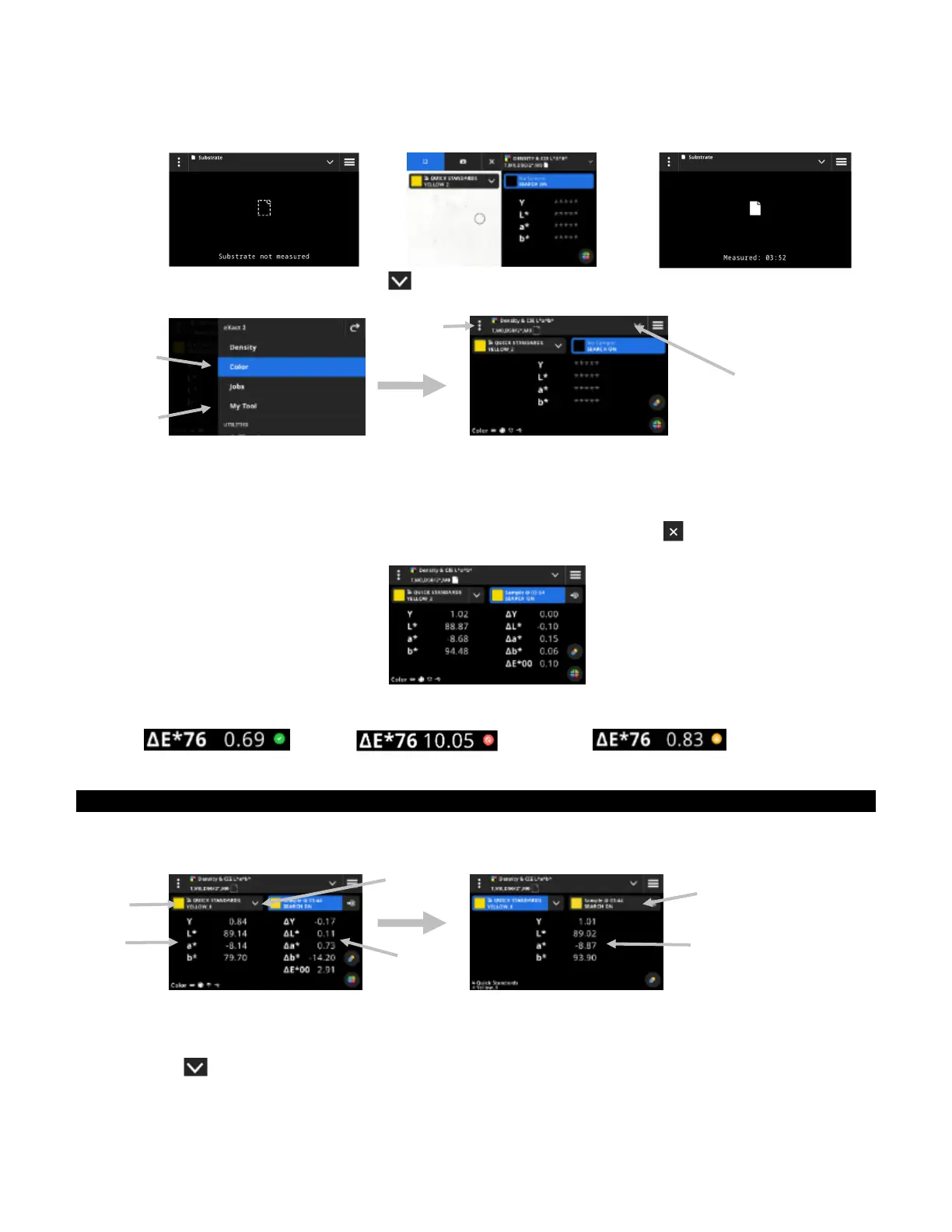
5. Select Paper as the patch type, to take a substrate measurement (if required). Position the device on the
substrate and press the Measure button to take a measurement.
6. After substrate measurement, tap the icon (4) to select the color function from the Color View Options
screen for measuring and viewing data. See the Color Functions section earlier for additional information.
7. If a standard comparison is required, refer to the Color Library and Standard Selection section that follows
for additional information.
8. Position the device on the sample and take a measurement as explained in the Basic Sample Measurement
Technique section earlier.
9. Continue with additional measurements as required for the function or tap the icon to close the targeting
window and view the measurement data.
NOTE: If the selected color library has tolerances included on the standards, status icons will appear on the
standard patch and next to the ∆E value on the measurements. See examples below.
Pass: Fail: Warning:
Data Display
After a measurement, the display shows the measured sample values (1) and the delta values (2) compared to
the current standard. You can switch the view to show the actual standard values. The blue highlight in the
header indicates what values are currently displayed.
1. Tap the standards drop down (3) to switch the data display from showing the sample values to showing the
values of the current standard (4). The values are displayed for the currently selected function.
2. Tap the tab with the sample information (5) to switch the data display back to the sample and delta values.
3. Tap the icon (6) next to the current standard to open the library and standard selection. See the next
section Color Library and Standard Selection for additional information.
(1)
(4)
(2)
(3)
(1)
(4)
(3)
(2)
(5)
(6)


 To Next Page