X-Rite eXact 2
39
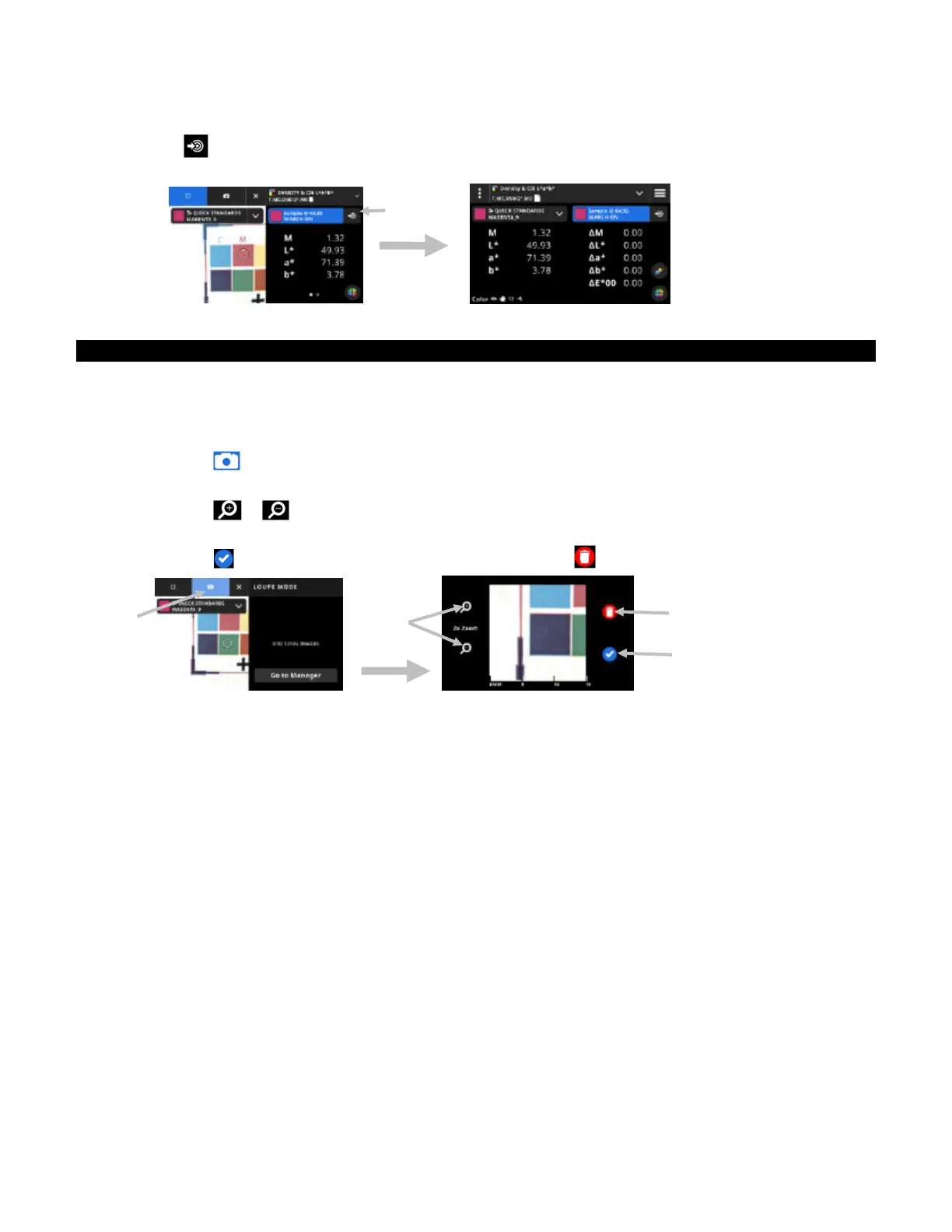
1. Measure the sample you want to use as a standard.
2. Tap the icon (7) to replace the active standard data with the current measurement. The standard is
added to the Quick Standards list.
Digital Loupe
This function is used to capture a high-resolution image of the targeting area. Once an image is captured, you
can view and enlarge the area. The device can store up to 20 images in the device.
To capture an image:
1. Activate targeting mode by pressing the Measure button once
2. Tap the icon (1) to open the Loupe Mode.
3. Position the device on sample and press the Measure button again to capture the image.
4. Tap the or icons (2) to zoom in and out of the image. You can also use your finger to pan
around the image.
5. Tap the icon (3) to save the image to the device. Tap the icon (4) to delete the image.
6. Take additional images if required.
7. Refer to the Digital Loupe Manager section later in this document for additional information.
(2)
(3)
(4)
(1)
(7)


 To Next Page