Accessing the i/o well & Connecting Cables
connecting the power cable
Page 5
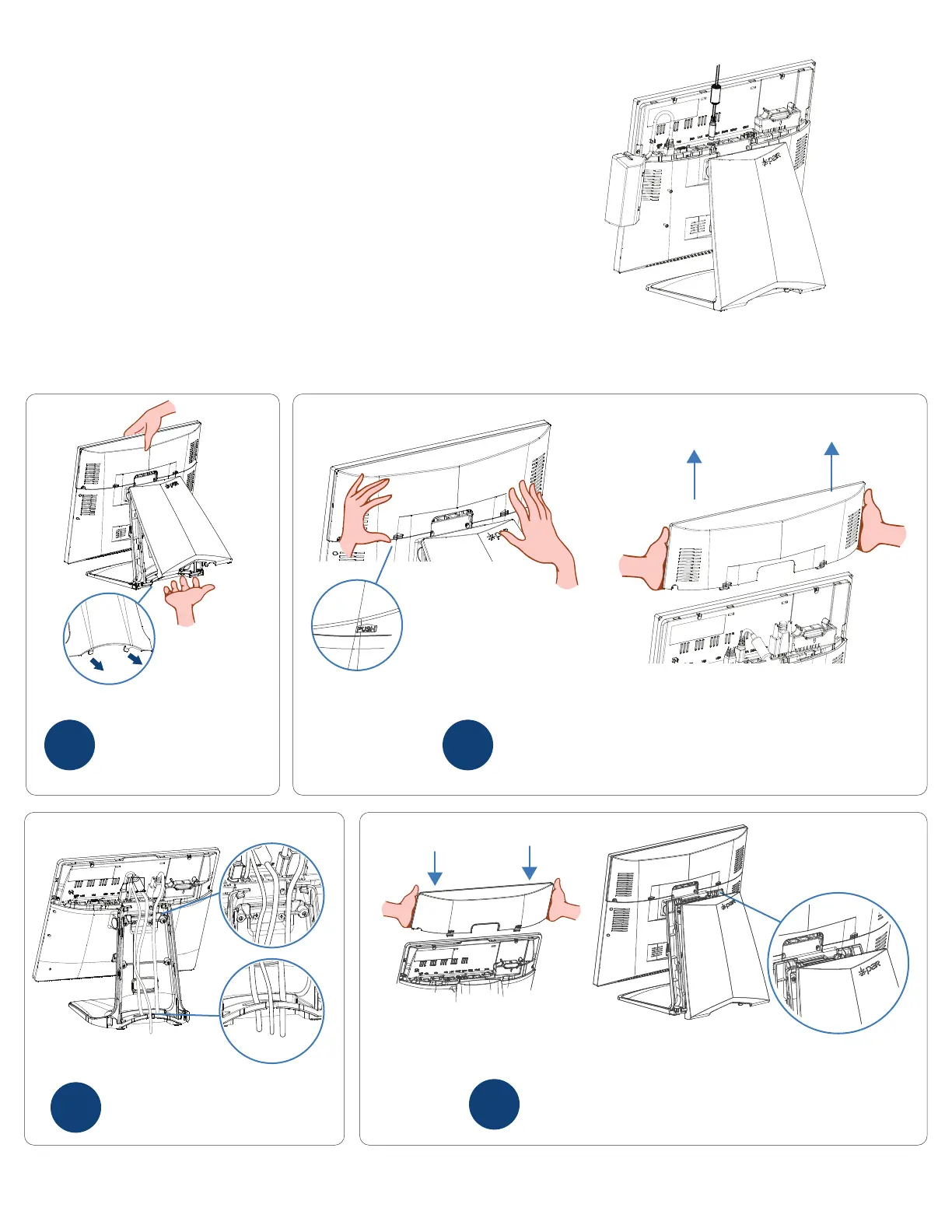
Remove the stand cover by
holding the terminal with
one hand and pulling the
bottom of the stand cover
by the cover hooks.
1
Connect your cables in the designat-
ed I/O ports and then route through
the terminal stand.
3
Remove the I/O cover by pressing the the two
tabs and pulling the cover straight up away
from the terminal.
2
Replace the I/O cover then the stand cover.
The stand cover should be replaced by rst
connecting the top tabs then pressing on the
bottom.
4
In order to power up the terminal you will
be required to connect the power the
cable.


 To Next Page