Built-In Microphones
Depending on SurfLink Remote Microphone’s physical
orientation, it automatically adjusts the microphone
settings to either “Focus” (directional) or “Surround”
(omnidirectional).
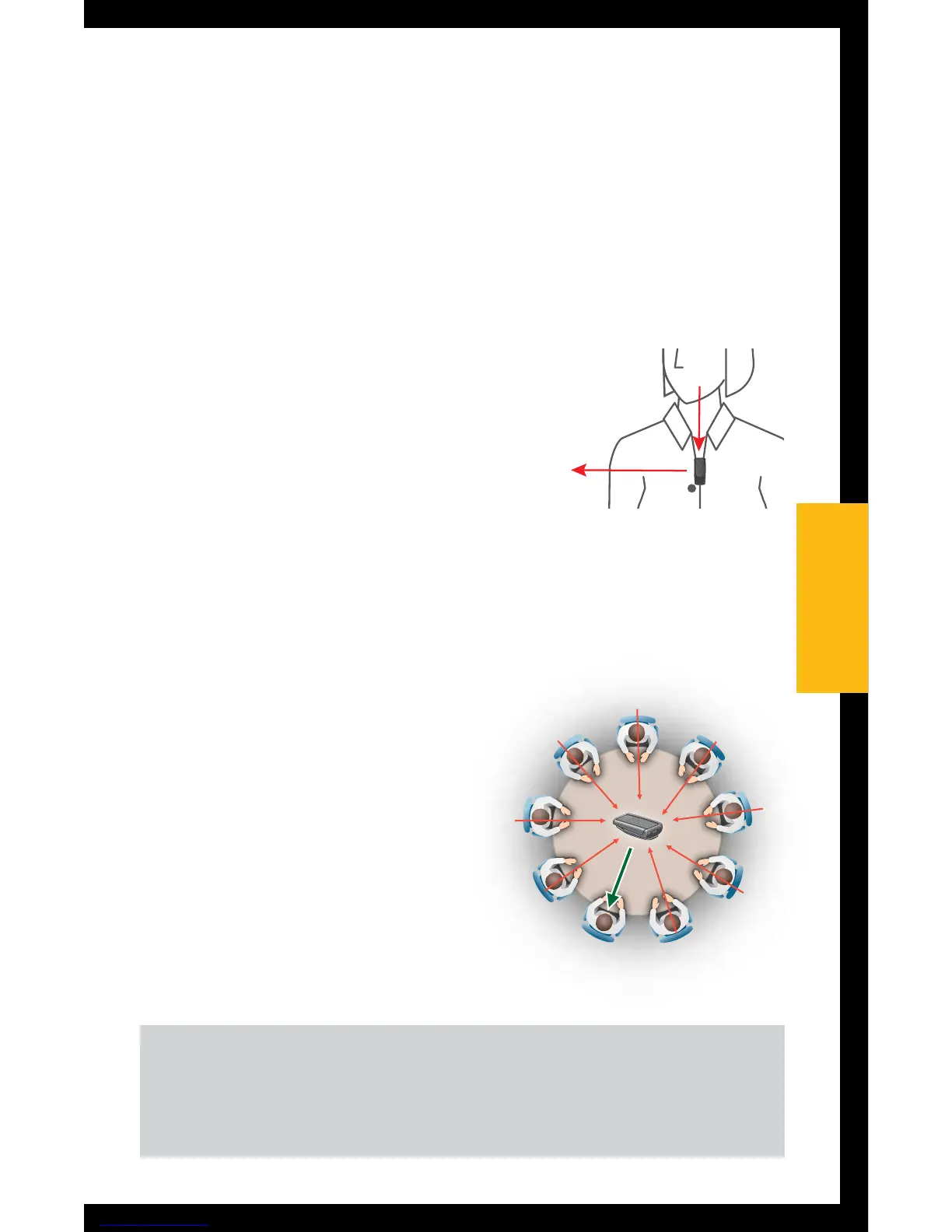
“Focus” – When SurfLink
Remote Microphone is body
worn, it automatically prioritizes
sound from above while
reducing sounds levels from
other directions. This is useful
for listening to a single speaker when background
noise is present.
“Surround” – When
SurfLink Remote
Microphone is placed
horizontally (on its clip),
it receives sound from all
directions. This setting
is useful for listening to
multiple nearby speakers
in quiet environments.
TIP – In noisy environments, move SurfLink Remote
Microphone as close as possible to sound source.
1515
Operation


 To Next Page