paradox.com
PGM82-EI00 10/2017
PGM82
8-PGM Expansion
Module
Installation Manual
Introduction
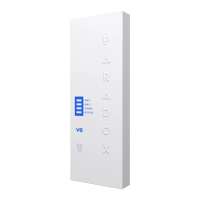
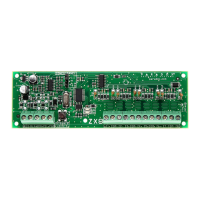
The 8-PGM Expansion Module PGM82 includes eight programmable
relay outputs and is compatible with all Paradox control panels.
Outputs can be independently activated using the Insite GOLD mobile
application, manually by pressing the PGM button on the front cover or
they can be programmed to follow system events. Manual activation
does not require a bus connection.
Compatibility
• EVO192, EVOHD v6.80 and higher
• MG5000, MG5050, SP5500, SP6000, SP7000 v6.80 and higher
• PGM4 v5.01 and higher
• BabyWare v5.1 and higher
• Infield v5.1 and higher
• Insite GOLD iOs v1.5; Android v1.4
Connections
Connect the four terminals labeled RED BLK GRN YEL of the module to
the corresponding terminals on the control panel’s four-wire combus as
shown below.
Manual activation is timed and will shutdown after 15 minutes (default).
Upgrading Firmware
The PGM82’s firmware can be upgraded in Infield via BabyWare
using a 307USB Direct Connect Interface.
LED Indicators
* If control panel has an AC Loss, all LEDs are turned off.
Insite Gold
Adding PGMs to Camera and Security
Screens
1. Press from the Security or
Video screen.
2. Select the PGM you wish to add.
3. Press Save.
The selected PGMs will appear on Security
and Video screens.
To Enable/Disable PGMs
1. Open Insite GOLD app.
2. Select the PGM tab on the bottom.
3. Press the toggle button to enable/dis-
able the PGM.
4. When activating a PGM a countdown
clock will be shown.
In the EDIT PEN icon, you can label each
PGM and change the OFF time; default is
set to 15 minutes.
Labels will be saved in the EVO panels.
On MG/SP, it is saved only on the mobile
device (need to be labeled on each mobile
device).

 Need help?
 General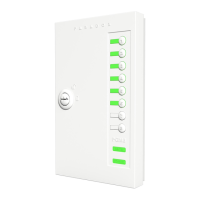

 To Next Page