User Manual - Cyclone Silent - 1-2018 edition
PARAMINA SA – Byway Evaggelistrias str. 19300 Aspropirgos, Greece, Tel: 0030 210 5575860-1
Fax: 0030 210 5575868, email: service@paramina.gr - website: www.paramina-compressors.com
24
5.3.9. Service hours reset procedure
Reset Procedure for BA filter (molecular sieve and active carbon filter) change
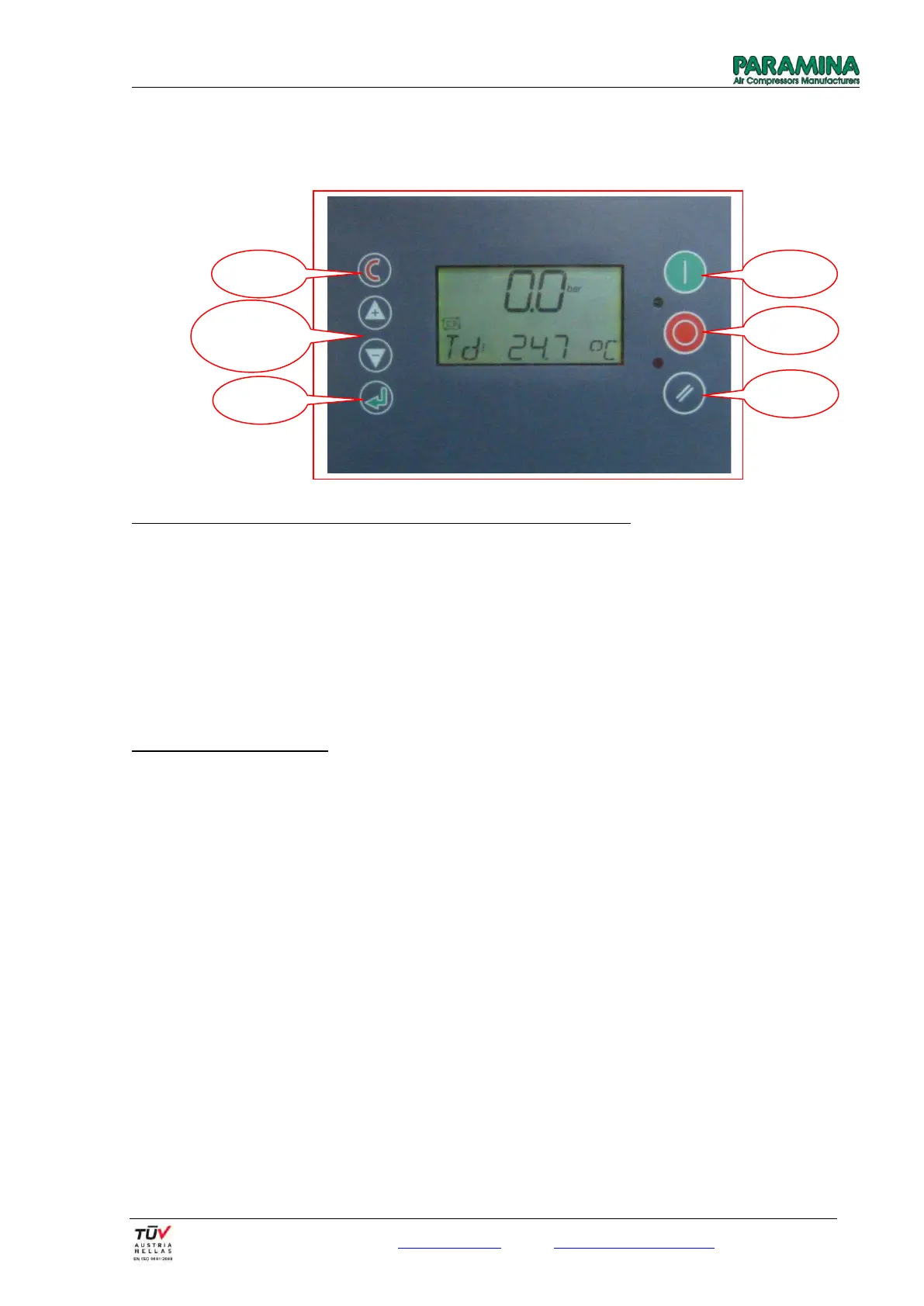
- After the filter change we press buttons + and – (at the same time). The screen will display the code (CD :
0000). By pressing the enter button to move from one digit to the other and by using the buttons + and –
we enter the code nr. 0100
- After pressing again the enter button the screen will display the index P00 (flashing). Using the buttons +
and – we go to menu P04 and we press the button Enter. We observe that the bottom index flashes and by
using the buttons + and – we select the index H3. We press again the enter button and we observe that
the value of H3 flashes. By using the buttons + and - we adjust the hours at the value of 20. Then we push
the C (Cancel) button 2 or 3 times so as to leave this menu and return to the first screen (pressure – bar wll
be displayed upon the screen).
Reset procedure for oil change
- We follow the same steps in the menu P04, we select the index Η2 and we adjust the hours at the value of 200.
After these procedures we press the reset button. The compressor is now ready to operate (the red led will
switch off).
Press both
buttons &
insert code


 To Next Page