4 - Purchasing a parking ticket
Strada Transfert Evolution2 - Operation manual
14/50
4. Purchasing a parking ticket
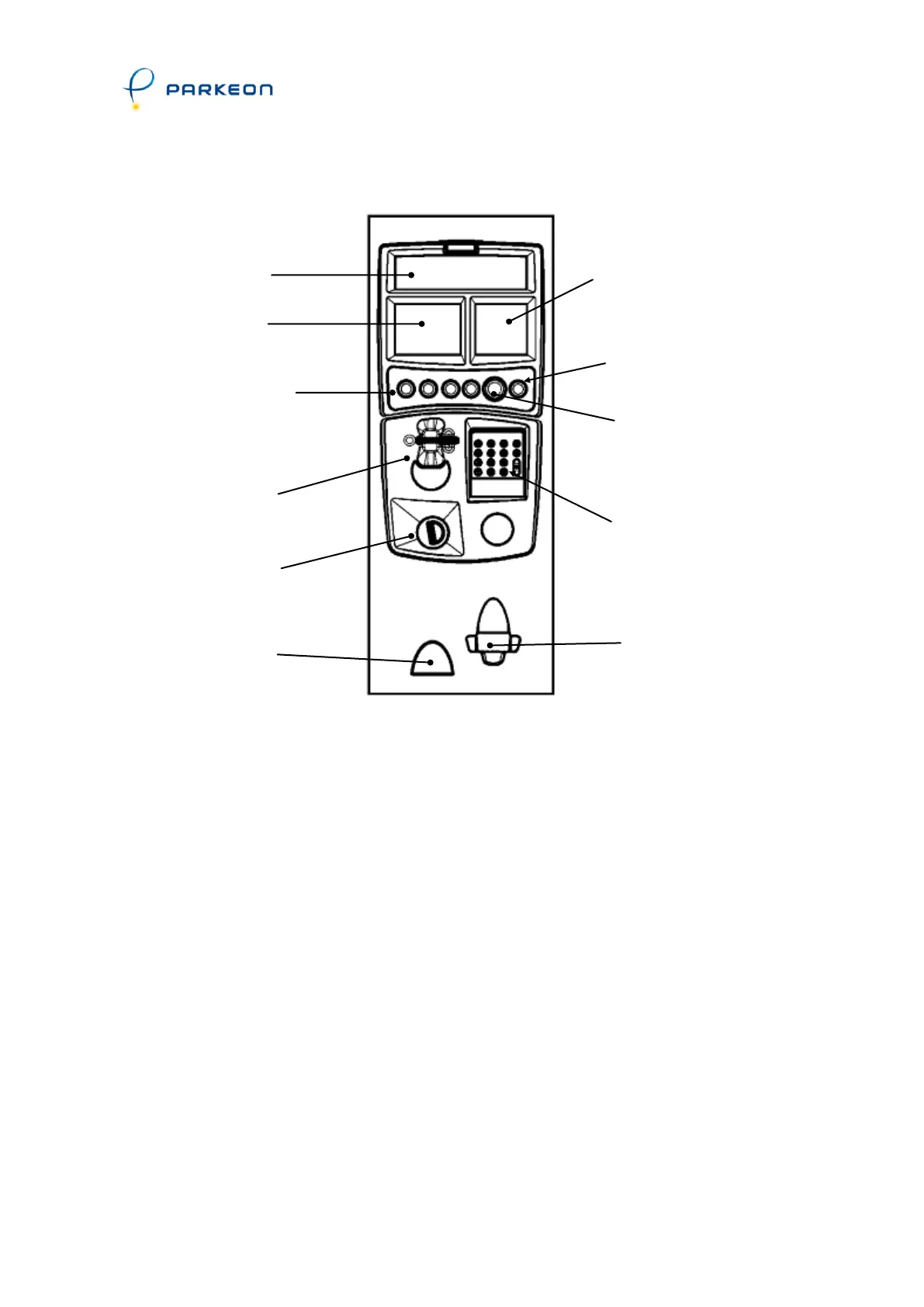
User interface
In order to save power, the parking terminal remains asleep and only the time
and date are displayed till a coin or card is inserted.
Insert a coin in the coin inlet or a card in the reader (if the payment by card
option is available).
The currently applicable parking tariffs are shown on the tariff card or the tariff
screen (if the tariff screens option is present).
The minimum and maximum tariffs are displayed on the screen.
To select the desired parking time, insert the corresponding number of coins or
use the buttons and/or keypad.
The calculated parking time is displayed on the screen when the coins are
accepted (any rejected coins fall directly into the coin bowl).
The user then presses the (green) Validate button.
Printing starts and a parking ticket is issued.
The (red) Cancel button is used to stop the transaction before it is validated. In
that case, the coins are returned immediately and the card is not debited.
Alphanumeric
or bank card
keypad
(optional)
Function keypad
depending on options
(buttons "+", "-",
"language", "tariffs",
etc.) or extended
keyboard



 To Next Page