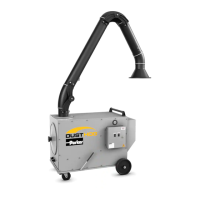
Media Bag Dust/Mist Collector Models DA, DB, DBM
11
7. Troubleshooting
The air cleaners are designed with minimum moving parts. True unit breakdown can occur only in the blower-
motor section of the unit.
To troubleshoot the unit:
A. Disconnect the power to the unit.
B. Make sure that the filters are not obstructing the airflow.
C. Make sure the plastic tubing for the pressure gauge is clear of any obstructions.
1. Check for correct connections of tube to pressure gauge.
Note: Plastic tubing is to be connected to the gauge port marked “HI”. The “LO” port on the gauge is left
open. (No tubing to be connected.)
D. Check for correct input line voltage to the unit.
E. Check that wiring connections are secure and installed per the wiring diagram.
For replacement parts and service, see Section 8.
8. Parts/Service
Exploded views and itemized bills of material are shown on the following pages. Use this information to
determine part numbers of replacement parts.
To order parts, contact your local representative or Parker directly:
Parker Hannin, Inc.
4087 Walden Avenue
Lancaster, NY 14086
Attn: Customer Service Department
1-800-343-4048
The following will be required for prompt delivery of replacement parts:
Data Required Location of Data
1. Unit Model Number Side of Unit
2. Unit Serial Number Side of Unit
3. Part Number and Description Exploded Views
When returning a defective part under warranty, you must call your local representative or Parker for a return
authorization number. This number must appear on the package being returned. This number will assure you
prompt service.


 To Next Page