EasyManua.ls Logo

Parker V Series - User Manual

Parker V Series
24 pages
Print Icon
To Next Page IconTo Next Page
Loading...
Versatile/Portable Cartridge Dust
Collector Owner’s Manual
V Series Models VB, VF, VP
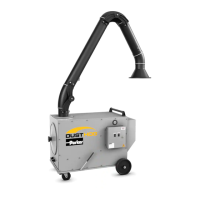
Model VP
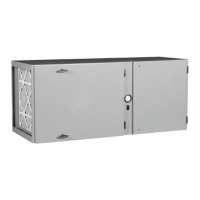
Model VB
Model VF

Questions and Answers

  • T
    Tanya PetersonAug 17, 2025
    What to do if there are dust emissions from clean air discharge in Parker V Series?
    • W
      williamscurtisAug 17, 2025
      If you notice dust emissions from the clean air discharge of your Parker Dust Collector, it could be due to a few reasons. First, inspect and reinstall the filter cartridge, ensuring the gasket is properly sealed. If the filter element is damaged, you should replace it.
  • J
    Jessica WilliamsAug 20, 2025
    Why is there insufficient airflow in my Parker V Series?
    • P
      Peter PerezAug 20, 2025
      If you're experiencing insufficient airflow in your Parker Dust Collector, several factors could be the cause. First, check the fan rotation to ensure it's rotating clockwise. Next, check for any obstructions in the air inlet and clear them. Lastly, if the filters are at the end of their service life, replace them.
  • M
    Mercedes BakerAug 22, 2025
    What causes continual excessive pressure drop on filter monitor gauge in Parker V Series Dust Collector?
    • G
      Gina SmithAug 22, 2025
      If you observe a continual excessive pressure drop (over 5.0”) on the filter monitor gauge of your Parker Dust Collector, consider these potential causes. It could be that the cleaning system isn't being used frequently enough; try increasing the frequency. Also, check the compressed air supply pressure to ensure it's between 90-110 PSIG. Finally, the filter elements may be at the end of their useful life, so consider replacing them.
  • J
    Joshua MayerAug 25, 2025
    What to do if the motor/blower won’t start or won’t stay running on Parker V Series?
    • A
      Anthony SanchezAug 26, 2025
      If the motor or blower of your Parker Dust Collector won’t start or stay running, it could be due to a couple of reasons. Check Section 7 for electrical specifications, as it might be an improper electrical supply. Also, the starter overload might have tripped, so try resetting the overloads.
  • M
    Michael MahoneyAug 28, 2025
    How to fix decrease in air volume in Parker V Series?
    • R
      Ryan MoodyAug 28, 2025
      If you notice a decrease in air volume in your Parker Dust Collector, here are a few things to check: A) The ventilation duct might be plugged, so clean out any blockage. B) The flexible hose might not be properly connected to the arm tubes, so reconnect the hose. C) The flexible hose could be damaged, so replace it. D) The Swing Arm damper might be closed, so open the arm damper. E) There might be packed filters or another restriction in the system, so check downstream filters and replace or clean them as needed.
  • F
    Francis MorrisAug 30, 2025
    What to do if downtime cleaning does not function and CLEAN light is flashing but valve does not pulse on Parker Dust Collector?
    • N
      Neil LambAug 30, 2025
      If downtime cleaning does not function and the CLEAN light is flashing but the valve does not pulse on your Parker Dust Collector: 1. Check terminals V and N for a 120VAC pulse. If there is no output when the PULSE light flashes, replace the board. If a 120VAC pulse is detected, check the wiring, valve coil, and air supply.
  • D
    Dale WalkerSep 2, 2025
    What to do if downtime cleaning does not function and PWR light is illuminated but CLEAN light not illuminated or flashing on Parker V Series?
    • J
      Jeffrey BrownSep 2, 2025
      If downtime cleaning does not function and the PWR light is illuminated but the CLEAN light is not illuminated or flashing on your Parker Dust Collector: 2. In units with motor starters: make certain an isolated normally open motor starter auxiliary contact is wired to terminals 13 and 14 (downtime cleaning begins when the motor/blower starter is turned off.)
  • D
    Desiree BarrSep 5, 2025
    What to do if downtime cleaning does not function and PWR light does not illuminate on Parker V Series Dust Collector?
    • K
      Kevin DodsonSep 5, 2025
      If downtime cleaning does not function and the “PWR” light does not illuminate on your Parker Dust Collector: 1. Make certain 120VAC power is at terminals L and N even after the motor/blower is turned off. The PWR light should be illuminated.
  • M
    Mary MoralesSep 8, 2025
    What to do if timer does not operate and PWR light does not illuminate on Parker V Series Dust Collector?
    • K
      Keith JohnsonSep 8, 2025
      If the timer does not operate and the “PWR” light does not illuminate on your Parker Dust Collector: 1. Make certain 120VAC power is at terminals L and N. 2. Check fuses F1 and F2 for an open circuit. If F1 is open, check the wiring and replace the fuse. If F2 is open, replace the board.
  • T
    tiffanyorrSep 12, 2025
    What causes pulsing failure of diaphragm valve in Parker Dust Collector?
    • R
      Renee NicholsSep 12, 2025
      If the diaphragm valve of your Parker Dust Collector is experiencing pulsing failure, it could be due to an open solenoid valve. Check the continuity of the solenoid coil with an ohmmeter and replace it if necessary.

Summary

SAFETY PRECAUTIONS

Important Safety Instructions

Lists critical safety guidelines for operation and maintenance.

COMBUSTIBLE DUST HAZARDS

Risk Assessment and Compliance

Discusses NFPA standards, DHA, and user responsibilities for safety.

2. Introduction and Specifications

Unit Nomenclature, Operation, and Filtering

Covers unit identification, description, operation, and air filtering processes.

4. Installation Procedures

Model-Specific and Electrical Installation

Details installation for VP, VB, VF models and electrical connections.

5. Operation

Start-Up and Operational Checks

Guides through unit start-up, panel checks, and operational lists.

6. Service and Maintenance

7. Electrical Systems

8. Troubleshooting Guide

Product Warranty Information

Parker V Series Specifications

General IconGeneral
TypeIndustrial Dust Collector
Filter TypeCartridge filters
Cleaning SystemPulse-jet cleaning
Power SourceElectric
DimensionsVaries by model
WeightVaries by model
Filter EfficiencyUp to 99.99% efficiency on particles 0.5 microns and larger (depending on filter media)
Motor PowerVaries by model (e.g., 1-10 HP)

Related product manuals