EasyManua.ls Logo

Parker PNEUDRI Maxi MX Series - User Manual

Parker PNEUDRI Maxi MX Series
308 pages
Print Icon
To Next Page IconTo Next Page
Loading...
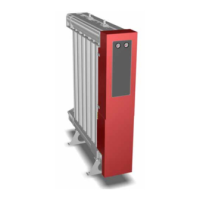
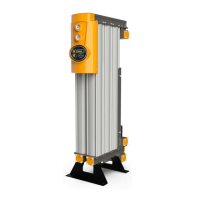
PNEUDRI Maxi
MX102 - MX110
Original Language
User Guide
aerospace
climate control
electromechanical
filtration
fluid & gas handling
hydraulics
pneumatics
process control
sealing & shielding
EN
NL DE FR FI SV NO DA EL ES PT IT
PL
SK CS ET HU LV LT RU SL TR MT

Questions and Answers

  • D
    Daniel MillsAug 25, 2025
    What to do if the air supply downstream is interrupted in Parker PNEUDRI Maxi MX Dryer?
    • S
      Sarah HernandezAug 25, 2025
      If the air supply downstream of your Parker Dryer is interrupted, leading to a rapid loss of system pressure, the compressor might be switched off; check the compressor. Also, check the dryer fault indicators for any fault shutdown events.
  • M
    Mary GordonNov 3, 2025
    Why does my Parker PNEUDRI Maxi MX Dryer have a high pressure drop?
    • R
      Randy JohnsonNov 3, 2025
      A high pressure drop in your Parker Dryer, leading to low pressure gauge readings or intermittent operation, can be caused by several factors. The pre/after filtration might be nearing the end of its operational life, so check and replace it if necessary. The dryer could be overloaded or operating at a reduced system pressure; verify the actual inlet conditions against the values quoted at the time of sizing. Also, check the position of all isolation valves to ensure none are partially closed. A pressure loss from the system could be the reason, so check the system for leaks. Make sure that the drain cocks and pressure relief valves are closed. If the dryer or compressor tripped due to a power interruption, check that the “POWER ON” indicator is illuminated; if not, inspect the isolator an...
  • A
    Amanda ThorntonNov 13, 2025
    What to do if my Parker PNEUDRI Maxi MX Dryer has poor dewpoint?
    • L
      Leslie AguilarNov 14, 2025
      If your Parker Dryer has a poor dewpoint, indicated by water in the downstream piping, several issues could be the cause. First, ensure the dryer is operating within its sizing criteria by checking the actual inlet parameters and environmental conditions against the values quoted at the time of sizing. Confirm that the bypass valve is fully closed and allow sufficient time for the system to 'dry down' if the dryer has recently been started. Check the condensate drains for any faults and ensure the drain hoses are free from kinks and obstructions, and that the drain isolation valves are fully open. If the regeneration column pressure exceeds 350 mbar, replace the exhaust silencers. For timer or valve malfunctions, or if the desiccant is nearing the end of its useful life, contact a Parker d...

Summary

Safety Information

Markings and Symbols

Explains warning signs and symbols used in the manual and on the equipment.

Hazardous Substances

Details the desiccant material (DRYFIL), its properties, and handling precautions.

Product Description

Technical Specifications

Provides detailed technical data including flow rates, pressures, temperatures, electrical, and environmental specs.

Unpacking the Equipment

Instructions for unpacking the dryer and checking for included items and transit damage.

Overview of Equipment Components

Identifies major components of the dryer using reference numbers from a diagram.

Installation and Commissioning

Recommended System Layout

Recommends pre-filtration and condensate management equipment for system setup.

Locating the Equipment

Guidance on selecting a suitable installation site considering space and noise.

Mechanical Installation

Procedures for connecting piping, filters, and overall mechanical setup.

Electrical Installation

Instructions for connecting power, earth, and alarm/control signals.

Hygrometer and Analogue Output Connections

Details on connecting MXS-DS hygrometer and MXA analogue outputs.

Operating the Equipment

Overview of Controls

Describes the different control options (MXS, MXS-DS, MXA) and their displays.

Starting and Stopping the Equipment

Step-by-step instructions for starting up and shutting down the dryer safely.

Servicing

Cleaning and Service Intervals

Guidance on cleaning the equipment and recommended service tasks with intervals.

Service Kits

Lists available service kits, their part numbers, and quantities for maintenance.

Service Record

Provides a template for documenting maintenance history and service events.

Troubleshooting Guide

Problem Diagnosis and Solutions

Lists common problems, their possible causes, and required actions for resolution.

Annex A: Dimensions and Weights

Physical Dimensions Table

Detailed physical dimensions and weights for each dryer model presented in a table.

Parker PNEUDRI Maxi MX Series Specifications

General IconGeneral
DesiccantActivated Alumina
DimensionsVaries by model
WeightVaries by model
Operating Pressure4 to 10 bar
Purge Air Requirement15% of nominal flow
Control SystemElectronic Control
Voltage230V, 50Hz

Related product manuals