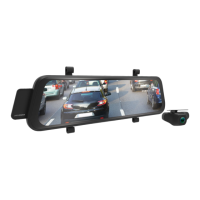
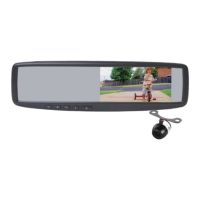
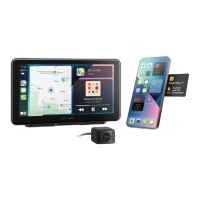
The Parkmate MCPK-972DVR is a 9.66-inch touch screen mirror monitor designed to enhance vehicle safety and provide smart display functionalities. It integrates a dual-channel dash camera, offering both front and rear recording capabilities, and supports wireless Android Auto and Apple CarPlay for seamless smartphone integration.
Function Description:
The MCPK-972DVR serves as a comprehensive driver assistance device, providing real-time views from both front and rear cameras, recording footage, and offering smart display features. It is designed to assist drivers with parking, reversing, and general road awareness, but it does not replace the driver's manual responsibilities. The device automatically powers on and begins recording when the vehicle's ignition is set to the ACC position and shuts down when the vehicle is powered off. It can also be manually powered on/off. In case of a malfunction, the device can be reset using a small button near the USB port.
Important Technical Specifications:
- Screen: 9.66-inch IPS touch screen with 2.5D panel.
- Front Camera: 2K resolution (default 2K @ 30fps), 150° field of view.
- Rear Camera: Full HD resolution (FHD @ 30fps), 140° field of view, IP67-rated waterproof.
- Recording: Both front and rear cameras record in FHD at 30 frames per second.
- Storage: Compatible with Micro SD cards Class 10 and above, up to 256GB (SD card not included).
- Power: 12V/24V DC power adaptor.
- Connectivity: Wireless Android Auto and Apple CarPlay, Bluetooth for initial pairing, Wi-Fi for automatic connection.
- Sensors: G-Sensor for incident detection and locked recording.
- Power Source: Supercapacitor.
- Ports: Power Supply Port, AV IN for Rear Camera, Micro SD Card Slot, GPS Port (Not Applicable*).
- Buttons: Reset Button, On/Off Button.
- Audio: Speaker, Microphone.
Usage Features:
- Touch Screen Operation: The device uses a capacitive touch screen for easy and efficient operation.
- Initial Setup: It is recommended to format the Micro SD card and set the date and time before use.
- Recording Video: Automatic recording starts when the vehicle is turned on. The recording loop length can be configured for 1, 3, or 5 minutes.
- Locked Recording: The G-Sensor automatically locks and saves video files in the event of a collision, preventing them from being overwritten. Manual locking of recordings is also possible.
- Rear Camera Functionality: The rear camera assists with recording and reversing, displaying a reverse assistance view on the screen when reverse gear is engaged.
- Recording Screen: The recording screen displays the recording indicator, duration, current time, date, and day. It also provides icons for start/stop recording, taking pictures, microphone on/off, locked recording, playback, and system settings.
- Settings Menu: Access various settings such as resolution, loop recording, G-Sensor sensitivity, parking monitor, time lapse recording mode, default view, date/time, formatting Micro SD card, factory reset, about information, auto LCD off, date/time stamp, and projection mode.
- Resolution Adjustment: The front camera resolution can be changed between 2K @ 30fps and FHD @ 30fps. The rear camera resolution is fixed at FHD @ 30fps.
- Loop Recording: Allows setting the duration of recording clips to 1, 3, or 5 minutes.
- G-Sensor: Monitors for impacts and automatically protects current recordings. Sensitivity can be adjusted (Off, Low, Medium, High).
- Parking Monitor: Records incidents when the vehicle is parked using time lapse mode to save memory space (requires a 3-wire Hardwire Kit).
- Time Lapse Recording Mode: Configurable duration for time lapse recording when the vehicle is parked (OFF, 2H, 8H, 12H, 24H). This also requires a 3-wire Hardwire Kit.
- Default View: Allows selection of the default camera view (front or rear) to be displayed on the mirror DVR after powering on.
- Date/Time Stamp: Enables or disables the date/time stamp on recorded footage.
- Auto LCD Off: Sets the display screen to switch off automatically after 5 or 10 seconds, while recording continues in the background.
- CarPlay/Android Auto Set-Up: Connects to iPhone (iOS 13.0+) or Android (Android 11.0+) smartphones wirelessly via Bluetooth (for initial pairing) and Wi-Fi. Supports full screen or half screen display for Android Auto/CarPlay, with the other half showing front camera, rear camera, or a blank screen.
- FM Transmitter: Allows audio playback through the vehicle's built-in stereo speakers by matching FM frequencies.
- Bluetooth Functionality: Provides tables detailing audio routing for music, initiated calls, and received calls when the FM transmitter is enabled or disabled, and when an Android phone or iPhone is connected via Bluetooth.
Maintenance Features:
- Cleaning: The lens should be cleaned gently with a microfibre cloth if videos or photos are blurred due to fingerprints.
- SD Card Management: Regular formatting of the Micro SD card is recommended to ensure optimal performance and clear old data.
- Battery Care: Always use the provided charger. Do not dismantle or expose the internal battery. Dispose of the battery according to local regulations.
- Installation Notes: Ensure the camera lens is within the windscreen wiper's range for clear views in rain. Avoid obstructing the camera's view with window tint or other objects. Exercise caution when running cables near side curtain airbags to prevent deployment issues. Install the rear camera at the exterior of the vehicle near the license plate. Professional installation is recommended for OEM mirror replacement and windscreen mounting.

 Need help?
 General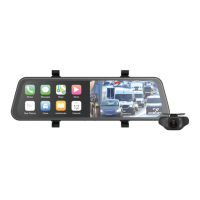

 To Next Page