EasyManua.ls Logo

Parkmate PM-72W - User Manual

Parkmate PM-72W
48 pages
Print Icon
To Next Page IconTo Next Page
Loading...
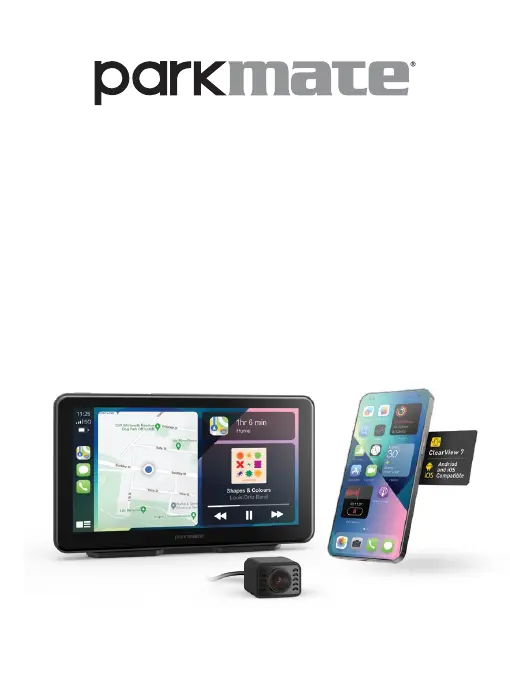
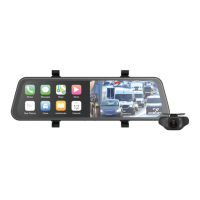
7.0" Smart Screen Monitor
With 2-Channel Dash Camera
User Manual
ClearView 7 PM-72W
YOUR SAFETY COMES FIRST

Questions and Answers

Summary

Warnings

Micro SD Card Warning

Important information regarding the use of Micro SD cards.

Micro SD Card Installation

Product Installation

Rear Camera Installation

Rear Camera Wiring

Details the wiring connections for the rear camera.

Power Connection

Micro SD Card Management

Formatting Micro SD Card

Recommends formatting the Micro SD card before use.

Home Screen Interface

Smartphone Connectivity

Connects with Apple CarPlay and Android Auto.

Dash Camera Operation

Smartphone Integration

Apple CarPlay iPhone Setup

Step-by-step guide to connect an iPhone via Apple CarPlay.

Android Auto Setup

Guide to connect an Android phone using Android Auto.

Device Settings

Reversing Guidelines Settings

Parking Monitor

Troubleshooting

Device Startup Issues

Solutions for problems preventing the device from starting.

Touch Control Unresponsiveness

Solutions for when the touch screen does not respond.

Parkmate PM-72W Specifications

General IconGeneral
BrandParkmate
ModelPM-72W
CategoryAutomobile Accessories
LanguageEnglish

Related product manuals