16
Trouble Shooting
Always disconnect the plug from the mains socket before working.
Danger of electric shock.
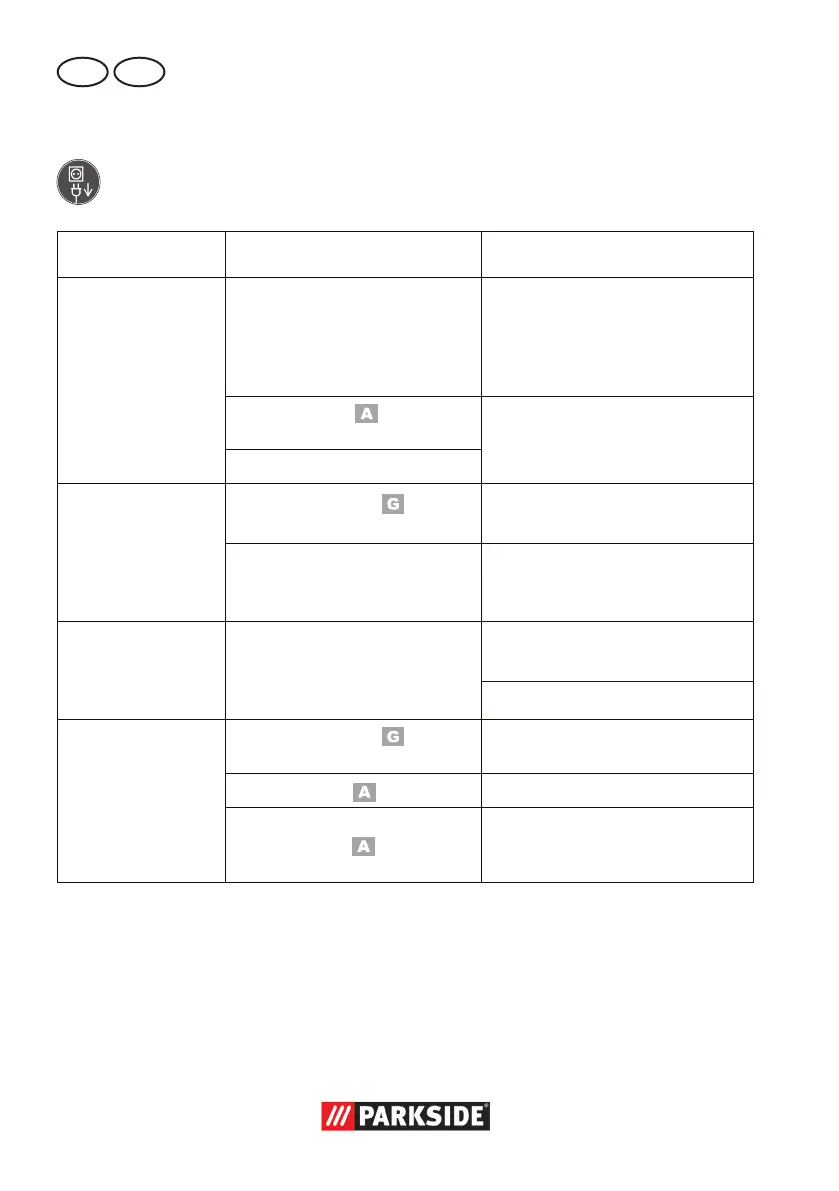
Problem Possible Cause Error correction
Device doesn‘t start
Mains voltage missing
Main circuit breaker is tripped
Check the socket, mains cable,
line, mains plug, repairs to be
carried out by qualied electri-
cian if necessary, check main
circuit breaker.
On/off switch (
14) may be
defective
Repair by Customer Care
Engine faulty
Grinding tools do
not move although
the engine is run-
ning
Grinding disc nut (
10a)
loose
Tighten grinding disc nut (see
„Changing the grinding disc“)
Workpiece, remaining work-
pieces or remaining grinding
tools block drive
Remove blockages
Engine is slower
and stops
Device is overloaded through
workpiece
Reduce pressure on grinding tool
Workpiece unsuitable
Grinding disc does
not rotate smoothly,
abnormal noises
can be heard
Grinding disc nut (
10a)
loose
Tighten grinding disc nut (see
„Changing the grinding disc“)
Grinding disc (
10) faulty
Change grinding disc
Spark protection (1) or work-
piece support (
11) set
incorrectly
Set spark protection or work-
piece support (see „Assembly“)





 To Next Page