EasyManua.ls Logo

Parkside PGSA 4 A2 - User Manual

Parkside PGSA 4 A2
62 pages
Print Icon
To Next Page IconTo Next Page
Loading...
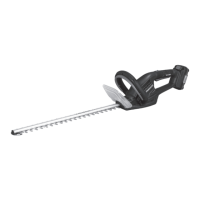
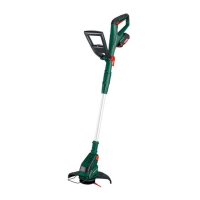
Cordless Grass & Hedge Trimmer PGSA 4 A2
Akku-Gras- und Strauchschere
Originalbetriebsanleitung
Cordless Grass & Hedge Trimmer
Translation of the original instructions
Επαναφορτιζόμενο ψαλίδι
μπορντούρας και γκαζόν
Μετάφραση των αυθεντικών οδηγιών λειτουργίας
IAN 331860_1907

Table of Contents

Questions and Answers

  • J
    Jeffery TaylorAug 19, 2025
    Why Parkside PGSA 4 A2 Trimmer doesn't start?
    • R
      Robert PalmerAug 19, 2025
      If your Parkside Trimmer doesn't start, there are several possible reasons: * The equipment might not be charged. In this case, you should charge the equipment. * The safety key might not be inserted. Ensure the safety key is inserted. * The switch lock might not be operated properly. Switch it on correctly. * The on/off switch may be defective and require repair by a service center.
  • P
    Pamela GarciaAug 21, 2025
    Why is my Parkside PGSA 4 A2 not starting?
    • Q
      qdillonAug 21, 2025
      If your Parkside Trimmer isn't starting, a possible reason is that the equipment is not charged. To resolve this, charge the equipment as described in the „Charging process“ section.
  • D
    dwaynereynoldsAug 23, 2025
    What to do if Parkside PGSA 4 A2 Trimmer has bad cutting results?
    • L
      Logan StanleyAug 23, 2025
      If you're experiencing bad cutting results with your Parkside Trimmer, it could be due to a few reasons: * The blade might be dirty. Clean the blade. * There might be too much friction due to a lack of lubrication. Lubricate the blade. * The blade could be blunt or have nicks. Sharpen or replace the blade. * The blade may be damaged. Replace the blade.
  • J
    Jessica FloresAug 26, 2025
    How to fix bad cutting results with Parkside PGSA 4 A2?
    • J
      Jeremy FordAug 27, 2025
      If you're experiencing bad cutting results with your Parkside Trimmer, it could be due to a blunt or nicked blade. You should sharpen the blade (refer to the „Cleaning/ Maintenance“ section) or replace it (refer to „Spare parts/Accessories“).
  • J
    Joseph WheelerAug 28, 2025
    What to do if Parkside PGSA 4 A2 blade is damaged?
    • R
      Robert SnyderAug 28, 2025
      If your Parkside Trimmer blade is damaged, this can cause bad cutting results. Replace the blade, referring to the „Spare parts/ Accessories“ section for instructions.
  • F
    freemanlisaAug 30, 2025
    Why is my Parkside Power Tool giving bad cutting results?
    • E
      Edward NewtonAug 30, 2025
      Bad cutting results from your Parkside Power Tool can stem from several issues: * Too much friction due to lack of lubrication. Lubricate the blade. * A dirty blade. Clean the blade. * A blunt or nicked blade. Sharpen or replace the blade. * A damaged blade. Replace the blade.
  • E
    Elizabeth JohnstonSep 1, 2025
    How to fix Parkside Power Tool if safety key not inserted?
    • P
      Patrick HernandezSep 1, 2025
      If your Parkside Power Tool doesn't start and the safety key is not inserted, insert the safety key.
  • K
    Kimberly SmithSep 3, 2025
    What to do if Parkside PGSA 4 A2 doesn't start and the safety key is not inserted?
    • M
      michellesmithSep 3, 2025
      If the Parkside Trimmer doesn't start, make sure the safety key is inserted.
  • L
    Lauren AguirreSep 5, 2025
    What to do if Parkside Trimmer has bad cutting results and the blade is damaged?
    • S
      sheltonpatrickSep 5, 2025
      If you notice the Parkside Trimmer isn't cutting well, the blade might be damaged. Replacing the blade should resolve this.
  • R
    Richard CollinsSep 7, 2025
    What to do if safety key is not inserted in Parkside PGSA 4 A2?
    • M
      morgancrawfordSep 7, 2025
      If your Parkside Trimmer is not starting, ensure the safety key is properly inserted. Refer to the "Operation" section for guidance.

Summary

Introduction

Intended Use of the Trimmer

Defines the unit's purpose for cutting hedges, bushes, shrubs, and grass edges.

General Product Description

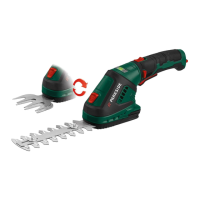
Provides a general overview of the cordless grass and hedge trimmer.

Package Contents and Delivery

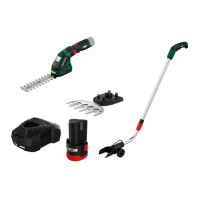
Lists the items included in the product package.

Key Functions Explained

Explains how the different parts of the unit function.

Product Component Overview

Identification of Trimmer Parts

Labels and identifies the main components of the trimmer and its accessories.

Grass and Shrub Cutter Blades

Details the grass cutter blade and shrub shear blade.

Battery Charger and Cable Details

Describes the power supply unit and cable.

Technical Data and Specifications

PGSA 4 A2 Technical Data

Provides technical specifications for the PGSA 4 A2 model.

Grass Trimmer Blade Dimensions

Provides dimensions for the grass trimming blade.

Shrub Trimmer Blade Specifications

Details cutting length and tooth distance for the shrub blade.

Safety Instructions and Symbols

Manual Warning Symbols Explained

Explains the meaning of warning, electric shock, and information symbols found in the manual.

Device Safety Symbols and Notes

Advises to read the manual before first use and notes the cutting equipment continues to move.

General Safety Guidelines for Power Tools

Work Area Safety Precautions

Covers keeping the work area clean, lit, and free from hazards.

Electrical Safety Measures

Details precautions regarding plugs, outlets, body contact with earthed surfaces, and wet conditions.

Personal Safety Precautions

Proper Tool Use and Care

Safe Battery Device Operation

Service and Special Safety Directives

Cordless Cutter Specific Safety

Outlines safety precautions specific to the grass and shrub cutter.

Hedge Trimmer Safety Rules

Details safety measures when using the tool as a hedge trimmer.

Battery-Powered Tool Safety

Covers safety aspects related to charging and handling batteries.

Further Safety Recommendations

Understanding Residual Risks

Risk of Cuts

Warns about the risk of cuts from the tool's cutting elements.

Hearing Protection Requirement

Advises on the necessity of hearing protection to prevent ear damage.

Eye Protection Requirement

Recommends wearing eye protection to prevent potential eye damage.

Battery Charger Safety and Handling

Safe Battery Charger Usage

Lists safety measures for connecting, using, and maintaining the battery charger.

Battery Charging Process and Indicators

Trimmer Operation Guide

How to Insert and Replace Blades

Step-by-step guide for safely changing the cutting blades on the trimmer.

Switching the Trimmer On and Off

Instructions on how to safely turn the tool on and off.

General Operation Tips

Blade Inspection and Care

Advises on checking blades for defects and using sharp blades for optimal performance.

Grass Trimmer Usage

Adjusting the Working Angle

Explains how to adjust the cutter head angle for comfortable and effective use.

Hedge Trimmer Usage

Cleaning and Maintenance Procedures

Blade Cleaning and Oiling Instructions

Details the process for cleaning and oiling the blades after each use.

Proper Storage Instructions

Battery Storage Recommendations

Instructs on storing the battery in a partially charged state to maintain its health.

Disposal and Environmental Responsibility

Environmentally Friendly Disposal

Advises on environmentally friendly disposal of the tool and battery.

Spare Parts and Accessories Information

Ordering Spare Parts and Accessories

Lists available spare parts and their corresponding order numbers.

Troubleshooting Common Problems

Device Not Starting Solutions

Provides causes and solutions for the device failing to start.

Poor Cutting Results Troubleshooting

Lists possible causes and corrections for poor cutting performance.

Product Guarantee Details

Guarantee Coverage Explanation

Explains what the guarantee covers, including limitations and exclusions.

Guarantee Period and Statutory Rights

Clarifies the guarantee period and statutory consumer rights.

Guarantee Claim Process

How to Process a Guarantee Claim

Details the procedure for submitting a guarantee claim and required documentation.

Repair Service and Contact Information

Service Center Contact Information

Provides contact details for service centers in Great Britain, Ireland, and Cyprus.

Importer Details

Parkside PGSA 4 A2 Specifications

General IconGeneral
BrandParkside
ModelPGSA 4 A2
CategoryTrimmer
LanguageEnglish

Related product manuals