19 Free flight
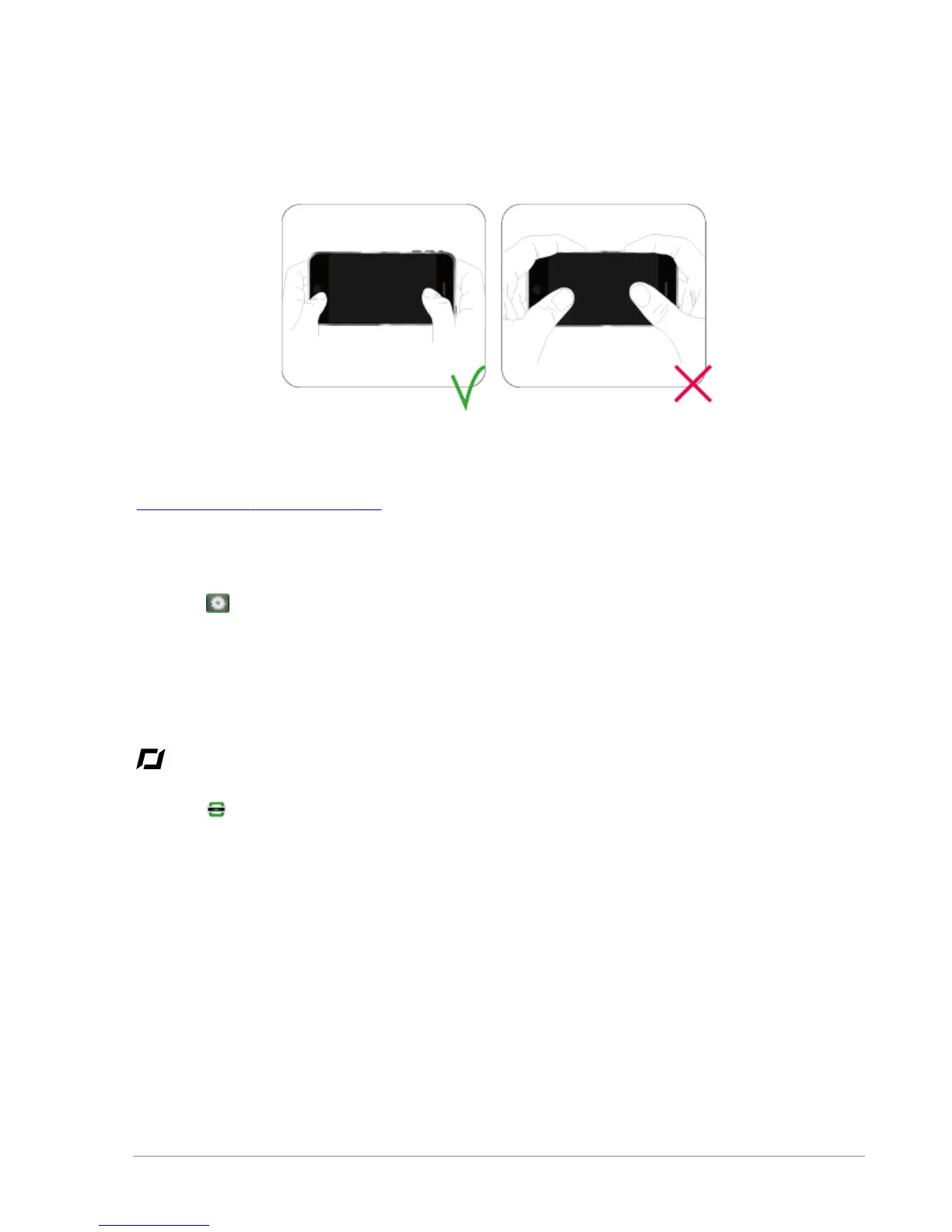
Hand positions on the iPhone
The position of your hands on the iPhone may have an effect on the strength of the Wi-Fi signal.
Colours of the LED lights
Check the colour of the system LED located on the bottom side of the AR.Drone.
Settings
Press the button then:
a. Make sure that the AR.Drone is settled on a flat surface and press Flat trim.
b. Select the hull that is currently installed on the AR.Drone and then the type of flight that
you wish to make.
c. Press OK.
Taking off
Press the key.
The motors will start and the AR.Drone will automatically position itself at an altitude of between 50 cm
and 1 m.


 To Next Page