EasyManua.ls Logo

Parrot BEBOP 2 FPV Pack - User Manual

Parrot BEBOP 2 FPV Pack
172 pages
Print Icon
To Next Page IconTo Next Page
Loading...
QUICK START GUIDE
GUIDE D’UTILISATION RAPIDE
GUÍA DE UTILIZACIÓN RÁPIDA
SCHNELLSTART-ANLEITUNG
GUIDA DI RIFERIMENTO RAPIDO
BEKNOPTE GEBRUIKSHANDLEIDING
GUIA DE UTILIZAÇÃO RÁPIDA

B
A
Question and Answer IconNeed help?

Do you have a question about the Parrot BEBOP 2 FPV Pack and is the answer not in the manual?

Summary

PRESENTATION OF THE PARROT BEBOP 2

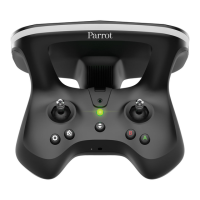
PRESENTATION OF THE PARROT SKYCONTROLLER 2

PRESENTATION OF PARROT COCKPITGLASSES

BEFORE GETTING STARTED

CHARGING THE PARROT BEBOP 2 S BATTERY

Instructions for charging the Bebop 2 drone battery.

CHARGING THE PARROT SKYCONTROLLER 2 S BATTERY

Instructions for charging the Skycontroller 2 battery.

INSTALLING THE PROPELLERS

DOWNLOAD THE FREEFLIGHT PRO APPLICATION

CONNECTING TO THE PARROT BEBOP 2

CONNECT THE PARROT SKYCONTROLLER 2 TO YOUR PARROT BEBOP 2

Steps to link the Skycontroller 2 with the Bebop 2 drone.

CONNECTING YOUR PARROT SKYCONTROLLER 2 TO YOUR SMARTPHONE

Steps to connect the Skycontroller 2 to a smartphone.

USE THE PARROT COCKPITGLASSES WITH A PARROT SKYCONTROLLER 2

TAKING OFF

FPV MODE

FLYING

RETURN HOME

LANDING

WARNING LIGHT INDICATIONS

PARROT SKYCONTROLLER 2

Warning light meanings for the Parrot Skycontroller 2.

PARROT BEBOP 2

Warning light meanings for the Parrot Bebop 2 drone.

GENERAL INFORMATION

ACCESSORIES AND SPARE PARTS

Information on available accessories and spare parts.

PRECAUTIONS FOR USE AND MAINTENANCE

Safety guidelines and maintenance advice for the product.

RISK OF SEIZURES (PARROT COCKPITGLASSES)

CHILDREN (PARROT COCKPITGLASSES)

WARNING REGARDING PRIVACY AND RESPECT FOR IMAGES OF PROPERTY

BATTERY (PARROT SKYCONTROLLER 2;PARROT BEBOP 2)

WARRANTY

HOW TO RECYCLE THIS PRODUCT

DECLARATION OF CONFORMITY UE (PARROT SKYCONTROLLER 2)

DECLARATION OF CONFORMITY IN USA;CANADA (PARROT BEBOP 2;PARROT SKYCONTROLLER 2)

FCC

TRADEMARKS

MANUFACTURER INFORMATION

Summary

PRESENTATION OF THE PARROT BEBOP 2

PRESENTATION OF THE PARROT SKYCONTROLLER 2

PRESENTATION OF PARROT COCKPITGLASSES

BEFORE GETTING STARTED

CHARGING THE PARROT BEBOP 2 S BATTERY

Instructions for charging the Bebop 2 drone battery.

CHARGING THE PARROT SKYCONTROLLER 2 S BATTERY

Instructions for charging the Skycontroller 2 battery.

INSTALLING THE PROPELLERS

DOWNLOAD THE FREEFLIGHT PRO APPLICATION

CONNECTING TO THE PARROT BEBOP 2

CONNECT THE PARROT SKYCONTROLLER 2 TO YOUR PARROT BEBOP 2

Steps to link the Skycontroller 2 with the Bebop 2 drone.

CONNECTING YOUR PARROT SKYCONTROLLER 2 TO YOUR SMARTPHONE

Steps to connect the Skycontroller 2 to a smartphone.

USE THE PARROT COCKPITGLASSES WITH A PARROT SKYCONTROLLER 2

TAKING OFF

FPV MODE

FLYING

RETURN HOME

LANDING

WARNING LIGHT INDICATIONS

PARROT SKYCONTROLLER 2

Warning light meanings for the Parrot Skycontroller 2.

PARROT BEBOP 2

Warning light meanings for the Parrot Bebop 2 drone.

GENERAL INFORMATION

ACCESSORIES AND SPARE PARTS

Information on available accessories and spare parts.

PRECAUTIONS FOR USE AND MAINTENANCE

Safety guidelines and maintenance advice for the product.

RISK OF SEIZURES (PARROT COCKPITGLASSES)

CHILDREN (PARROT COCKPITGLASSES)

WARNING REGARDING PRIVACY AND RESPECT FOR IMAGES OF PROPERTY

BATTERY (PARROT SKYCONTROLLER 2;PARROT BEBOP 2)

WARRANTY

HOW TO RECYCLE THIS PRODUCT

DECLARATION OF CONFORMITY UE (PARROT SKYCONTROLLER 2)

DECLARATION OF CONFORMITY IN USA;CANADA (PARROT BEBOP 2;PARROT SKYCONTROLLER 2)

FCC

TRADEMARKS

MANUFACTURER INFORMATION

Parrot BEBOP 2 FPV Pack Specifications

General IconGeneral
TypeQuadcopter
Weight500 g
Max Speed60 km/h
Maximum Flight Time25 minutes
Max Range2 km
Camera Resolution14 MP
Video Resolution1080p
Stabilization3-axis digital
ConnectivityWi-Fi
Operating Frequency2.4 GHz
Battery Capacity2700 mAh
GPSYes
FPV Goggles IncludedYes
Controller IncludedYes
Maximum Speed (horizontal)60 km/h
Maximum Speed (vertical)6 m/s
Field of View180 degrees
Charging Time60 minutes

Related product manuals