EasyManua.ls Logo

Parrot CK3100 Series - User Manual

Parrot CK3100 Series
15 pages
Print Icon
To Next Page IconTo Next Page
Loading...
This sheet is designed to help you with the installation of a Parrot product and is purely for information. Any installation performed in
compliance with the instructions appearing in this document is done under the sole responsibility of the installer, who is entirely responsible
for the quality of the installation. All rights reserved © Copyright 2011 PARROT SA RCS PARIS 394 149 496. May not be reproduced without the
authorisation of Parrot SA. Pictures for information only.
POLO V
The VOLKSWAGEN POLO marque and VOLKSWAGEN logo are the property of the VOLKSWAGEN France Group s.a or VOLKSWAGEN AG.
This document is only valid for the vehicle model POLO V® year 2009 to 2011, excluding all other models in the same range and excluding later
modifications made to the vehicle by the manufacturer.
The Parrot brand name and logos are the exclusive property of Parrot SA.
POLO V
Installation manual:
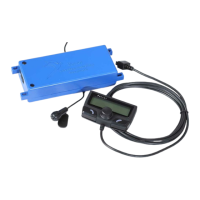
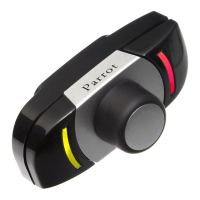
Parrot MKi + Parrot
CK3100 range
Question and Answer IconNeed help?

Do you have a question about the Parrot CK3100 Series and is the answer not in the manual?

Parrot CK3100 Series Specifications

General IconGeneral
DisplayLCD
Voice RecognitionYes
Phonebook SynchronizationYes
Device TypeHands-free car kit
Maximum Range10 meters
Caller IDYes
ProfilesHands-Free Profile (HFP), Headset Profile (HSP)
Noise CancellationYes
MicrophoneExternal microphone
CompatibilityBluetooth-enabled phones
MountingDashboard
Bluetooth VersionBluetooth v2.0
Number of Contacts1000

Summary

Finding the ACC Wire

Option 1: Via Fusebox (Auto AC)

Find ACC wire via fusebox for vehicles with automatic air conditioning.

Option 2: Via AC Control (Manual AC)

Find ACC wire via AC control for vehicles with manual air conditioning.

Fitting the Hands-Free System

Connect Adaptor and Wires

Connect the adaptor to original connectors and wires to the blue box.

System Testing

Check Menu Display and Muting

Verify menu display, radio muting, and sound through speakers.

Verify Power Off and Pairing

Check kit powers off, displays 'goodbye', and pairs with a phone for calls.

Related product manuals