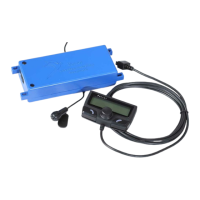
This sheet is designed to help you with the installation of a Parrot product and is purely for information. Any installation performed in
compliance with the instructions appearing in this document is done under the sole responsibility of the installer, who is entirely responsible
for the quality of the installation. All rights reserved © Copyright 2011 PARROT SA RCS PARIS 394 149 496. May not be reproduced without the
authorisation of Parrot SA. Pictures for information only.
POLO V
Unclip one or the unused covers
on the control near the HAZARD
WARNING switch.
With a file or a knife, make a notch
to feed the screen cable through.
Feed the cable into the recess
behind the cover and replace it.
2
4
3
12
Glue the mounting (supplied) onto
the cover (after degreasing).
5
ATTENTION: When reassembling take
great care not to cut the wire when
sliding the radio.
6
!


 To Next Page
 Loading...