5Before you begin
Switching on the Parrot Rolling Spider
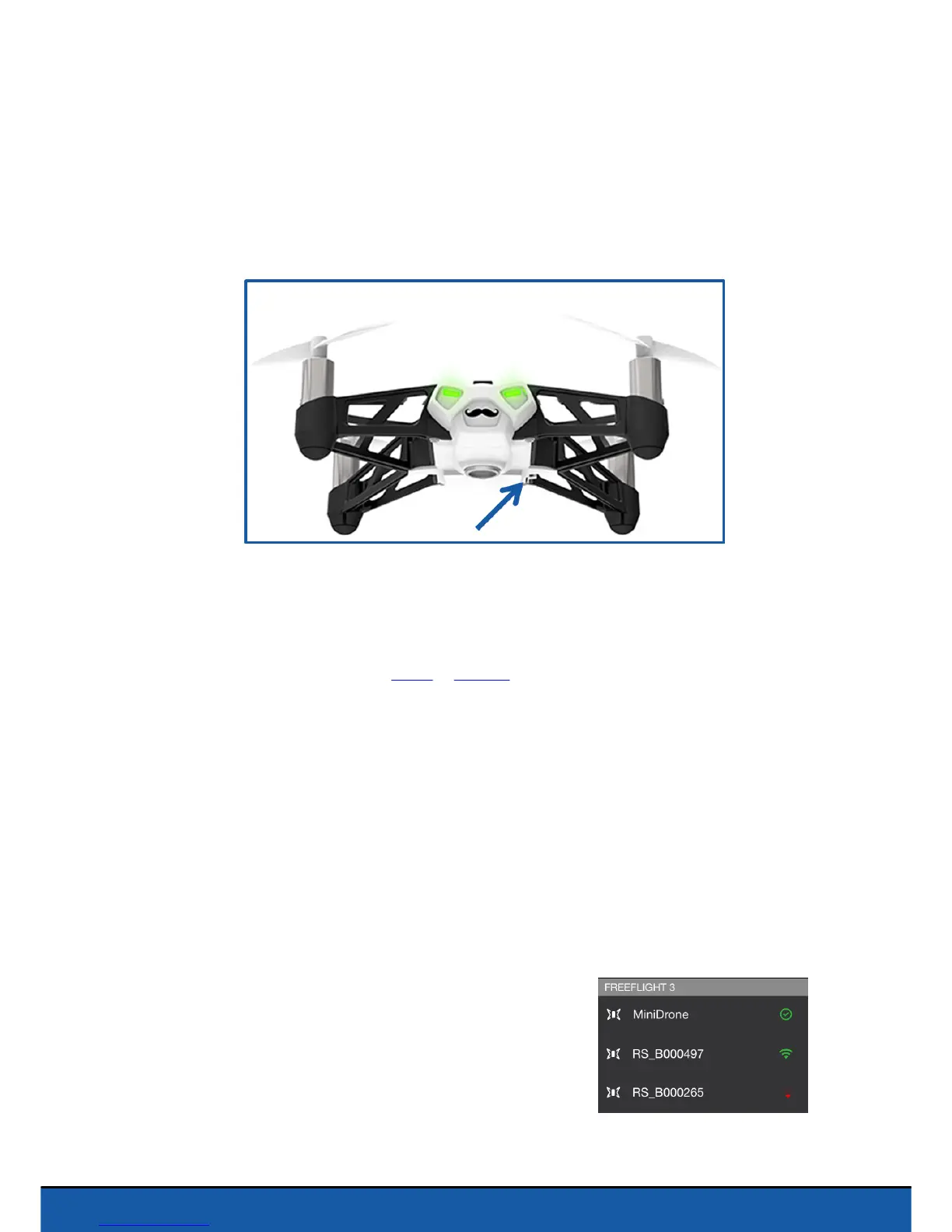
Insert the battery into the battery compartment or tap on the On/Off button to switch
on the Parrot Rolling Spider.
The On/Off button is located under the Parrot Rolling Spider, below and to the right of
the vertical camera.
Compatibility
To use the Parrot Rolling Spider, you must have a smartphone or a tablet that supports
Bluetooth® 4.0.
For further information see the Apple or Android compatibility page on our website.
Downloading the application
Connect to App Store
SM
or Google Play
TM
and download the free FreeFlight 3
application.
Connecting a smartphone
As the Parrot Rolling Spider supports Bluetooth Low Energy, it will not appear in the
usual list of
Bluetooth
devices displayed on your smartphone. You can only see it and
connect to it via the FreeFlight 3 application.
1. Insert the battery into the battery compartment.
2. Place the Parrot Rolling Spider on the ground and
wait until its LEDs turn green.
3. Activate
Bluetooth
on your smartphone.
4. Start the FreeFlight 3 application.
> The list of MiniDrones located near your
smartphone appears.


 To Next Page