EasyManua.ls Logo

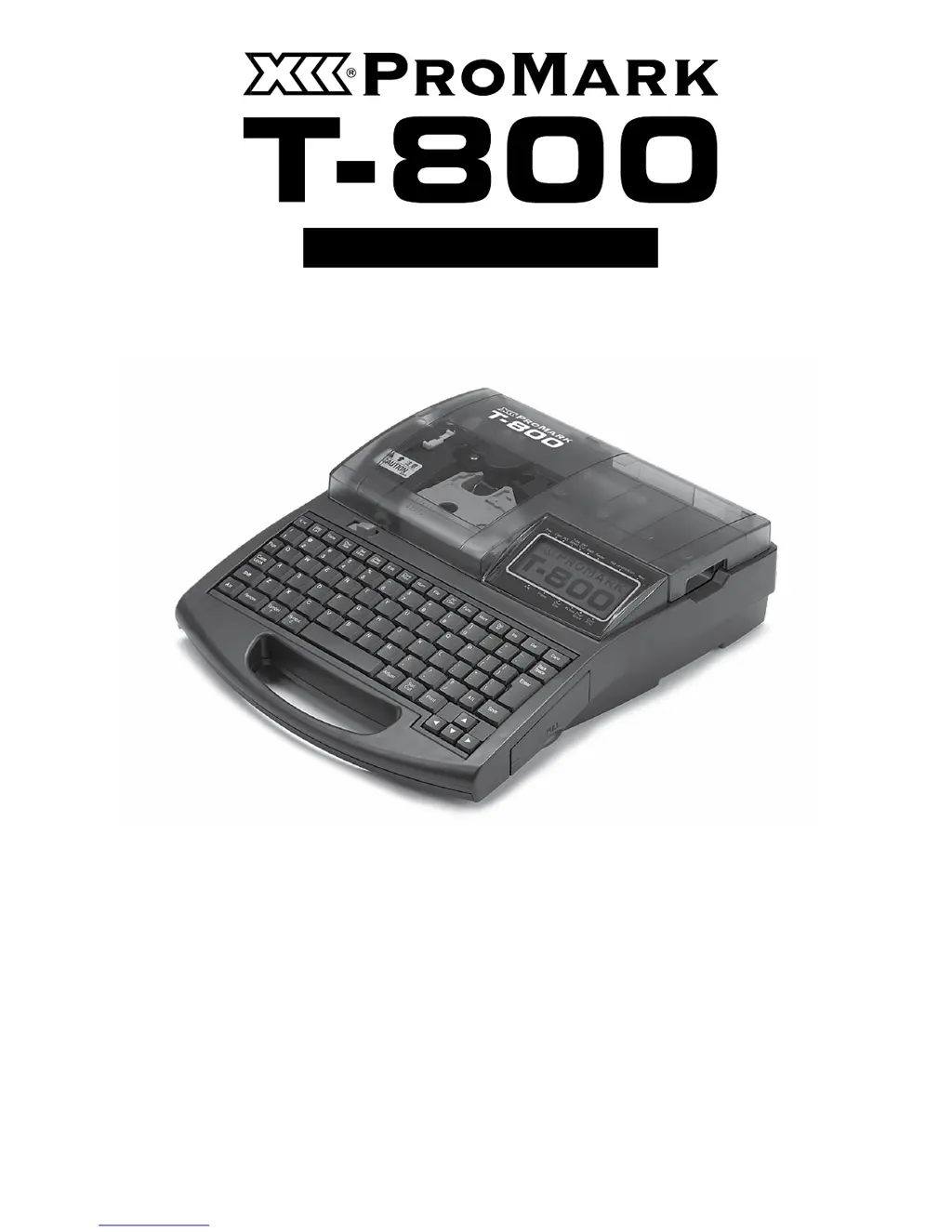
Partex PROMARK T-800 - User Manual

Partex PROMARK T-800
164 pages
Print Icon
To Next Page IconTo Next Page
Loading...
CABLE I.D. PRINTER
User’s Guide
www.partex.eu
June 2012
Copyright ©2012 PARTEX MARKING SYSTEMS
ALL RIGHTS RESERVED
WWW.PARTEX.NU

Table of Contents

Other manuals for Partex PROMARK T-800

Questions and Answers

Summary

The Producers Warranty

Main Features

Compact and easy to carry

Details the printer's lightweight design (2kg) and compact dimensions for easy transport and use.

Fast printing

Highlights the printer's speed, capable of printing 42 tube segments per minute.

Supports a variety of printing media

Lists the various media types the printer can print on, including tube and label tape.

A wide variety of options provide excellent additional capability

Explains how optional accessories like the 'Tube Warmer' enhance the printer's functionality.

Many functions not normally found in a hand-portable machine

Notes the inclusion of advanced features like adjustable character size and file saving.

Safety Precautions

Do not disassemble or modify the unit

Warns against disassembling or modifying the unit to prevent fire or damage.

Do not handle the power cord with wet hands

Advises against touching the power cord or plug with wet hands to prevent electric shock.

Plug the power cord in securely

Emphasizes the importance of securely plugging the AC adapter into the power outlet.

Keep away from paint thinner, etc.

Cautioning to keep the unit away from flammable solvents like paint thinner to prevent fire.

Quick Guide to Using the Printer

Installing Accessories

Provides initial steps for installing accessories before operating the printer.

PART 1 Before You Begin (Preparation)

1.1 Names and Functions of Parts

Overview of the printer's main components, LCD screen, and keyboard layout.

1.2 Connecting the AC Adapter

Step-by-step instructions for connecting the AC adapter to power the printer safely.

1.3 Use the PC Connection Kit

Guide on using the PC connection kit to link the printer to a computer for data management.

PART 2 Basic Operations

2.2 Impression on Label Tape, Heat Shrink Tube, and 4 mm I.D. Strip

Procedure for printing on various media including label tape, heat shrink tube, and 4mm I.D. strip.

2.3 Printing on Wrap around Tape

Instructions for printing text and characters on wrap-around tape for cable identification.

2.4 Printing on Plates PP, PPA and PHZF

Procedure for printing on plate materials such as PP, PPA, and PHZF.

PART 3 Character Input

3.3 Deleting Characters, Creating New Pages, Moving the Cursor

Methods for editing text, managing pages, and navigating the cursor for character input.

PART 4 Advanced Operations

4.2 Editing Pages

Functions for copying, cutting, pasting, inserting, and deleting pages of character data.

4.3 Saving, Retrieving and Deleting Character Data

Managing saved text files and folders, including saving, loading, and deleting data.

4.4 Various Printing Functions

Advanced printing controls like count, range, orientation, numbering, and continuous printing.

4.5 Changing the Cutting Method

Adjusting cut settings, including half cuts, full cuts, and dotted lines for media separation.

4.6 Other Operations

Miscellaneous functions like removing print media, adjusting display contrast, and turning off sounds.

PART 5 Maintenance

5.2 What To Do If the Cutter Is Getting Blunt

Adjusting cutting depth and speed, and using force full cut for better performance.

5.3 Replacing the Cutter

Step-by-step guide on how to safely replace the printer's cutter unit.

5.4 Replacing the Cassette

Instructions for replacing ribbon, tube, or label tape cassettes when they are empty or faulty.

5.5 Maintenance

Routine cleaning procedures for the printer, transport rollers, and print head.

PART 6 Appendices

6.2 Message List

Explanation of printer messages, their causes, and recommended actions for troubleshooting.

6.3 Troubleshooting

Common issues encountered with the printer, their causes, and solutions.

6.4 List of Symbols

Visual reference for symbols used within the printer's interface and manual.

6.5 List of Function

Comprehensive overview of the printer's functions and their corresponding menu settings.

6.6 Main Specifications

Technical details about the printer's performance, dimensions, power, and compatibility.

6.7 Recommended font settings

Guidelines for optimal font and character settings for various printing media.

6.8 Warranty conditions

Terms and conditions of the product warranty, including coverage and exclusions.

Partex PROMARK T-800 Specifications

General IconGeneral
BrandPartex
ModelPROMARK T-800
CategoryPrinter
LanguageEnglish

Related product manuals