Need help?
Do you have a question about the Partex ProMark T-2000 and is the answer not in the manual?
Explains how to read the manual.
Lists company and product trademarks.
Details how to connect power.
Explains how to power the printer on and off.
Guides on installing the ribbon.
Basic operations for entering text and data.
Modifying text properties like size and spacing.
Configuration of print media cutting.
Core printing functions.
Fine-tuning print output.
Adjusting cutter behavior.
Software installation steps.
Establishing PC connection.
Procedures for cleaning printer parts.
How to replace the cutter assembly.
Customizing printer operational settings.
Handling print media jams.
General troubleshooting guidance.
Process for updating printer firmware.
Technical details of the printer.
Information on compatible supplies.
Explanation of warning and information symbols.
Notes on text conventions and copyright.
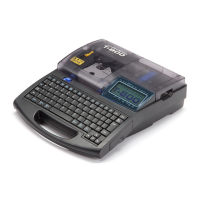
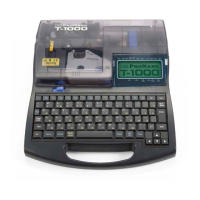
Visual overview of the printer's exterior.
Detailed view of internal printer components.
Description of the tube attachment accessory.
Details how to connect power.
Explains how to power the printer on and off.
Guides on installing the ribbon.
Steps for connecting the AC adapter.
Instructions for using batteries.
Steps to turn the printer on.
Steps to turn the printer off.
How to load tubes or plates.
How to load tape cassettes.
Replacing media for thin tubes.
Replacing other types of print media.
Removing tubes or plates.
How to insert a tube into the warmer.
Basic operations for entering text and data.
Modifying text properties like size and spacing.
Configuration of print media cutting.
Explanation of page concept and navigation.
How to navigate the cursor for text input.
Switching between text insertion modes.
Using Backspace to delete.
Using the Delete key to remove characters.
Adjusting the size of printed characters.
Underlining numbers 6 and 9 for distinction.
Definition of cut length.
How to set cut length and text alignment.
How to create a new page.
Core printing functions.
Fine-tuning print output.
Adjusting cutter behavior.
Steps for initiating a print job.
Fine-tuning print position and cut length.
Adjusting vertical print position.
Adjusting the cut length.
Modifying the cut settings.
Adjusting half-cut behavior.
Adjusting full-cut behavior.
Specific setting for plate full cuts.
Adjusting half-cut depth.
Adjusting full-cut depth.
Adjusting half-cut speed.
Adjusting full-cut speed.
Procedures for saving text data.
Software installation steps.
Connecting more than one printer.
Removing printer drivers.
Establishing PC connection.
Steps for installing the printer driver.
Configuring status monitor display.
Checking current printer operational status.
System requirements for Promark Creator.
Steps for installing the software.
Creating markers manually.
Steps to start a new project.
Importing data from Excel files.
Importing data from CSV files.
Importing data from clipboard.
Locating errors in marker settings.
Methods for correcting marker errors.
Details on printing from the printer.
Saving customized markers to the printer.
Procedures for cleaning printer parts.
How to replace the cutter assembly.
Customizing printer operational settings.
Steps for cleaning the printer exterior.
Steps for cleaning the printer interior.
Adjusting auto power off timer.
Modifying display contrast and brightness.
Adjusting backlight brightness.
Setting the printer's display language.
Pairing a tablet device via Bluetooth.
Handling print media jams.
General troubleshooting guidance.
Process for updating printer firmware.
Verifying the current firmware version.
Steps to perform the firmware update.
Technical details of the printer.
Overview of printer functions and keys.
Information on compatible supplies.
Technical specifications of the printer model.
List of compatible printing materials.

 To Next Page

 General