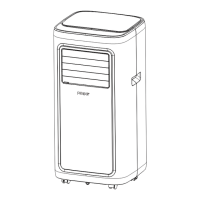
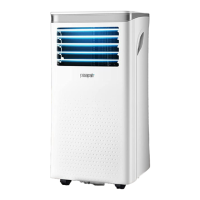
This document serves as an instruction manual for the Pasapair Portable Air Conditioner, models A019F-05KR and A019F-06KR. It provides comprehensive guidance on the operation, installation, maintenance, and troubleshooting of the device, ensuring users can maximize its functionality and longevity.
The Pasapair Portable Air Conditioner is designed for indoor use, offering a luxurious and elegant solution for climate control. Its compact and streamlined design contributes to an aristocratic aesthetic, making it a suitable addition to various indoor environments. The unit is equipped with multiple functions, including cooling, dehumidification, and fan operation. Some models may also include a heating function, though the manual specifies "single cold without heating function" for certain configurations. A key feature is its continuous water drainage capability, which simplifies operation by reducing the need for frequent manual emptying of collected water.
One of the notable usage features is the automatic swing leaf in the air outlet. This mechanism provides an automatic air swing function, ensuring even distribution of air throughout the room. When the machine is turned off, the outlet can be covered, preventing dust from entering the unit and maintaining its internal cleanliness. The control panel features an LCD display, which enhances the user experience by providing clear visual feedback on settings and operational status. For added convenience, a high-quality LCD remote control is included, allowing users to operate the unit from a distance.
The physical design of the air conditioner incorporates user-friendly elements. Handles on both sides are designed with a dividing point, making the unit easier to carry and move. The power cord can be wrapped around a structure on the back of the unit, preventing it from hanging down, getting stained, or being damaged. The outdoor interface is strategically placed high to facilitate assembly and ensure a smooth flow for the heat pipe, which is crucial for efficient operation. The unit also includes air filtration capabilities, contributing to improved indoor air quality.
A timing switch function allows users to program the unit to turn on or off automatically, offering flexibility and energy savings. The air conditioner is equipped with several protection functions to ensure its safe and reliable operation. These include an automatic restart of the compressor after a three-minute delay, which helps to extend the compressor's service life.
The manual details the control settings for both the unit's control panel and the remote control. The control panel features buttons for power, mode selection (cooling, fan, dry), temperature adjustment (increase/decrease), fan speed selection (high/low in cooling and fan modes), and a timer function. A "Sleep Mode" can be activated by simultaneously pressing the increase and speed buttons, which sets the unit to operate in an energy-saving and quiet mode. The remote control mirrors most of these functions, providing an alternative and convenient way to manage the air conditioner's settings.
Connectivity features are a significant aspect of this portable air conditioner. It supports APP connection via "QZsmart," allowing users to control the unit remotely using their smartphone. The APP connection process can be done through either Wi-Fi or Bluetooth mode. For Wi-Fi, users need to ensure their smartphone is connected to a 2.4 GHz Wi-Fi network (5GHz networks are not supported) and that Bluetooth is enabled for automatic device search. The APP guides users through adding the device, either via auto-connect or manual connection, requiring Wi-Fi network selection and password entry. Once connected, users can change the device's name and location within the app.
The Bluetooth mode offers control in non-Wi-Fi environments, but it requires an initial successful Wi-Fi connection. After Wi-Fi is disconnected, there's a brief waiting period before Bluetooth control becomes active. The "QZsmart" app provides a comprehensive interface for controlling the unit, including setting room temperature, changing working modes (cool, dry, fan), adjusting fan speeds (low, high), and activating sleep mode. Users can also set schedules to program customized timers for the unit.
The manual also outlines how to unbind the device from a mobile phone, either by pressing a button on the control panel or by using the app to "Remove Device." Important cautions regarding app usage include potential delays in machine operation (1-3 minutes), automatic language switching based on the mobile system, and the ability to lock/unlock the control panel via the app (the physical panel lacks this function).
Furthermore, the Pasapair Portable Air Conditioner can be linked to smart home ecosystems like Amazon Alexa and Google Home. For Alexa, users connect through the "QZsmart" app by linking their Amazon account and enabling the "QZsmart" skill. Voice commands can then be used to query ambient temperature, power the unit on/off, adjust temperature, activate sleep mode, and set fan speed. Similarly, for Google Home, users connect via the Google Assistant App, linking their "QZsmart" account to control smart devices through voice commands.
Protection functions are integrated to ensure the unit's safety and longevity. These include Frost Protection, which automatically puts the machine into a protection status if the exhaust pipe temperature is too low during cooling, dehumidification, or economic power-saving modes. Overflow Protection is triggered when the water pan exceeds a warning level, sounding an alarm and displaying "FL" on the LCD. Users are then instructed to drain the water. Automatic Defrosting is available in heating and cooling models, indicated by a flashing heating symbol. Automatic Thermal Protection in heating mode stops the compressor and lower motor to protect the machine's service life, restarting automatically once the temperature recovers. Finally, a 3-minute delay booting protection for the compressor is in place to extend its operational life.
Installation instructions are provided in detail, emphasizing that the unit should be kept upright for at least two hours before use and placed on a flat, dry surface. The heat pipe assembly is installed by inserting it into the back panel vent slot. The window sealing plate components are mounted to a half-open window, with adjustable components to fit the window frame. It's crucial that the exhaust pipe joints are snapped into place, and the pipe is not distorted or bent, ensuring unblocked ventilation.
Drainage instructions cover both manual and continuous drainage. For manual drainage, users are guided to turn off the unit, unplug it, carefully move it, place a water container below the side water outlet, unscrew a rotary knob, and unplug a rubber stopper to allow water to flow out. Continuous drainage, applicable in cooling and dehumidification modes, involves unscrewing the rotary knob, unplugging the rubber stopper, setting a drainage pipe into the water outlet, and connecting it to a bucket.
Maintenance features focus on cleaning the unit. Before any cleaning or maintenance, the machine must be turned off and unplugged. The surface of the machine should be cleaned with a wet soft cloth, avoiding chemicals like benzene, alcohol, or gasoline to prevent damage. The filter screen, if clogged with dust, should be cleaned every two weeks to maintain air conditioning effectiveness. This involves unscrewing a screw, removing the EVA filter net, and washing it in warm water with neutral detergent before drying it in the shade.
Troubleshooting guidance is provided for common issues. For instance, if the air conditioning doesn't work, solutions range from checking electricity connection to discharging internal water or ensuring appropriate ambient temperature. Issues with cooling/heating effect, big noise, compressor malfunction, or remote control problems are addressed with specific solutions. Error codes like 'E1' (room temperature sensor abnormal) and 'E2' (pipe temperature sensor abnormal) are also explained, with recommendations to check related circuitry. Bluetooth connection issues are clarified, noting the requirement for an initial successful 2.4G Wi-Fi connection and a waiting period after Wi-Fi disconnection. Users are advised to contact professional service or customer support if problems persist or are not listed.
The manual concludes with warranty information, stating a 12-month manufacturer's warranty against manufacturing faults from the purchase date. The warranty is automatically tracked, eliminating the need for registration. Contact information for agents/distributors and customer service is provided, encouraging users to include a warranty card, photo, or video for clearer problem diagnosis and optimal solutions. A warranty card template is included for users to fill out and email within 10 days of purchase.



 To Next Page
 General