CAUTION:
When connecting your Aurium to other components, make sure all units are off.
NOTE: Pathos Acoustics recommends to use only high quality interconnecting cables. Not using
appropriate cables prevents your amplifier, your sources, and your loudspeakers from delivering their full
potential. The wiring to and from the amplifier should be arranged in a neat way. It is advisable to separate
AC cords from signal and speakers cables, to avoid hums and noise from being introduced into your system.
Serial number.
Serial number is indicated on the box and on the rear panel (11). Refer it whenever you call upon your
Pathos dealer regarding this product.
Power Supply & Swith ON.
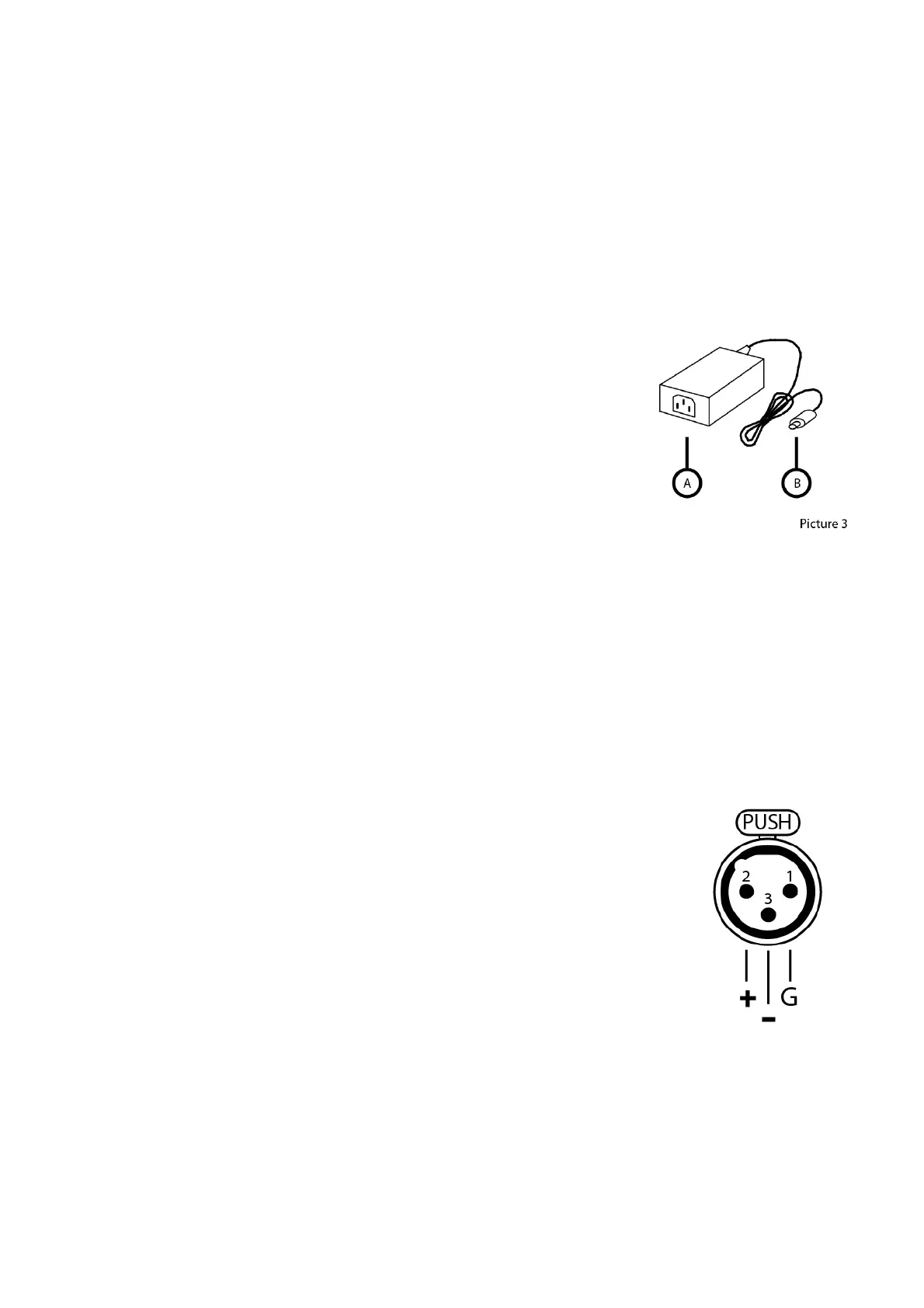
Connect the power supply output (B) into the socket on the rear panel of
the unit (1).
Connect the power plug of the power supply input (A) to the power cord
that came with the box and plug the cable into the socket on the wall.
When Aurium is properly powered the power LED (13) will turn red,
indicating that Aurium is on standby mode (standby consumption is less
than 1W).
In addition to the Power LED will light the LED on the input selector
input referred 1 (17).
In standby mode, the input selector is always working to ensure the functioning of the TAPE OUOT.
To turn on simply press the power button (12) on the front panel, the power LED (13) goes from red to green
and starts flashing after about 10 seconds and remain on.
From now Aurium is on and ready to work.
To turn off just hold down the power button (12) for 2 seconds and the power LED (13) goes from green to
red.
Aurium is in standby mode.
Inputs
Aurium has 4 inputs, 1 balanced XLR and 3 unbalanced RCA.
To select the desired input just press the input selector button (14) on the front
panel, for each input corresponds to a LED on the front panel.
Input 1: Balanced XLR (10) corresponds to the LED (17)
Input 2: Unbalanced RCA (9) corresponds to the light (18)
Input 3: Unbalanced RCA (8) corresponds to the light (19)
Input 4: Unbalanced RCA (7) corresponds to the light (20)


 To Next Page