3
OPERATION
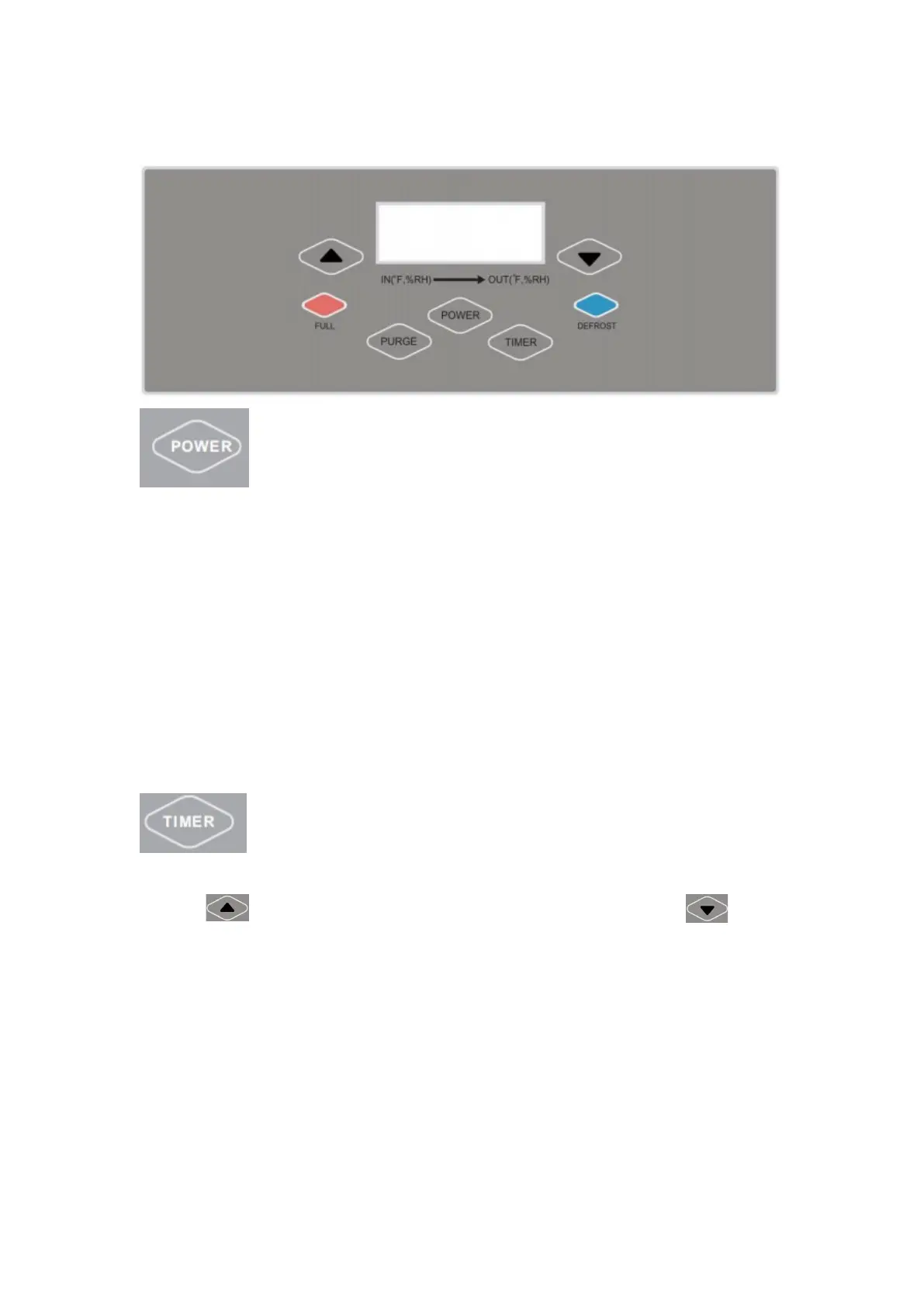
Power Button:When the machine is in the standby mode,
the display screen will be displayed in low light LED. To
start the dehumidifier, press the power button. Concurrently, the display
screen will light up and the unit will run in Auto mode ,the default
humidity setting data is 10%RH,and the machine will start if the humidity
condition meets the requirement of compressor operation.
Press the power button again to turn off the machine, and the fan will
shut down in 1 minute later
Timer Button: Press the timing button ,the display screen
will show the current timing data, and then press Add
button to increase the timing data or press Minus button to
decrease the timing data. Press one time to increase or decrease one hour .
The timing indicator will light up after setting. When the machine is in
the standby mode, press the timing button to set the start-up time; when
the machine is running, press it to set the shutdown time. The timing


 To Next Page